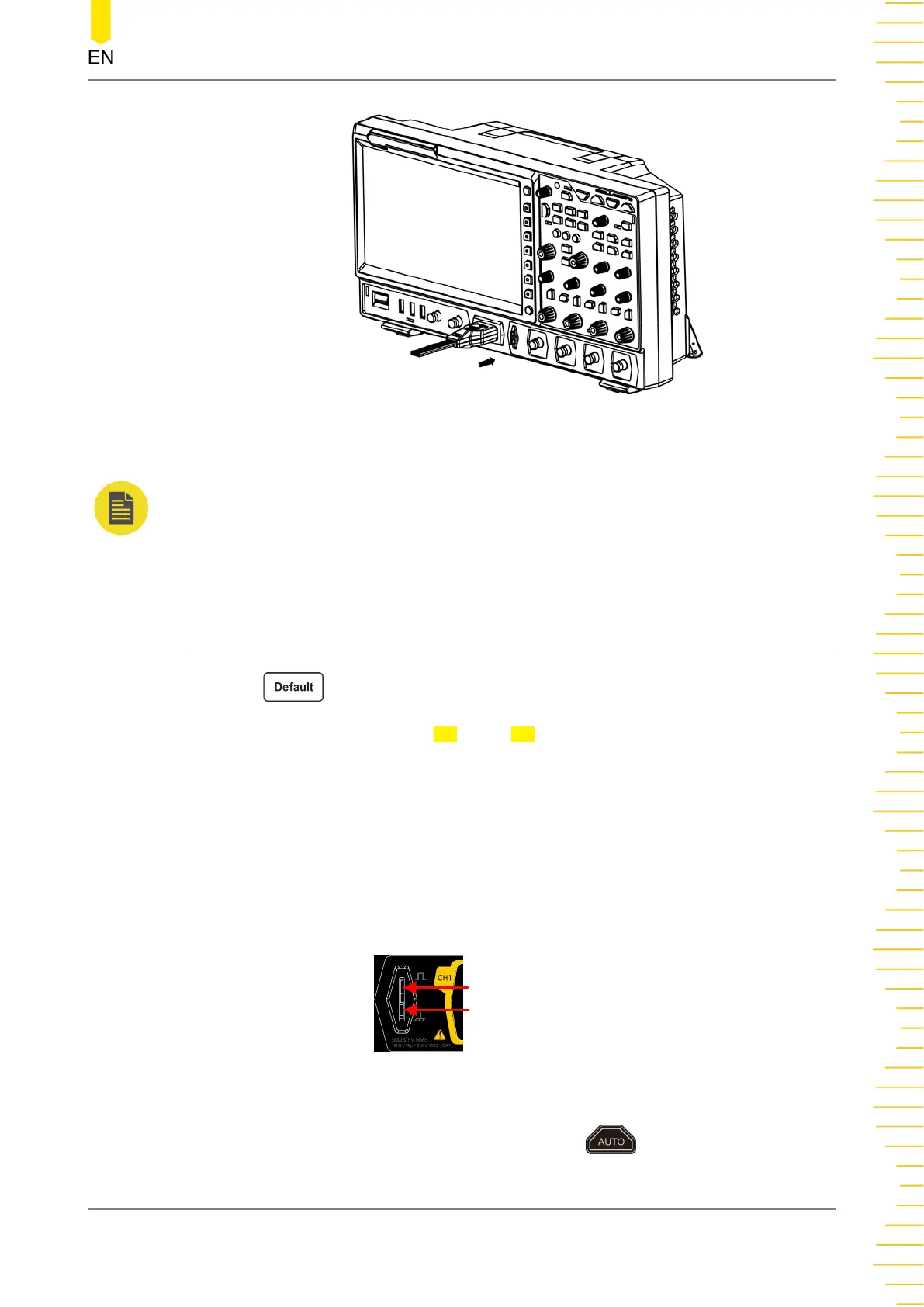
Figure 4.9 Connect the logic probe
NOTE
• Before you connect the logic probe to the signal under test, connect logic probe's
adapter provided in the accessories to its corresponding channel group.
• The digital channel input terminal does not support hot plugging. Please do not insert or
pull out the logic probe when the instrument is in power-on state.
4.3.6 Function Inspection
1. Press on the front panel, then a prompt message "Restore default
settings?" is displayed. Press OK or tap OK to restore the instrument to its factory
default settings.
2. Connect the ground alligator clip of the probe to the "Ground Terminal" as shown
in
Figure 4.10
.
3. Use the probe to connect the input terminal of CH1 of the oscilloscope and the
"Compensation Signal Output Terminal" of the probe, as shown in
Figure 4.10
.
Compensation Signal Output Terminal
Ground Terminal
Figure 4.10 To Use the Compensation Signal
4. Set the probe attenuation to 10X, and then press .
Quick Start
Copyright ©RIGOL TECHNOLOGIES CO., LTD. All rights reserved.
19



 To Next Page