7.2.2 Average
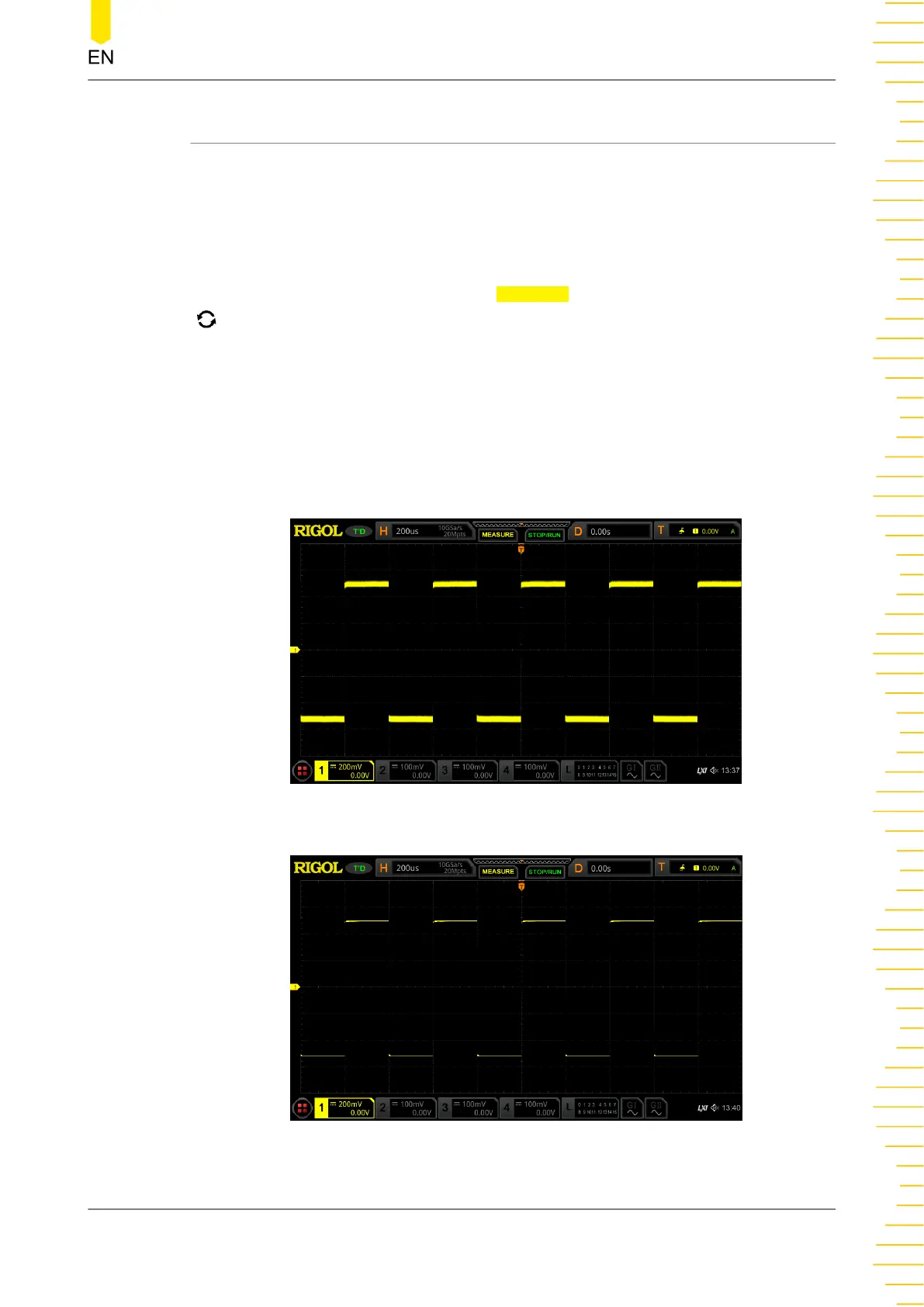
In this mode, the oscilloscope averages the waveforms from multiple samples to
reduce the random noise of the input signal and improve the vertical resolution.
Greater number of averages can lower the noise and increase the vertical resolution;
while at the same time, it will slow the response of the displayed waveform to the
waveform changes.
When you select "Average" mode, press
Averages, and rotate the multifunction knob
to set the desired number of averages. You can also use the pop-up numeric
keypad to input the average count. When the average count value is not in N power-
of-2 increments, a prompt message "Truncation average error" is displayed. At this
time, a value that is smaller than the one you input and the closest to N power-of-2
increments will be input automatically. For example, if you input 9 with the numeric
keypad, the average count will be automatically input as 8.
The number of averages can be set to 2, 4, 8, 16, 32, 64, 128, 256, 512, 1024, 2048,
4096, 8192, 16384, 32768, or 65536. By default, it is 2.
Figure 7.2 Waveforms before Averaging
Figure 7.3 Waveforms after 128 Times of Averaging
To Set the Sample System
Copyright ©RIGOL TECHNOLOGIES CO., LTD. All rights reserved.
69



 To Next Page