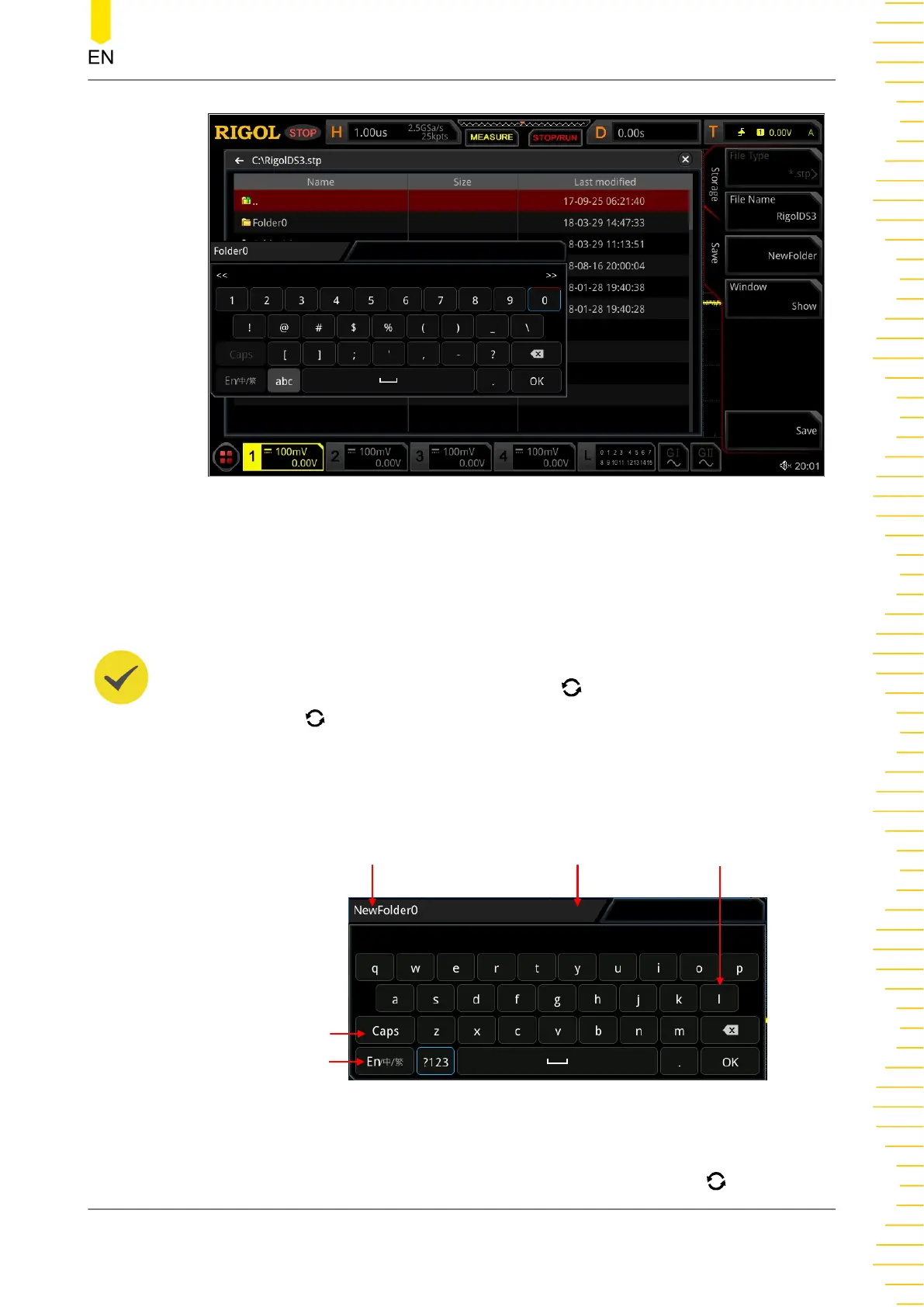
Figure 22.2 Create a Folder
This oscilloscope supports Chinese/English input method. The length of folder name
is limited to 22 bytes (one Chinese character occupies two bytes). The following part
introduces how to input a folder name using Chinese/English input method.
TIP
During the name input, rotate the multifunction knob to select the desired contents. Press
down the knob to input the desired contents. You can also enable the touch screen and tap
the desired contents to select it.
English Input Method
For example, create a folder with the name "Filename".
Name Input Area
Letter Input Area
Virtual Keypad
Upper/Lower Case Switch
Input Method Switch
1. Select English Input Method
If the current input method is "En/中/繁", please go to Step 2. If the current input
method is "中/繁/En" or "繁/En/中", rotate the multifunction knob to select the
Store and Load
Copyright ©RIGOL TECHNOLOGIES CO., LTD. All rights reserved.
333



 To Next Page