13.2.4 To Set Clock Recovery
For setting methods of the clock recovery in the jitter, refer to descriptions in "
To Set
Clock Recovery
" in the "
Real-time Eye Analysis
" section.
NOTE
When the measurement item is "TIE", you need to set the clock recovery. For other
measurement items, you do not need to set the clock recovery.
13.2.5 To Set the Jitter Measurement
Press Measure to enter the jitter measurement menu. You can set the jitter
measurement item and the graph display mode of the jitter measurement results.
• Set the Jitter Measurement Item
The jitter measurement items supported by this oscilloscope include TIE, Cycle to
Cycle, +Width to +Width, and –Width to -Width.
Press
Item, then rotate the multifunction knob to select desired
measurement item, and then press down the knob to select the item. You can
also press
Item continuously or enable the touch screen to select it.
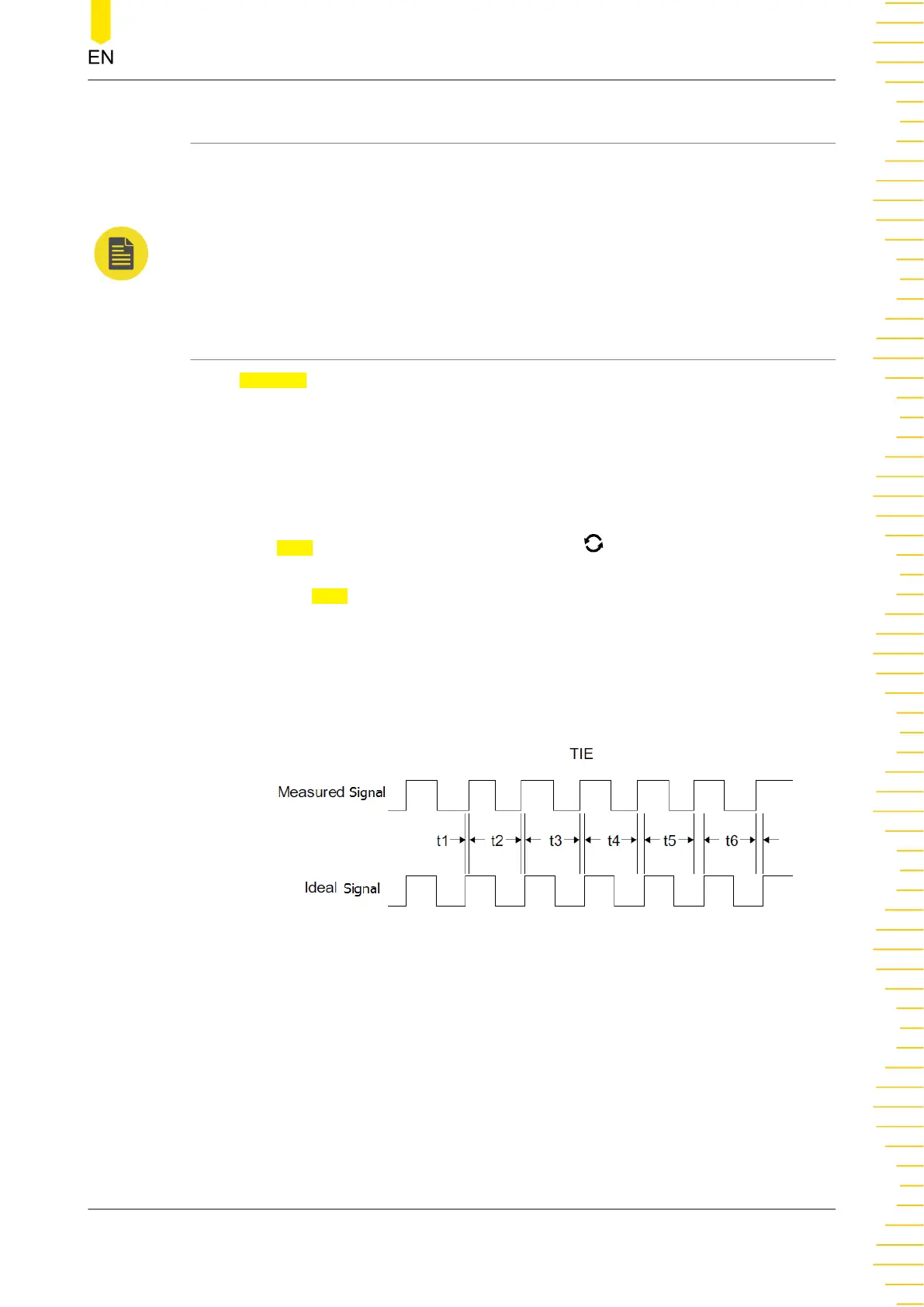
• TIE
Compares edges in a signal under test with the edges in an ideal signal
determined by the clock recovery feature. Then, all the signal intervals are
measured based on the ideal data rate to generate the error statistics.
• Cycle to Cycle
Measures the first cycle and then subtracts the first cycle from the second cycle.
The measurement is made according to this rule.
Real-time Eye Diagram and Jitter Analysis
(Option)
Copyright ©RIGOL TECHNOLOGIES CO., LTD. All rights reserved.
219



 To Next Page