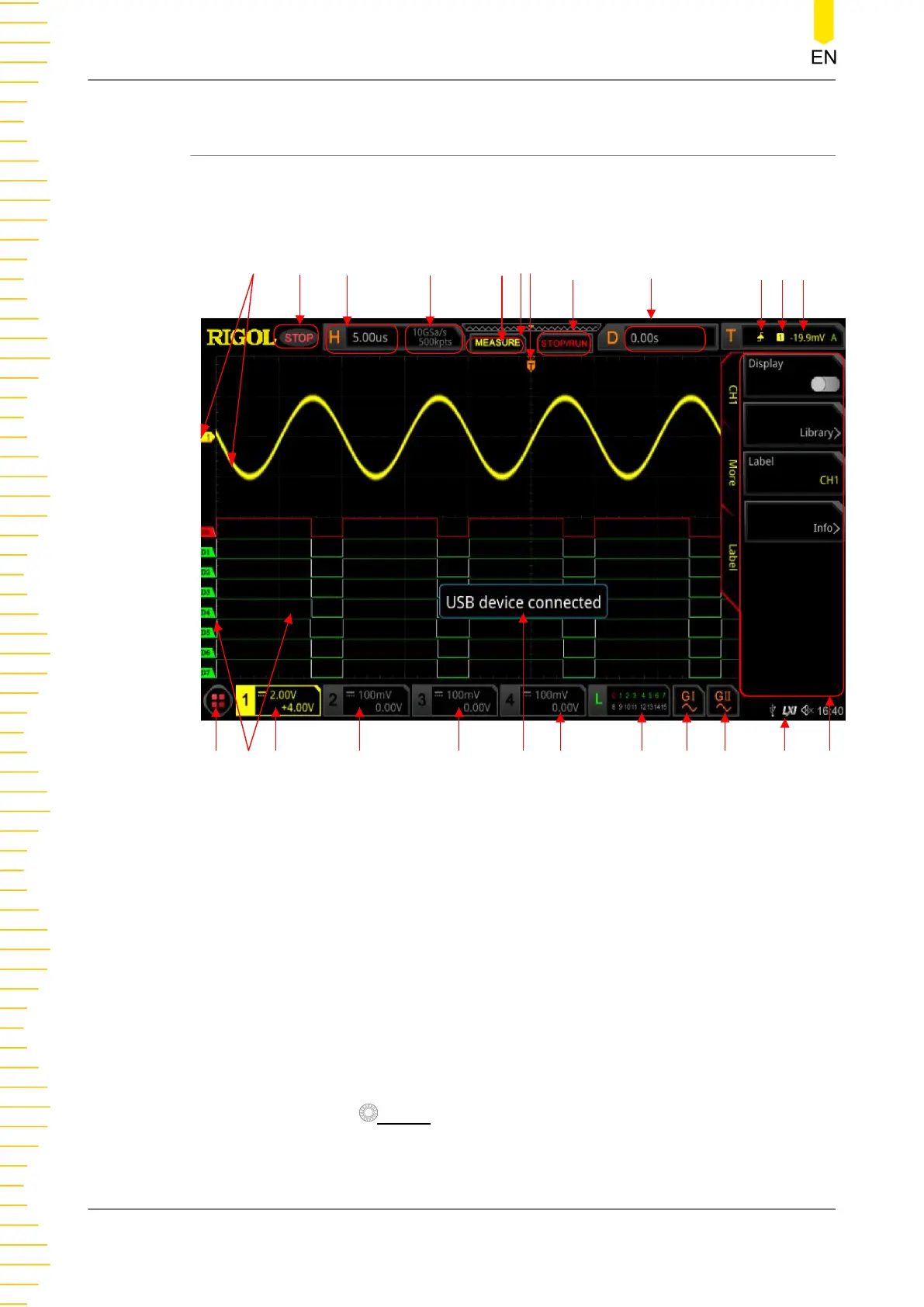
4.7 User Interface
MSO8000 series has a 10.1-inch WSVGA (1024×600) LCD, with 256 level gray-scale
display. The user interface displays the acquired waveforms, the setting information,
and the measurement results.
1
2 3 4 5 86 7 9 10 11 12
13141516
1718
19202122
23
24
Figure 4.15 User Interface
1. Analog Channel Label/Waveform
Different channels are marked with different colors. The color of the channel label
is the same as that of the waveform.
2. Operating Status
The available states include RUN, STOP, T'D (triggered), WAIT, and AUTO.
3. Horizontal Time Base
- Represents the time length per grid in the horizontal axis of the screen.
- Use Horizontal
SCALE to modify this parameter. The adjustable range of the
horizontal time base is different for different models.
Quick Start
32
Copyright ©RIGOL TECHNOLOGIES CO., LTD. All rights reserved.



 To Next Page