"Not intersect". Refer to "
Rectangle Drawing
" to select "Trigger zone A" or "Trigger
zone B" to open the zone trigger setting menu. You can also press > Analyze >
Zone trigger to enter the zone trigger setting menu.
Enable or Disable Trigger zone A or Trigger zone B:
Press
Zone A enable or Zone B enable continuously to enable or disable Trigger
zone A or Trigger zone B. You can also refer to "
Rectangle Drawing
" to select "Trigger
zone A" or "Trigger zone B" to enable Trigger zone A or Trigger zone B. If both Trigger
zone A and Trigger zone B are disabled, then the zone trigger function is disabled. At
this time, you must enable either of them to re-enable the zone trigger.
NOTE
If "
XY Mode
" or "
ROLL Mode
" is enabled, the zone trigger function is disabled.
Select Source A or Source B:
Press Source A or Source B, then rotate the multifunction knob to select the
desired source, and then press down the knob to select it. You can also press
Source
A or Source B continuously to select the trigger source; or enable the touch screen to
tap the desired trigger source and select it. The available sources include CH1-CH4.
The zone name color and the zone color are the same as the color of the selected
source channel.
Set the Conditions for Trigger zone A and Trigger zone B:
Press
Zone A or Zone B, then rotate the multifunction knob to select "Intersect" or
"Not intersect", then press down the knob to select it. You can also press
Zone A or
Zone B continuously to select the condition; or enable the touch screen to tap the
desired condition and select it.
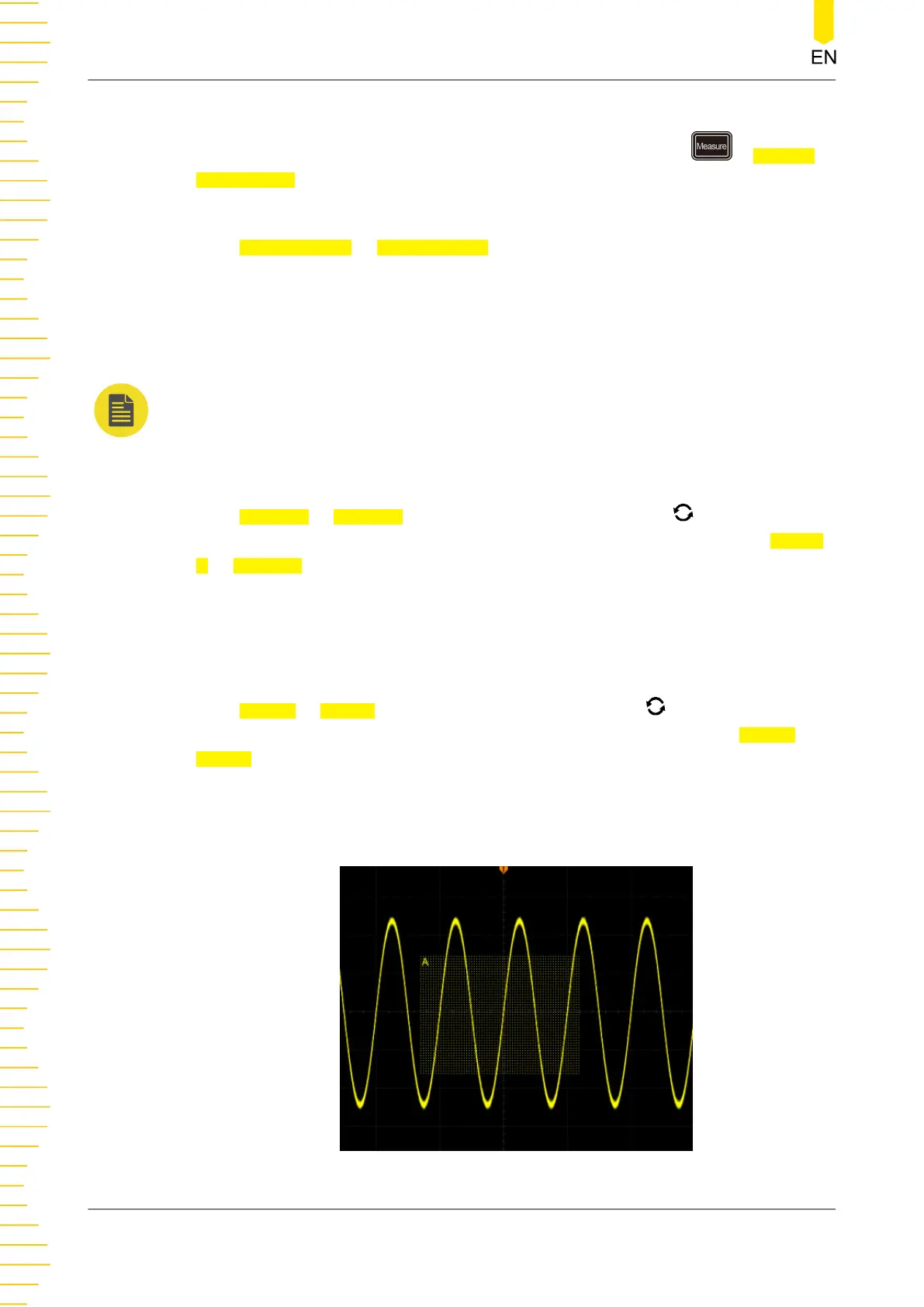
If you enable Zone A, select CH1 as Source A and select "Intersect" as the condition,
as shown in the figure below.
To Trigger the Oscilloscope
134
Copyright ©RIGOL TECHNOLOGIES CO., LTD. All rights reserved.



 To Next Page