- Odd: indicates that the total number of "1" in the data bit and check bit is an
odd number. For example, when 0x55 (01010101) is sent, "1" should be
added to the check bit.
- Stop Bit
Press Stop Bit, and rotate the multifunction knob to set the stop bits after
each frame of data. You can also press Stop Bit continuously or enable the
touch screen to select it. It can be set to 1 bit, 1.5 bits, or 2 bits.
- Endian
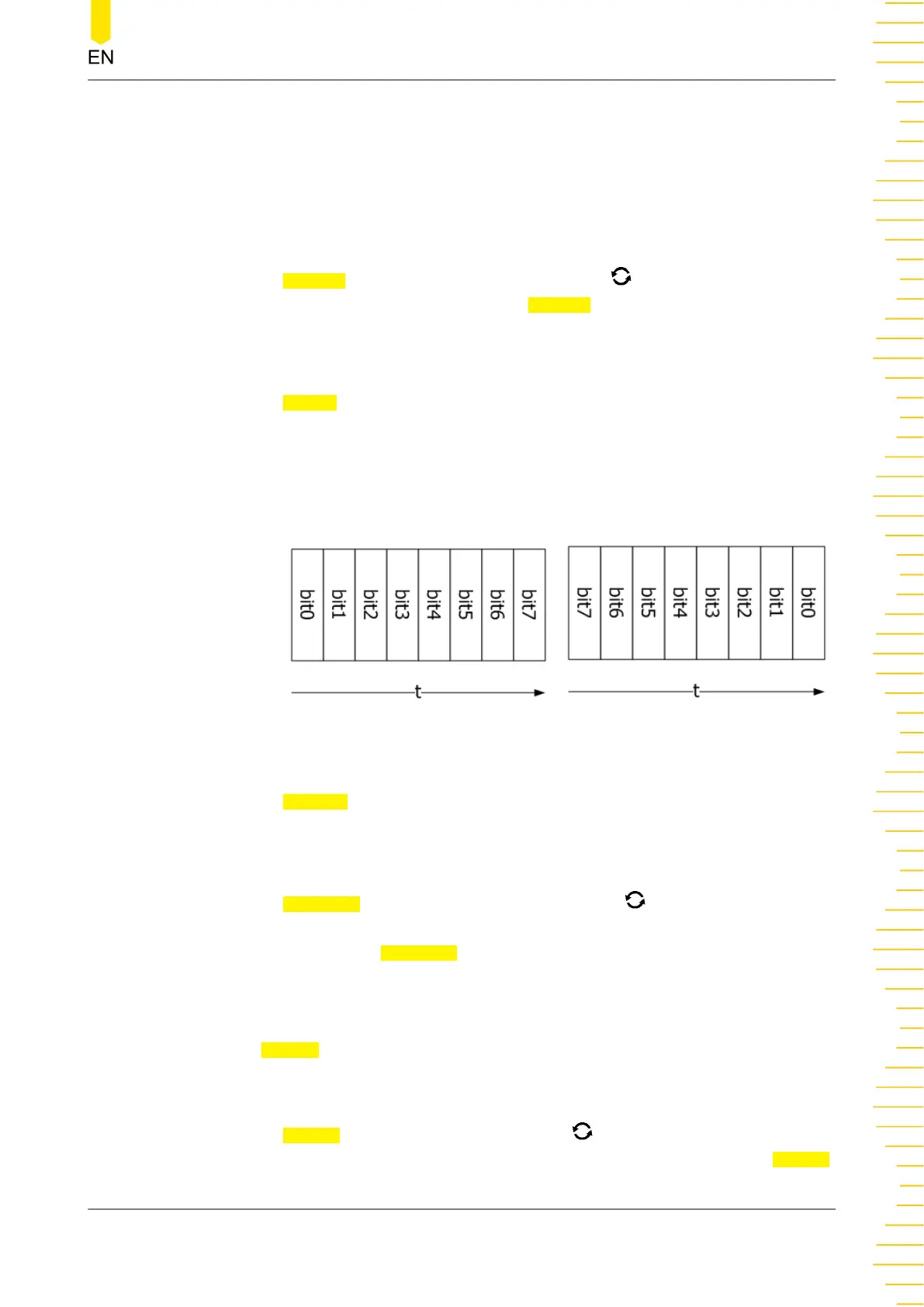
Press Endian to select "LSB" or "MSB". By default, it is "LSB".
LSB: indicates Least Significant Bit transmission sequence, i.g. the lowest bit of
the data is transmitted first.
MSB: indicates Most Significant Bit transmission sequence, i.g. the highest bit of
the data is transmitted first.
LSB
MSB
- Package
Press Package to enable or disable the package display in data transmission.
When enabled, several data blocks will be combined based on the separator.
- Separator
Press
Separator, and rotate the multifunction knob to select the desired
package separator in data transmission, then press down the knob to select it.
You can also press
Separator continuously or enable the touch screen to select
it. It can be set to 0A(LF), 0D(CR), 20(SP), or 0(NUL).
6. Set Display-related Parameters
Press
Display to enter the display setting menu.
- Set the display format
Press Format, rotate the multifunction knob to select the display format of
the bus data. Then, press down the knob to select it. You can also press
Format
Protocol Decoding
Copyright ©RIGOL TECHNOLOGIES CO., LTD. All rights reserved.
239



 To Next Page