2-26
2 Copy
ComColor Series User’s Guide 09
■ Owner
Specify the owner of data to save.
■ Job name
Type or edit the job name of data to save.
1
Press [Functions] on the copy
mode screen.
2
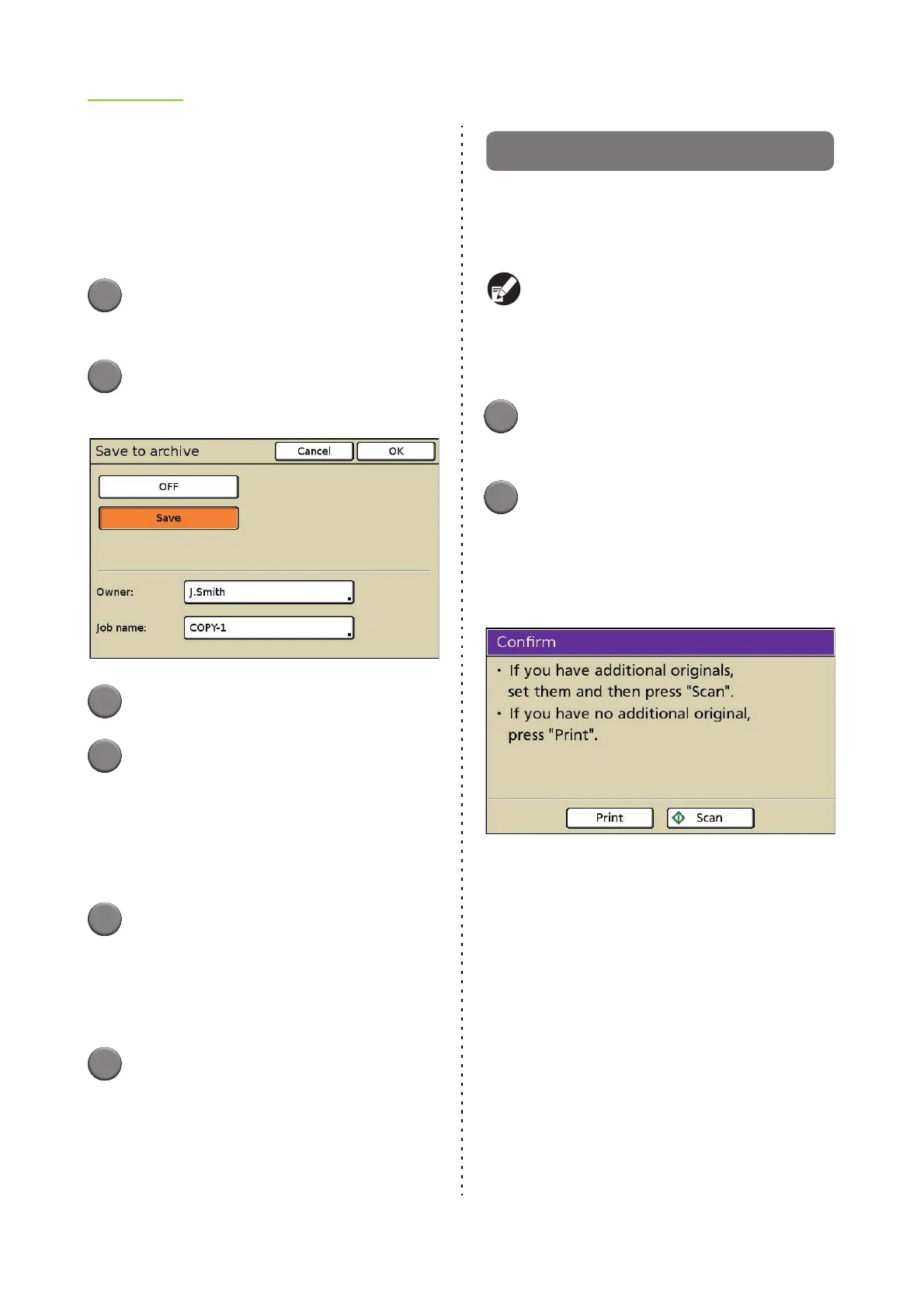
Press [Save to archive].
The [Save to archive] screen is displayed.
3
Press [Save].
4
Change the owner name.
By default, the name of the logged in user is
displayed. To change the name, press [Owner]
and specify the owner name.
• Enter a name up to 10 characters long on the
text input screen. (p. 19 "Entering Text")
5
Change the job name.
To change the name, press [Job name] and type
or edit the job name.
• Enter a name up to 10 characters long on the
text input screen. (p. 19 "Entering Text")
6
Press [OK].
The settings are confirmed and the previous
screen is displayed.
ADF scan & pause
When copying a quantity of originals that cannot be
loaded at one time in the ADF, these can be copied
as one job. Up to 1,000 one-sided originals or 500
two-sided originals can be copied as one job.
● The maximum number of sheets that can be
loaded at one time in the ADF is 100 sheets
(with a paperweight of 80 g/m
2
(21.3-lb bond)).
● Scan all originals using the ADF, and do not
use the platen glass.
1
Press [Functions] on the copy
mode screen.
2
Press [ADF scan & pause].
ADF scan & pause is set.
• Press again to cancel the setting.
The following screen is displayed after copying
starts and all loaded originals have been scanned.
• When there are additional originals, load the
originals in the ADF and press [Scan].
• When there are no additional originals, press
[Print] to start copying of the scanned originals.













 To Next Page