1-19
Basic Settings
1
ComColor Series User’s Guide 09
■ How to register to the default
1
Select ComColor (9150/9110/7150/
7110/3150/3110/2150) printer from
[Printers and FAX] in the [Start]
menu, and click [Properties].
2
Start the printer driver in [Print
setting] to display the [Image] tab
screen.
3
Perform each setting necessary
for barcode printing, and click
[Apply].
The referred "Barcode area file" is registered as
the default value. From now on, you can perform
barcode printing just by selecting the printer
driver.
● Save/Call setting
The current settings on the printer driver screen
can be saved and retrieved later as needed. See
"Save/Call setting" (p. 1-11) in "[Basic] Tab" for
details.
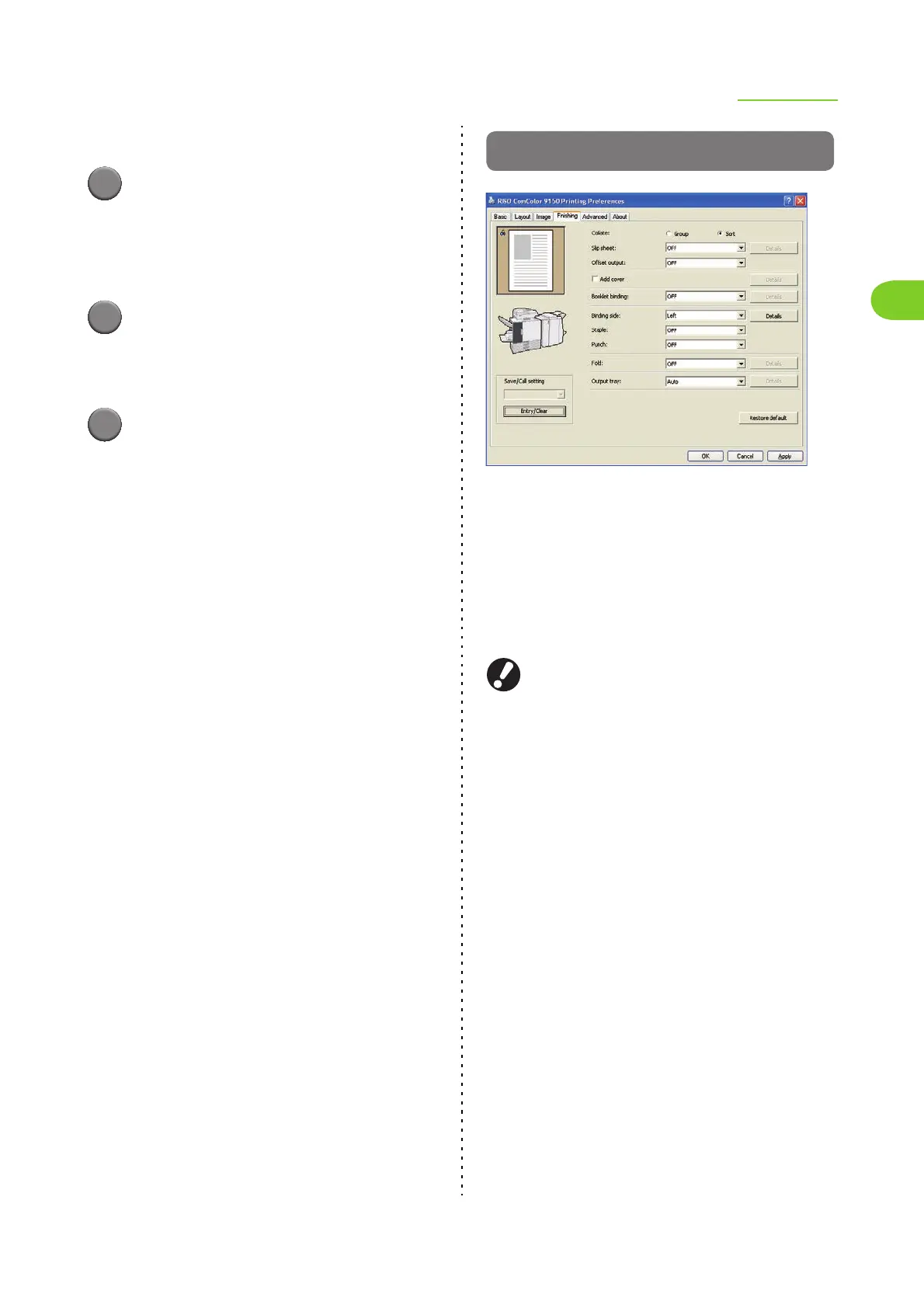
[Finishing] Tab
● Collate
Specify the paper output method when printing
multiple copies.
Select from the following.
[Group] (Select this to print the specified number of
copies of each page.), [Sort]
● When you have selected [Group], the following
functions are not available.
• "Staple" (p. 1-24)
• "Booklet" in "Imposition" (p. 1-13)
• "Booklet binding" (p. 1-21)
● When selecting [Sort], remove the check mark
from the [Collate] check box on the "Print"
screen of the application. Printing may not be
properly performed when the check box has
been selected.













 To Next Page