1-11
Basic Settings
1
ComColor Series User’s Guide 09
● Depending on the administrator setting, the
folder and USB flash drive functions may not
be usable.
● Do not remove the USB flash drive before
saving is finished. During data saving, a printer
icon appears in the taskbar shown on the
computer. When saving is completed, the icon
disappears. Before removing the USB flash
drive, make sure that the icon has
disappeared.
● Data saved in folders can be printed from the
[Folder] Screen in printer mode (p. 4-9) or the
[Folder] Screen of the RISO Console (p. 5-11).
● The computer user name is added as the
[owner] to the data saved to a folder.
■ Selecting the Destination Folder
The folders registered with [Register folder] on the
[Environment] tab are displayed in [Destination].
(p. 1-33 "[Environment] Tab")
1
In [Output], select [Print & Save to
folder], [Save to folder] or [Save to
USB flash drive].
2
Click [Details].
The [Output] dialog box is displayed.
3
In the [Destination] pull-down
menu, select the directory of the
original data.
• The available folders are displayed in the
[Destination] list.
•
You can enter up to 128 characters for comments
to the printer users in the [Job comment] field.
• You can display job comments using the touch
panel of the printer or the RISO Console.
• When you select [Save to USB flash drive], the
[Save to USB flash drive] screen is displayed.
4
Click [OK].
The specified folder name is displayed in the
[Destination] field.
• To cancel the settings, click [Cancel].
● Save/Call setting
The current settings on the printer driver screen
can be saved and retrieved later as needed.
Up to 10 groups of settings can be saved.
■ Saving Settings
1
Configure the necessary settings on
the printer driver screen.
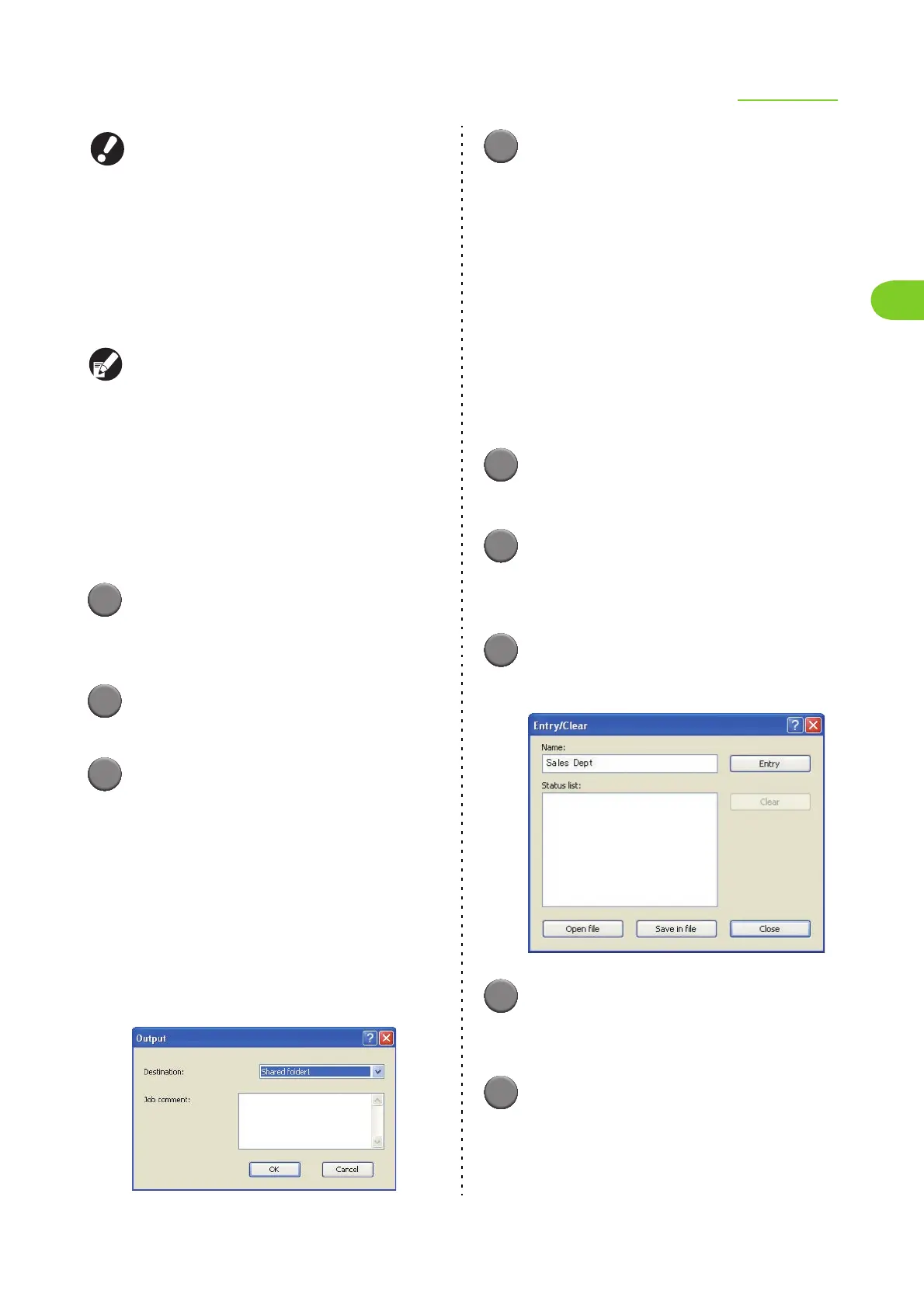
2
Click [Entry/Clear] for [Save/Call
setting].
The [Entry/Clear] dialog box is displayed.
3
Enter a name.
• Enter a name of up to 20 characters long.
4
Click [Entry].
The settings are saved and displayed in [Status
list].
5
Click [Close].













 To Next Page