13
Part Names and Functions
ComColor Series User’s Guide 09
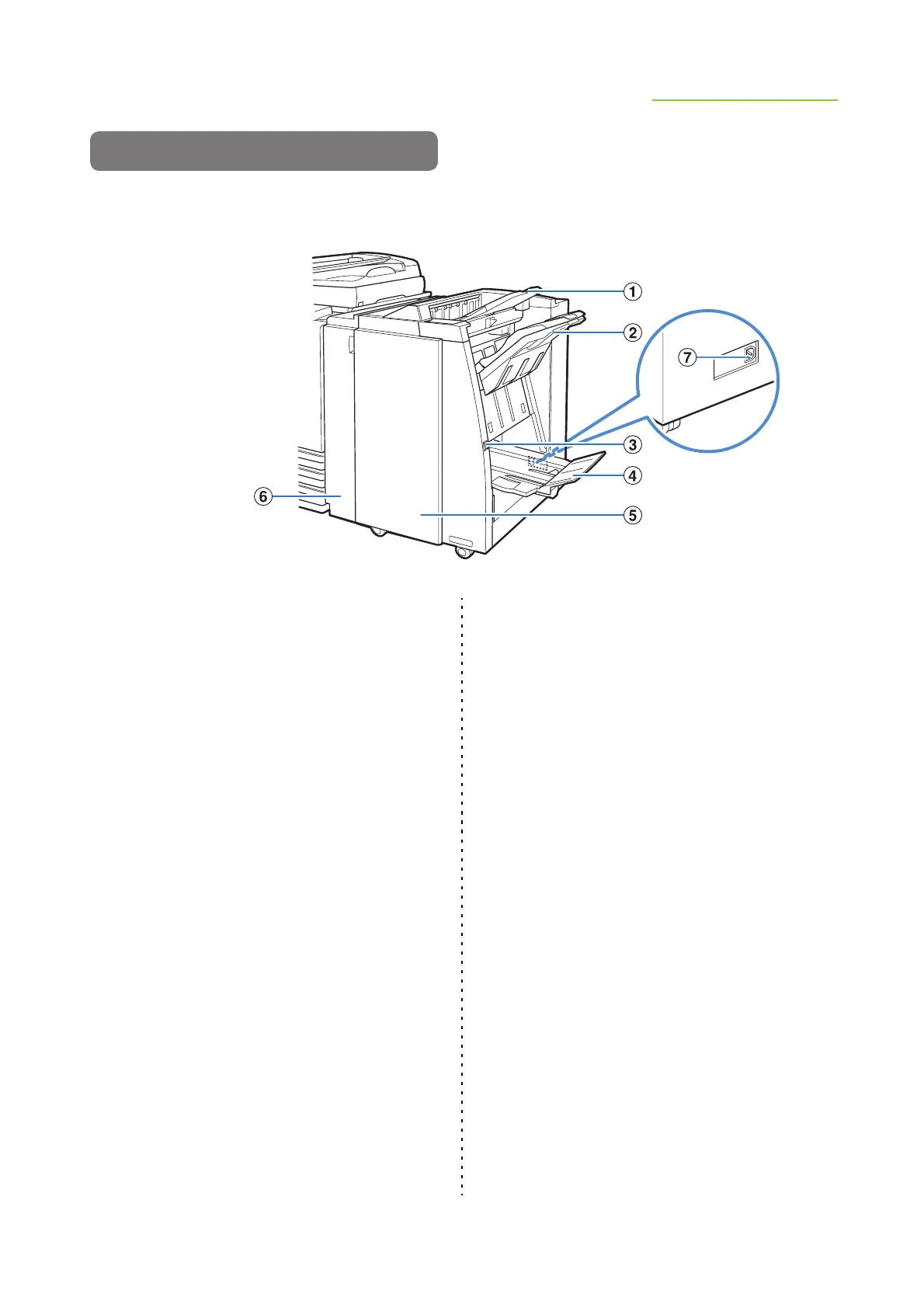
Multifunction Finisher (optional)
If you connect the optional multifunction finisher, you can staple or punch the printed paper or create a
booklet.
a Top Tray
The printouts are output here when punching is
performed.
b Stacking Tray
The printouts are output here when the staple or offset
output function is used.
c Eject Button
Use this button to move the printouts in the booklet tray
to the position where you can easily retrieve them.
d Booklet Tray
Booklets and 2-fold printouts are output here.
e Right Cover
Open to replace the staple cartridge or if paper is
jammed.
f Left Cover
Open to remove the jammed paper from the paper feed
path between the printer and the finisher.
g Multifunction Finisher Socket
Use to connect the multifunction finisher power code.
The socket is located on the back of the finisher.













 To Next Page