3-11
Basic Settings
3
ComColor Series User’s Guide 09
Scanning level
Adjust the scanning density for originals.
For operations, see "Scanning level" (p. 2-14) in
"Copy".
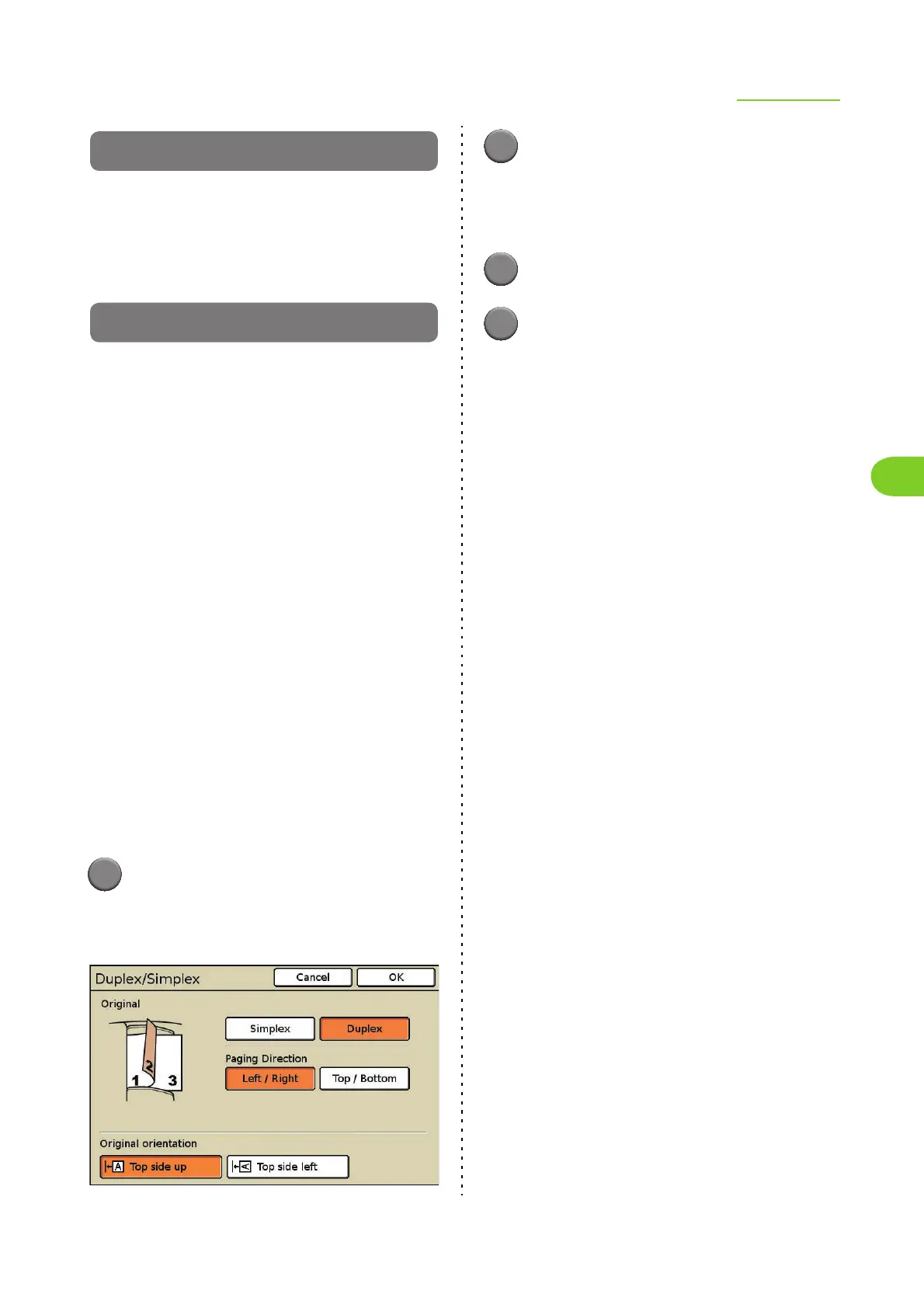
Duplex/Simplex
Specify the sides of the original to be scanned.
■ Original
[Simplex], [Duplex]
■ Paging Direction
When the original is two-sided, select how pages of
the original are turned.
[Left / Right], [Top / Bottom]
■ Original orientation
[Top side up]
Select this when loading the original with the top of
the original facing toward the back of the platen
glass or the ADF.
[Top side left]
Select this when loading the original with the top of
the original facing toward the left of the platen
glass or the ADF (so that the text of the original is
on its side).
1
Press [Duplex/Simplex] on the
scanner mode screen.
The [Duplex/Simplex] screen is displayed.
2
Specify the sides of the original to
scan.
When you have selected [Duplex], select how
pages of the original are turned.
3
Select the original orientation.
4
Press [OK].
The settings are confirmed and the previous
screen is displayed.













 To Next Page