2-43
Copying Functions
2
ComColor Series User’s Guide 09
Collate/slip sheet
Specify the paper output method when copying
multiple copies. You can configure the [Slip sheet]
and [Offset output] settings.
● Configuring the Collate Setting
Specify the collate method when copying multiple
copies.
[Auto]
Copies are collated in sets when the original is loaded
on the ADF and by page when the original is loaded
on the platen glass.
[Group]
Collate by page.
[Sort]
Collate in sets.
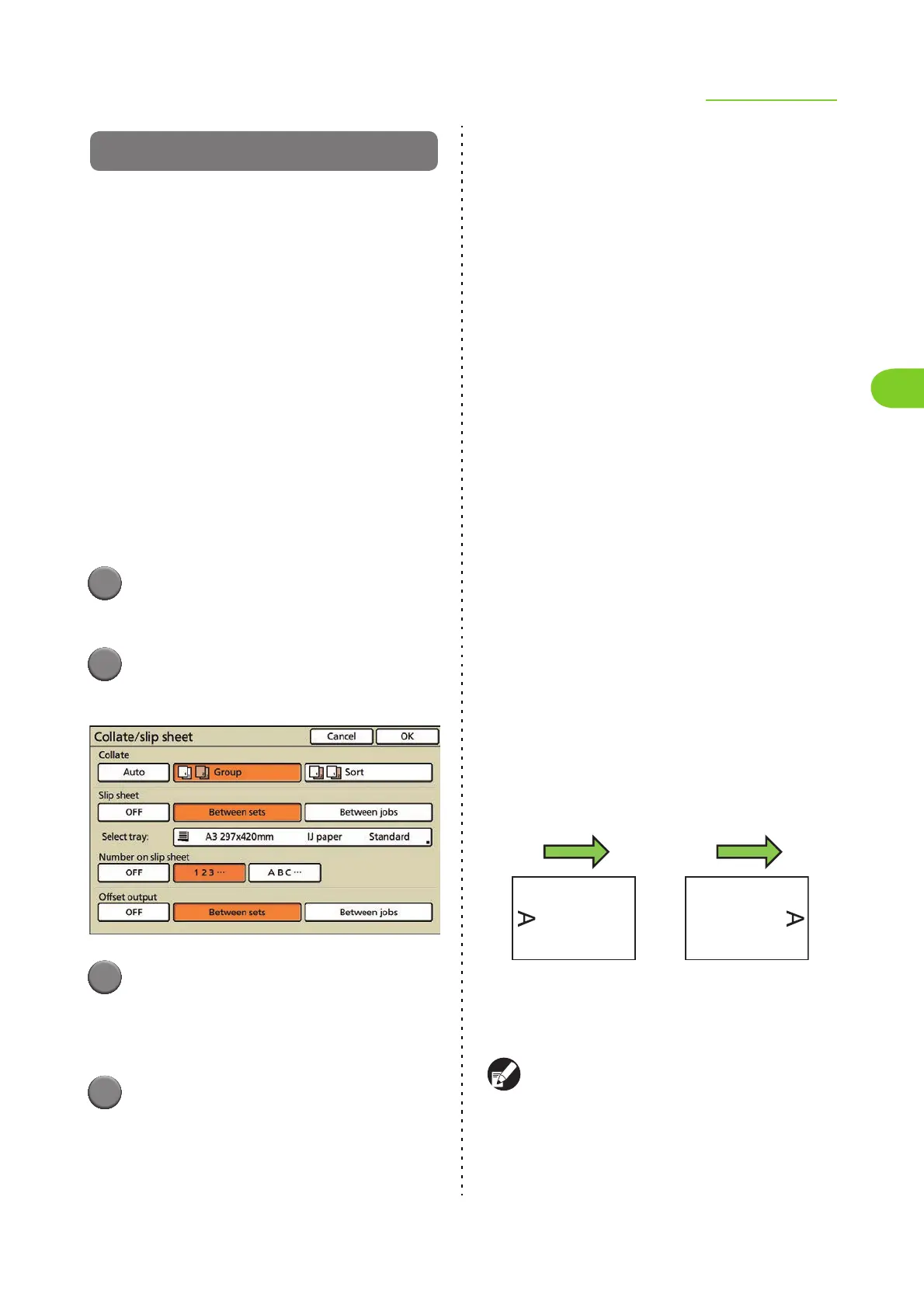
1
Press [Functions] on the copy
mode screen.
2
Press [Collate/slip sheet].
The [Collate/slip sheet] screen is displayed.
3
Select the collate method.
To configure [Slip sheet] or [Offset output], go to
Step 2 (p. 2-43) in the procedure for configuring
that setting.
4
Press [OK].
The settings are confirmed and the copy mode
screen is displayed.
●
Configuring the Slip Sheet Setting
Insert a slip sheet between sets or jobs.
■ Slip sheet
[OFF]
[Between sets]
Insert a slip sheet between sets, based on the unit
specified in [Collate].
[Between jobs]
Insert a slip sheet between print jobs.
■ Select tray
When selecting [Between sets] or [Between jobs],
select the tray in which [Slip sheet] is loaded.
[Standard tray/High capacity feeder], [Feed tray1],
[Feed tray2], [Feed tray3]
■ Number on slip sheet
Stamp numbers or letters on slip sheets.
[OFF] Nothing is stamped.
[1, 2, 3 ...]
Numbers are stamped on slip sheets in numerical
order (1, 2, 3...).
[A B C ...]
Letters are stamped on slip sheets in alphabetical
order up to three digits (A, B, C...Z, AB, AC...). (Up to
ZZZ)
The text is printed at the bottom (within approx. 5 mm
(3/16") of the edge) or top (within approx. 5 mm
(3/16") of the edge) of the sheet.
It is recommended that you set [Tray selection] to
[Manual] on the [Feed tray] screen, when using
special paper as slip sheets.
Regular-sized paper,
irregular-sized paper
specified in [Custom
paper entry]
or
Irregular-sized paper
which has not been
registered to the printer
driver
Output
orientation













 To Next Page