2-16
ComColor Series User’s Guide 09
Direct Access/Selections entry
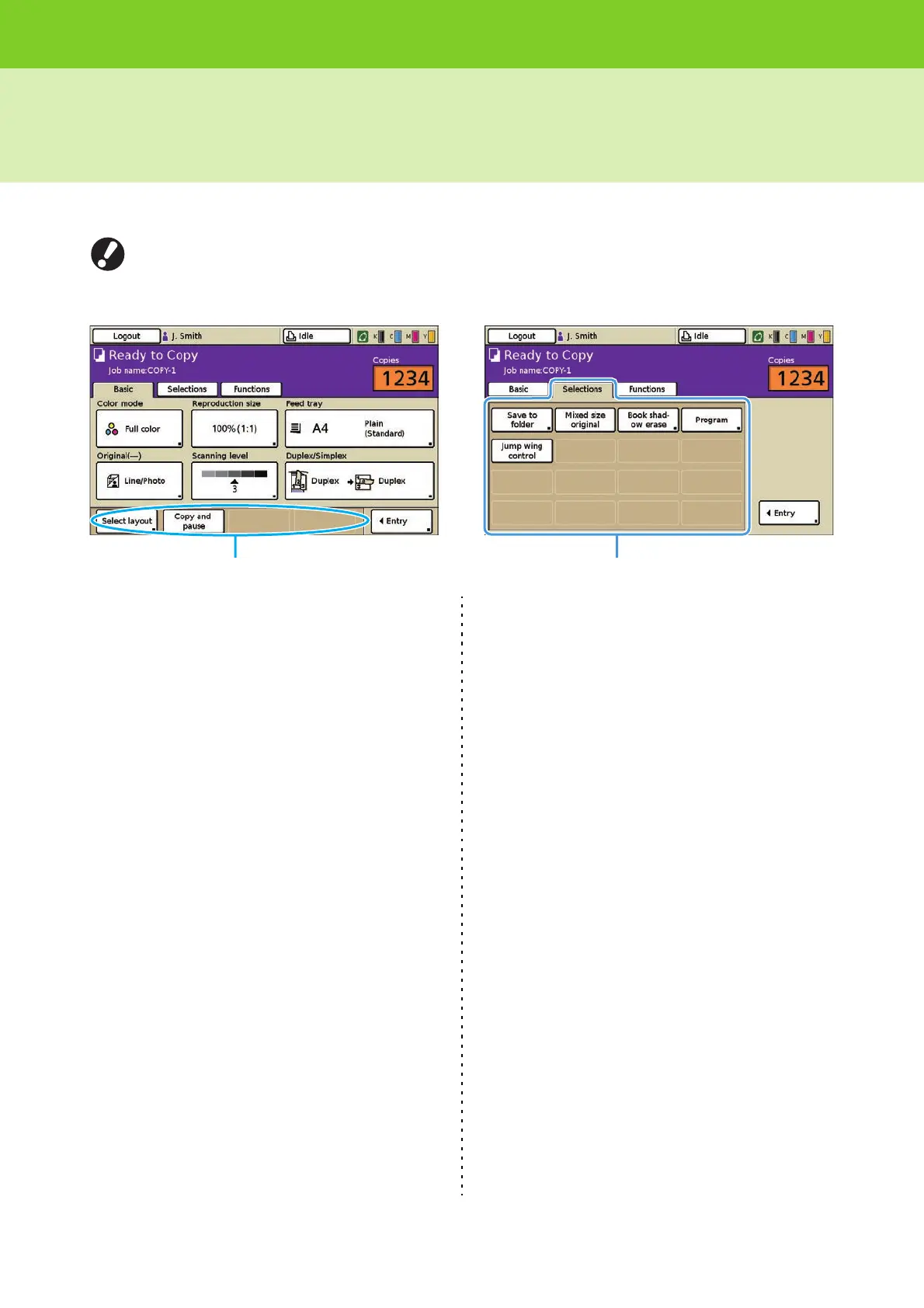
You can register frequently used functions to the direct access area of the [Basic] screen or to the [Selections] screen.
The user who is logged in can register the user's own functions to the direct access area or the [Selections] screen
when [Login setting] has been set to [Required]. The functions configured by the administrator are displayed in the
direct access area and the [Selections] screen when [Login setting] has been set to [Not required].
Direct access area of the [Basic] screen
[Selections] screen
The following are the functions that can be
registered to the direct access area in the [Basic] or
[Selections] screen.
"Save as default" (p. 2-18)
"Check setting" (p. 2-18)
"Save/Call setting" (p. 2-19)
"Select layout" (p. 2-22)
"Copy and pause" (p. 2-23)
"Additional copies" (p. 2-24)
"Save to folder" (p. 2-24)
"Save to archive" (p. 2-25)
"ADF scan & pause" (p. 2-26)
"Scanning size" (p. 2-27)
"Mixed size original" (p. 2-28)
"Book shadow erase" (p. 2-28)
"Multi-up" (p. 2-29)
"Stamp Page/Date" (p. 2-31)
"Image quality" (p. 2-35)
"Gamma control" (p. 2-35)
"Image control" (p. 2-36)
"Base color level" (p. 2-36)
"Print density" (p. 2-37)
"Program" (p. 2-37)
"Add cover" (p. 2-42)
"Collate/slip sheet" (p. 2-43)
"Auto-Rotate" (p. 2-44)
"Staple/Punch" (p. 2-45)
"Paper folding" (p. 2-47)
"Booklet" (p. 2-48)
"Output tray" (p. 2-50)
"Paper guide control" (p. 2-51)
"Jump wing control" (p. 2-52)
"Head cleaning" (p. 2-52)
"Front door release" (p. 2-53)
"View balance" (p. 2-53)
"Overlay" (p. 2-53)













 To Next Page