5-13
5
ComColor Series User’s Guide 09
[Scanner] Menu
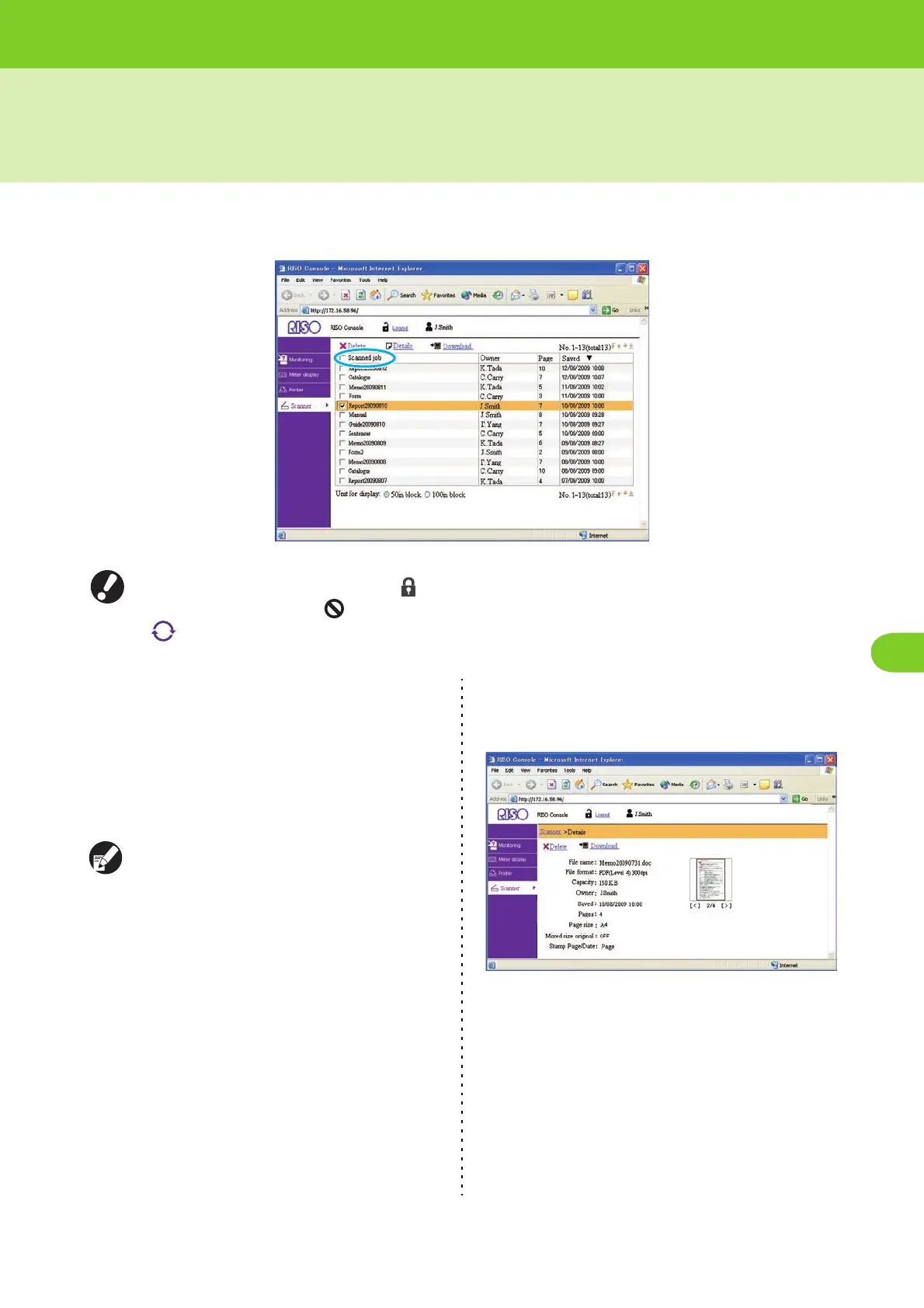
You can click [Scanner] on the side menu to display the scanned job list on the RISO Console screen. You
can download scanned data saved on the internal hard disk to a computer.
● When an item on the side menu has the icon, this indicates that you must log in before you can access that
item. When an item has the icon, this indicates access to that mode is restricted.
● is displayed on the left side of the screen while information on the machine is being collected.
• The job list displays the scanned job name, owner
name, number of pages, and saved date/time.
• To select a job, click the job name and add a check
mark.
• To select all jobs (except jobs with PIN codes), select
the [Scanned job name] check box (indicated in blue in
the screen above) in the title bar.
• You can sort jobs by clicking an item in the title bar
([Job name], [Owner], [Cps.], or [Received]).
The storage period for scanned jobs is configured
by the administrator with [Scan data save setting].
When that period is reached, the job is deleted
automatically.
● Details
Select a job and click [Details] to display the setting
details and file size for that job.
● Delete
Select a job and click [Delete] to delete that job.













 To Next Page