2-48
2 Copy
ComColor Series User’s Guide 09
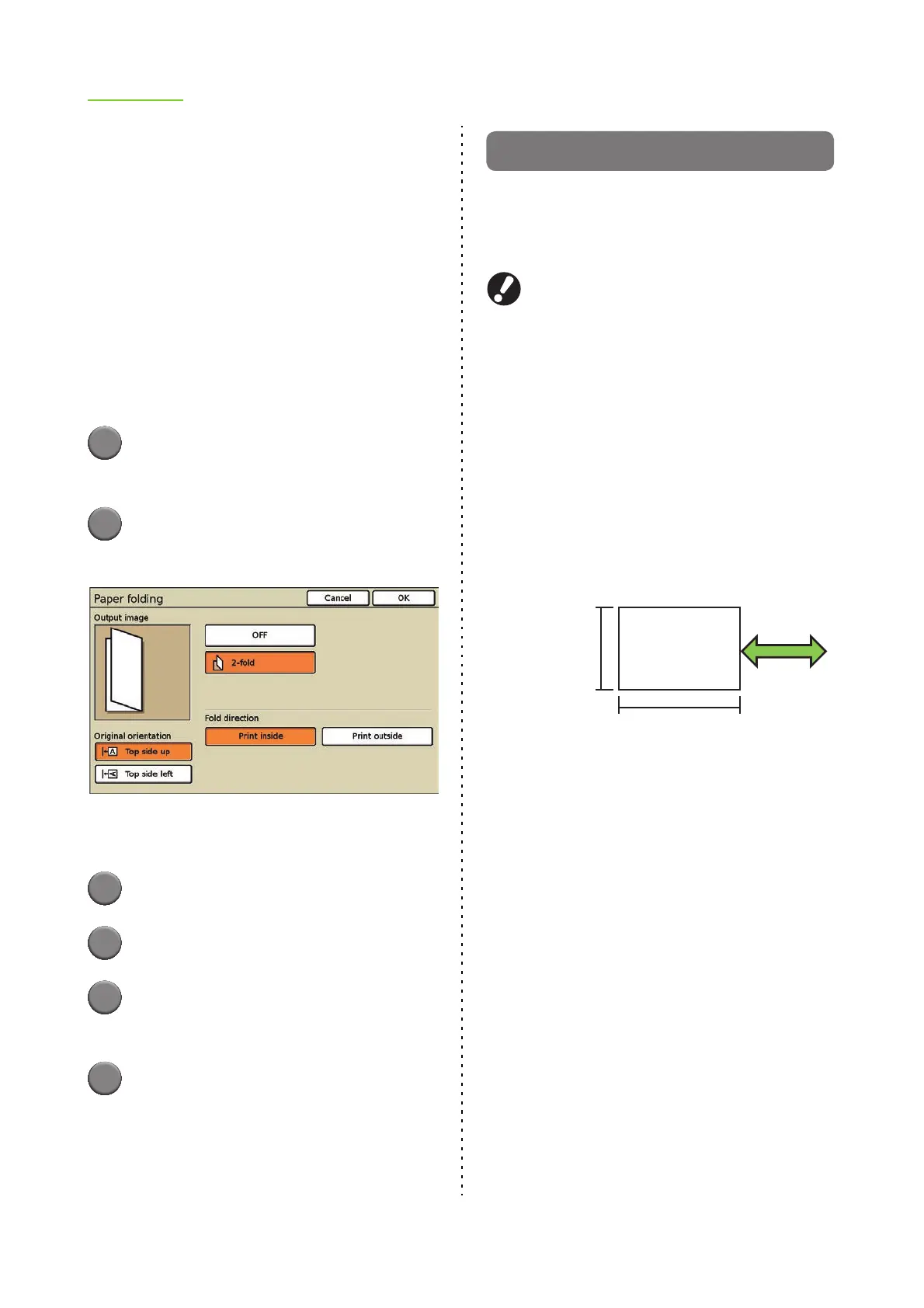
■ Fold direction
When you have selected [2-fold], specify which side
is to be printed if the paper is folded.
[Print inside]
Simplex printing: Fold the paper with the printed
surface on the inside.
Duplex printing:
Fold the paper with the first page on
the inside.
[Print outside]
Simplex printing: Fold the paper with the printed
surface on the outside.
Duplex printing:
Fold the paper with the first page on
the outside.
1
Press [Functions] on the copy
mode screen.
2
Press [Fold].
The [Paper folding] screen is displayed.
[Output image] displays an output image that
reflects the settings.
3
Select the original orientation.
4
Select [2-fold].
5
Select the fold direction or binding
side.
6
Press [OK].
The settings are confirmed and the previous
screen is displayed.
Booklet
Create a booklet by performing duplex printing
while imposing continuous pages and then folding
the paper in two. The paper can also be bound in
the center with staples.
●
The optional multifunction finisher is required to use
the [Fold] and [Fold + Staple] settings.
● You cannot use "Booklet" and "Mixed size
original" at the same time. (p. 2-28 "Mixed size
original")
● You cannot use "Booklet" and "Staple/Punch"
at the same time. (p. 2-45 "Staple/Punch")
■ Types of paper that can be used to
create booklets
Paper size: A3, B4, A4, Tabloid, [Ledger], Legal,
Letter, Foolscap and custom size*
*
The administrator must register the paper size
in advance. Ask your administrator.
• Paper weight: 60 g/m
2
(16-lb bond) to 90 g/m
2
(24-lb bond)
■ Booklet setting
Specify the imposition, paper folding, and staple
settings when creating a booklet.
[OFF]
Do not create a booklet. (Imposition only)
[Imposition]
Arrange the layout to create a booklet.
[Fold]
Paper is folded in two.
[Fold + Staple]
Paper is folded in two and bound in the center with staples.
■ Binding side
Specify the binding side of the paper.
[Left to right], [Right to left], [Top / Bottom]
Paper feed and
output direction
280 mm - 457 mm
(11" - 18")
210 mm - 330 mm
(8 1/4" - 13")













 To Next Page