Console
5
5-2
RISO Console
ComColor Series User’s Guide 09
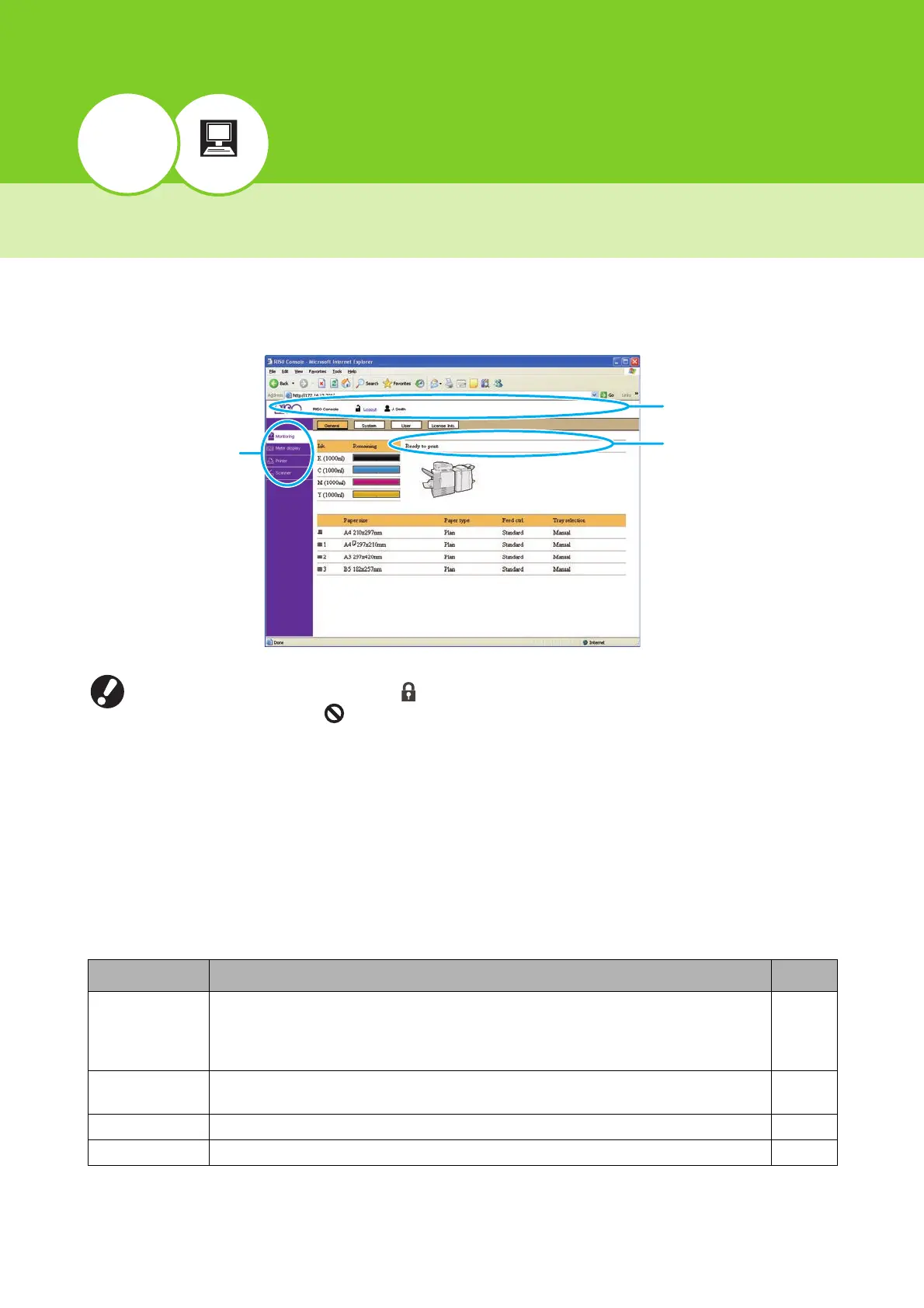
Overview of the RISO Console
The RISO Console is software that uses a Web browser to remotely control this machine. With a computer
connected to the printer via local area network, you can check the printer status, change the settings of a job,
and perform other operations.
● When an item on the side menu has the icon, this indicates that you must log in before you can access that
item. When an item has the icon, this indicates that access to that mode is restricted.
● Make sure the machine has been connected to the network.
● The Web browsers that support the RISO Console are Microsoft
®
Internet Explorer 6.0 (SP 1 or later),
Windows
®
Internet Explorer 7.0, Windows
®
Internet Explorer 8.0, Windows
®
Internet Explorer 10.0 and
Windows
®
Internet Explorer 11.0.
● The screens displayed vary depending on the operating system used and the optional equipment connected.
● The actual displayed content may be different from the above screenshot, depending on how the administrator
has configured the settings.
For details, ask your administrator.
● The RISO Console screen is not displayed in some power save settings. Contact the administrator for details.
Select an item from the side menu of the RISO Console to perform the following operations.
Menu Name Description See
Monitoring • Check the status of the printer.
• Check the status of the consumables, such as the remaining amount of ink or paper.
• Check the printer model, serial number, MAC address, and other system information.
• Check information about the user currently logged in.
p. 5-4
Meter display • Check the use conditions, limit of number of printable sheets, and charge count for
users.
p. 5-7
Printer • Check the job list and change the job settings. p. 5-9
Scanner
• Check and download scanned jobs saved to the internal hard disk drive.
p. 5-13
Side menu
Status bar
Message area













 To Next Page