3-14
3 Scanner
ComColor Series User’s Guide 09
Gamma control
Adjust the color balance of scanned data.
For operations, see "Gamma control" (p. 2-35) in
"Copy".
When [Color mode] has been set to [Grayscale] or
[Black], the gamma value can only be adjusted for
K. The gamma value cannot be adjusted between
C and R, M and G, or Y and B. (See "Color mode"
on p. 3-10)
Image control
Specify the image processing appropriate for the
original.
For operations, see "Image control" (p. 2-36) in
"Copy".
Base color level
Make the background color (base color) lighter so
that the text is easier to read when scanning text
originals with a background color or colored paper.
For operations, see "Base color level" (p. 2-36) in
"Copy".
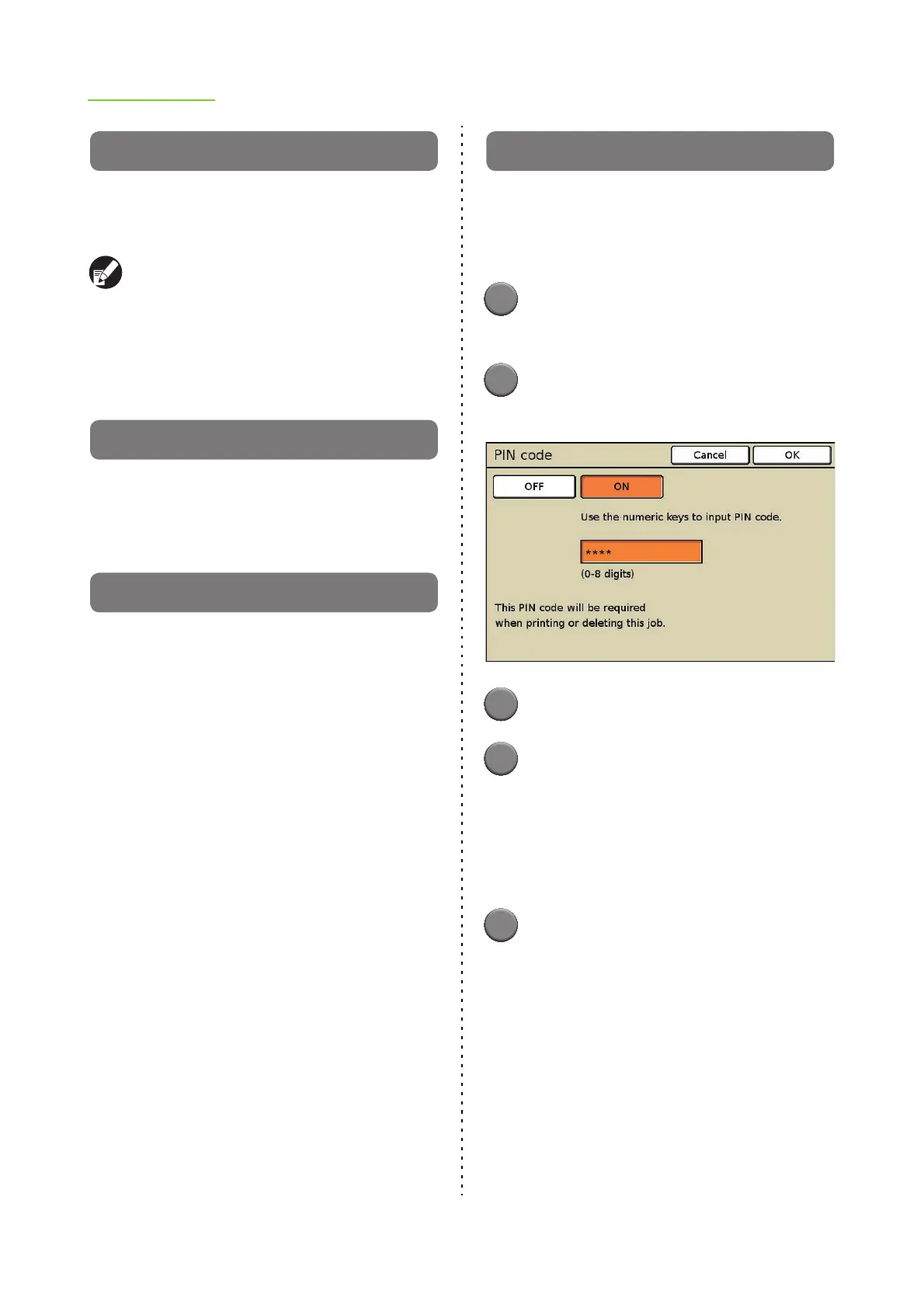
PIN code
Assign PIN codes when saving scanned jobs on
the internal hard disk. The PIN code set here is
required when using the RISO Console to
download to a computer.
1
Press [Functions] on the scanner
mode screen.
2
Press [PIN code].
The [PIN code] screen is displayed.
3
Press [ON].
4
Enter the PIN code.
Enter the PIN code (a number of up to eight digits)
using the numeric keys.
• The entered PIN code is displayed with
asterisks "
*
".
• To clear the fields, press the [Clear] key.
5
Press [OK].
The settings are confirmed and the previous
screen is displayed.













 To Next Page