2-13
Basic Settings
2
ComColor Series User’s Guide 09
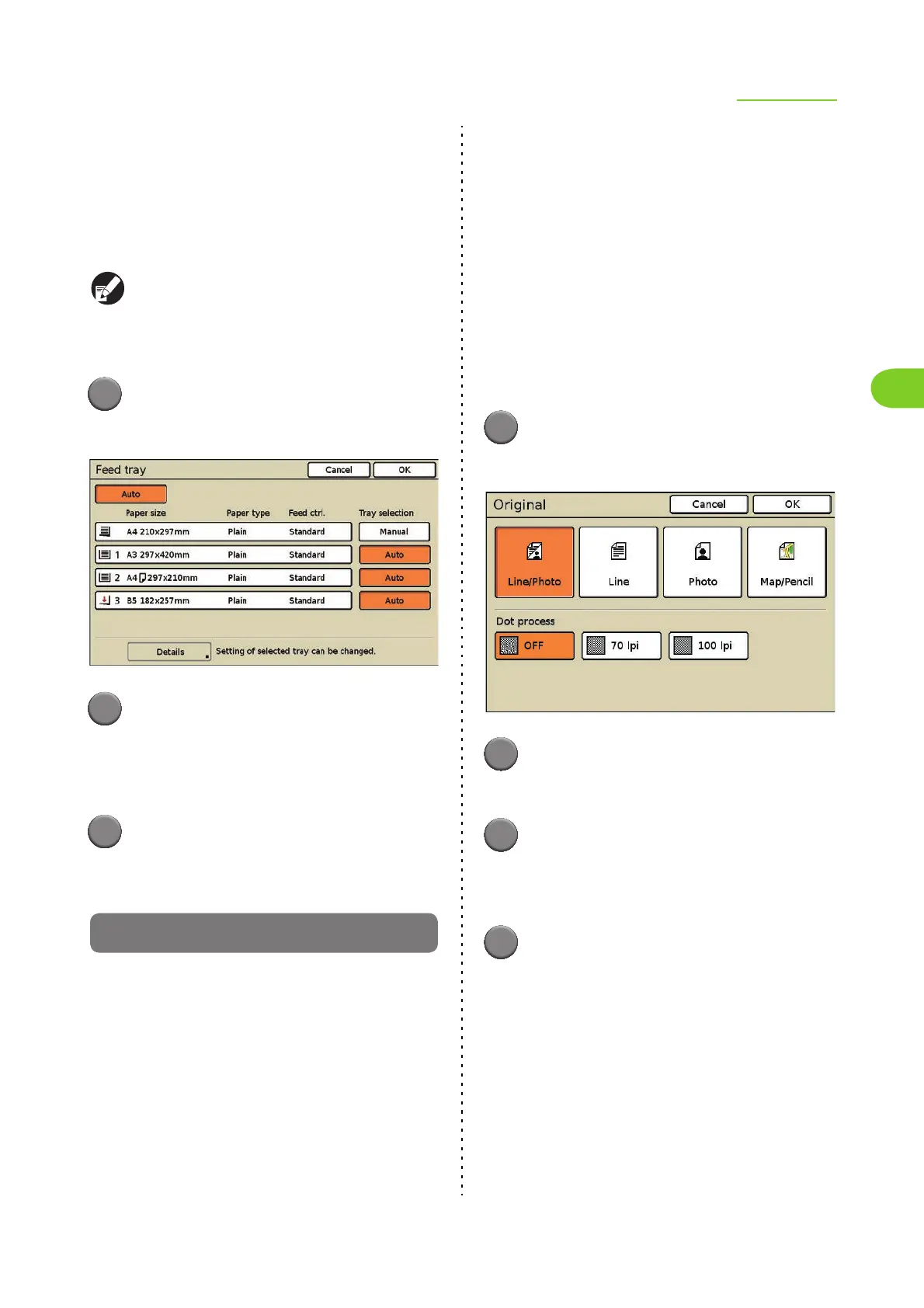
● Configuring the [Tray selection]
Setting
When you have selected [Auto] on the [Feed tray]
screen, the machine automatically selects the feed
tray to use from among the feed trays with [Tray
selection] set to [Auto].
When loading special paper (high-quality paper,
colored paper, thick paper, letterhead, etc.), you
can prevent the unnecessary use of special paper
by setting [Tray selection] to [Manual].
1
Press [Feed tray].
The [Feed tray] screen is displayed.
2
Configure the [Tray selection]
setting.
The button switches between [Auto] and [Manual]
each time it is pressed.
3
Press [OK].
The settings are confirmed and the previous
screen is displayed.
Original
Select the type of original for the appropriate image
processing and then printing.
[Line/Photo]
Select this when the original has both text and
photos.
[Line]
Select this when the original has text or illustrations.
[Photo]
Select this when the original has photos.
[Map/Pencil]
Select this for originals with a lot of subtle colors or
fine lines, such as a map, or for originals with pencil
drawings.
When you have selected [Line/Photo], [Photo], or
[Map/Pencil], specify the dot process.
[OFF]
Dot process is not performed.
[70 lpi]
Reproduce photos with a halftone dot of 70 lpi.
[100 lpi]
Reproduce photos with a halftone dot of 100 lpi.
1
Press [Original].
The [Original] screen is displayed.
2
Select the original type.
3
When you select [Line/Photo],
[Photo], or [Map/Pencil], specify
the dot processing.
4
Press [OK].
The settings are confirmed and the previous
screen is displayed.













 To Next Page