5-11
[Printer] Menu
5
ComColor Series User’s Guide 09
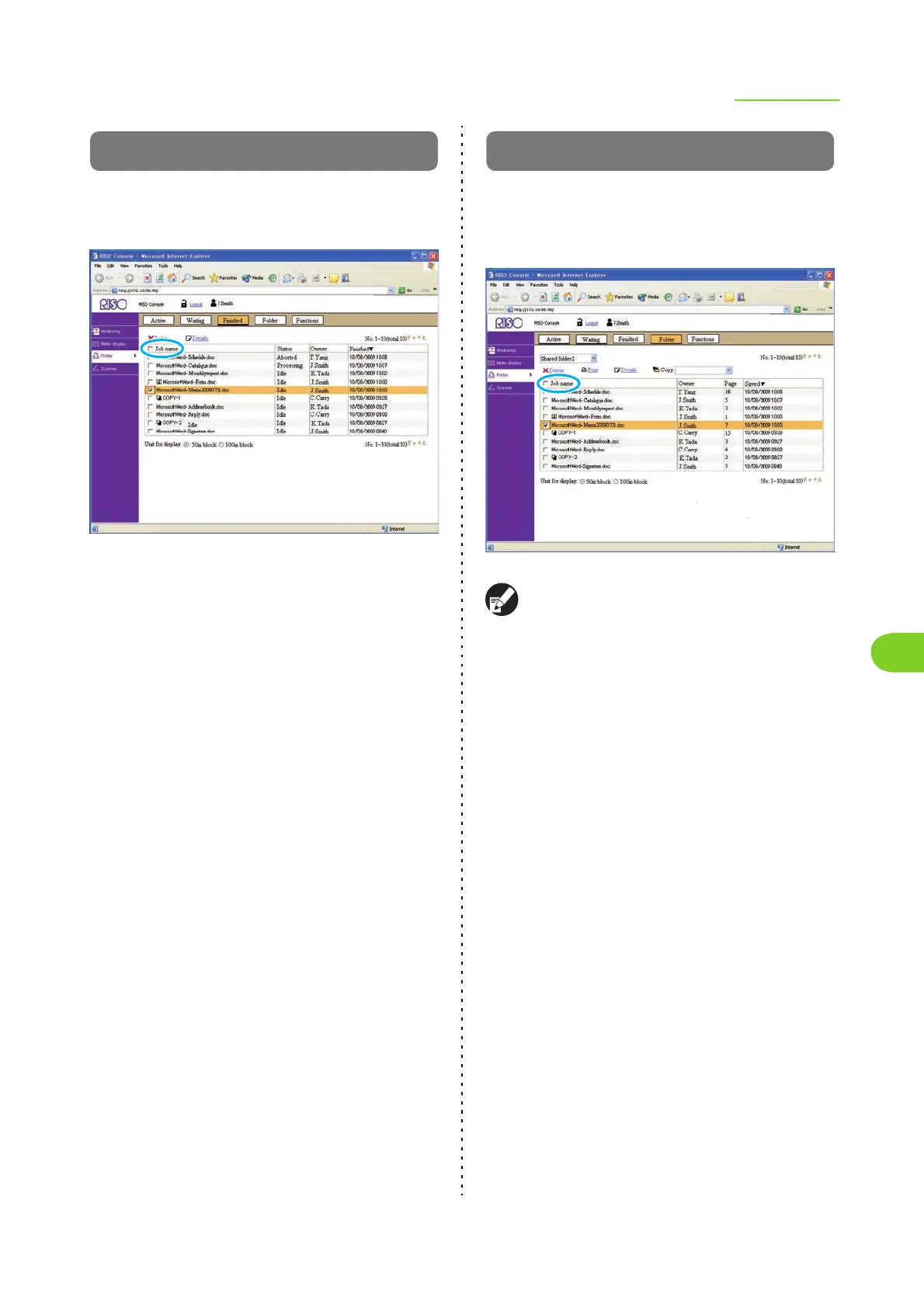
[Finished] Screen
The [Finished] screen displays the jobs for which
printing is finished and jobs with errors.
• The job list displays the job name, status, owner name,
and finished date/time.
• To select a job, click the job name and add a check
mark.
• To select all jobs (except jobs with PIN codes), select
the [Job name] check box in the title bar (indicated in
blue in the above screenshot).
• The storage period for jobs is configured by the
administrator.
• You can sort jobs by clicking an item in the title bar
([Job name], [Status], [Owner], [Cps.], or [Received]).
● Details
Select a job and click [Details] to display the setting
details for that job.
● Delete
Select a job and click [Delete] to delete that job.
[Folder] Screen
The [Folder] screen displays the jobs saved to the
shared and personal folders. These jobs can be
printed or copied to another folder.
● The folder function may not be available,
depending on how the administrator has
configured the settings.
● Personal folders are displayed when [Login
setting] has been set to [Required].
● Shared folders are registered by the
administrator.
• Jobs are displayed for the folder displayed in the upper
left of the list. You can select another folder name to
display the jobs inside that folder.
• The job list displays the job name, owner name,
number of pages, and saved date/time.
• To select a job, click the job name and add a check
mark.
• To select all jobs (except jobs with PIN codes), select
the [Job name] check box in the title bar (indicated in
blue in the above screenshot).
• You can sort jobs by clicking an item in the title bar
([Job name], [Status], [Owner], [Cps.], or [Received]).
● Print
Select a job and click [Print] to print that job. The
job remains on the [Folder] screen after printing.













 To Next Page