3-9
3
ComColor Series User’s Guide 09
Basic Settings
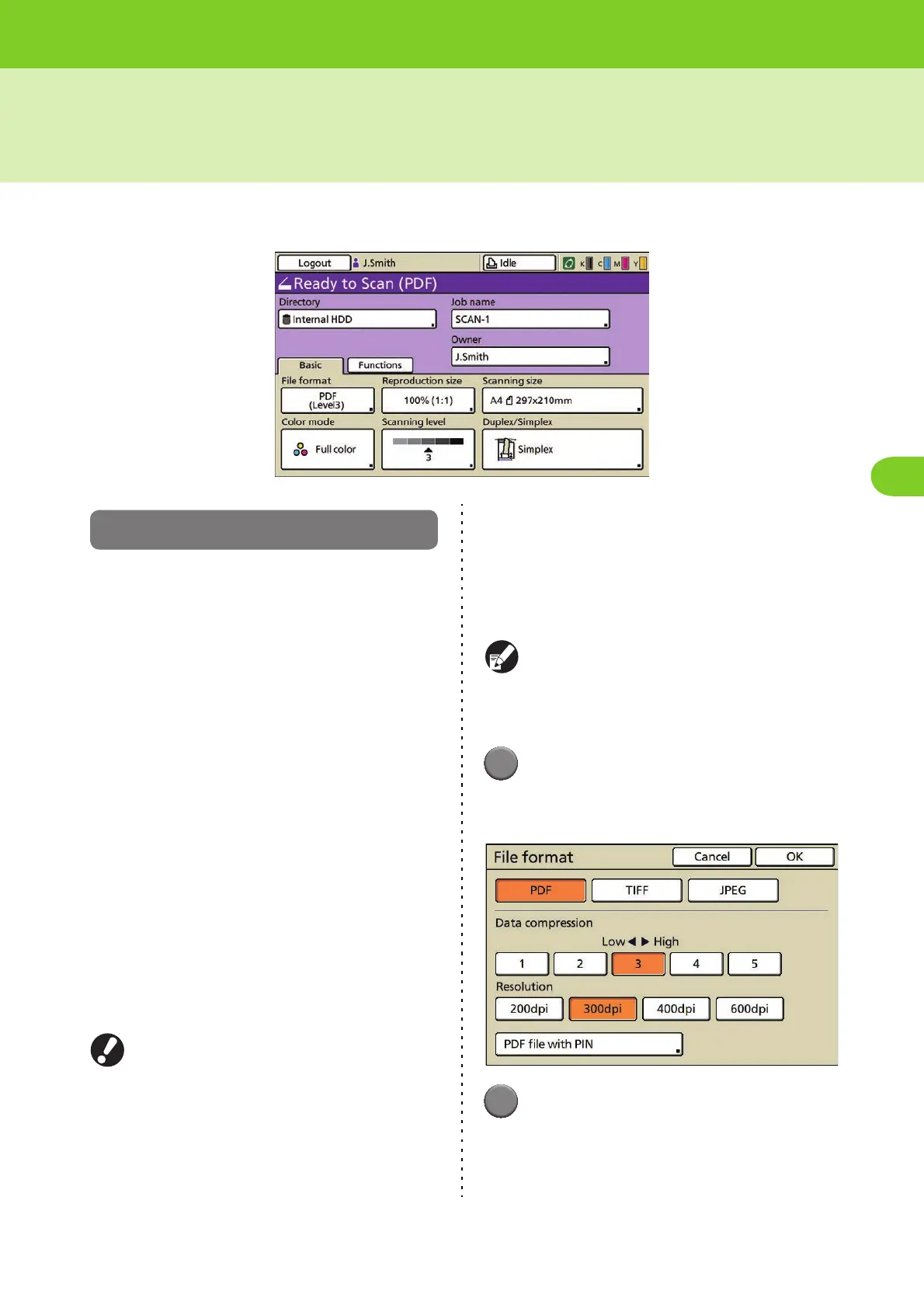
Use the [Basic] screen to specify the basic settings for scanning.
File format
Specify the file format, compression level,
resolution, and PIN of scanned images.
■ File format
[PDF], [TIFF], [JPEG]
■ Data compression
Numerical scale from [1] Low compression (High
quality) to [5] High compression (Low quality)
■ Resolution
[200dpi], [300dpi], [400dpi], [600dpi]
■ PIN protection
You can PIN-protect a document read by the scanner.
By restricting which users can access and then print
or edit a document, you can prevent it from being
improperly used.
This can be configured when you select [PDF] as
the saving format of scanned data.
[User PIN]
Specify a PIN (1 to 32 alphanumeric characters) for
document browsing.
[Owner PIN]
Specify a PIN (1 to 32 alphanumeric characters) for
authorizing document printing and editing.
● When [400dpi] or [600dpi] has been selected,
the scanned data cannot be enlarged/reduced.
● To save scanned data to a folder, select "Save
to folder" (p. 2-24) on the copy mode screen.
1
Press [File format] on the scanner
mode screen.
The [File format] screen is displayed.
2
Specify the file format.













 To Next Page