3-12
ComColor Series User’s Guide 09
Scanning Functions
Save as default
Register the current settings as the default values.
For operations, see "Save as default" (p. 2-18) in
"Copy".
Check setting
You can confirm and register the scanner mode
settings, and print the settings information.
For operations, see "Check setting" (p. 2-18) in
"Copy".
Save/Call setting
Frequently used settings information can be
registered and retrieved later as needed. You can
register up to 10 settings with multiple combined
functions.
For operations, see "Save/Call setting" (p. 2-19) in
"Copy".
You can register the following settings in scanner
mode.
"Directory" (p. 3-5)
"File format" (p. 3-9)
"Reproduction size" (p. 3-10)
"Scanning size" (p. 3-10)
"Color mode" (p. 3-10)
"Scanning level" (p. 3-11)
"Duplex/Simplex" (p. 3-11)
"Original" (p. 3-12)
"Book shadow erase" (p. 3-13)
"Image size" (p. 3-13)
"Mixed size original" (p. 3-13)
"Gamma control" (p. 3-14)
"Image control" (p. 3-14)
"Base color level" (p. 3-14)
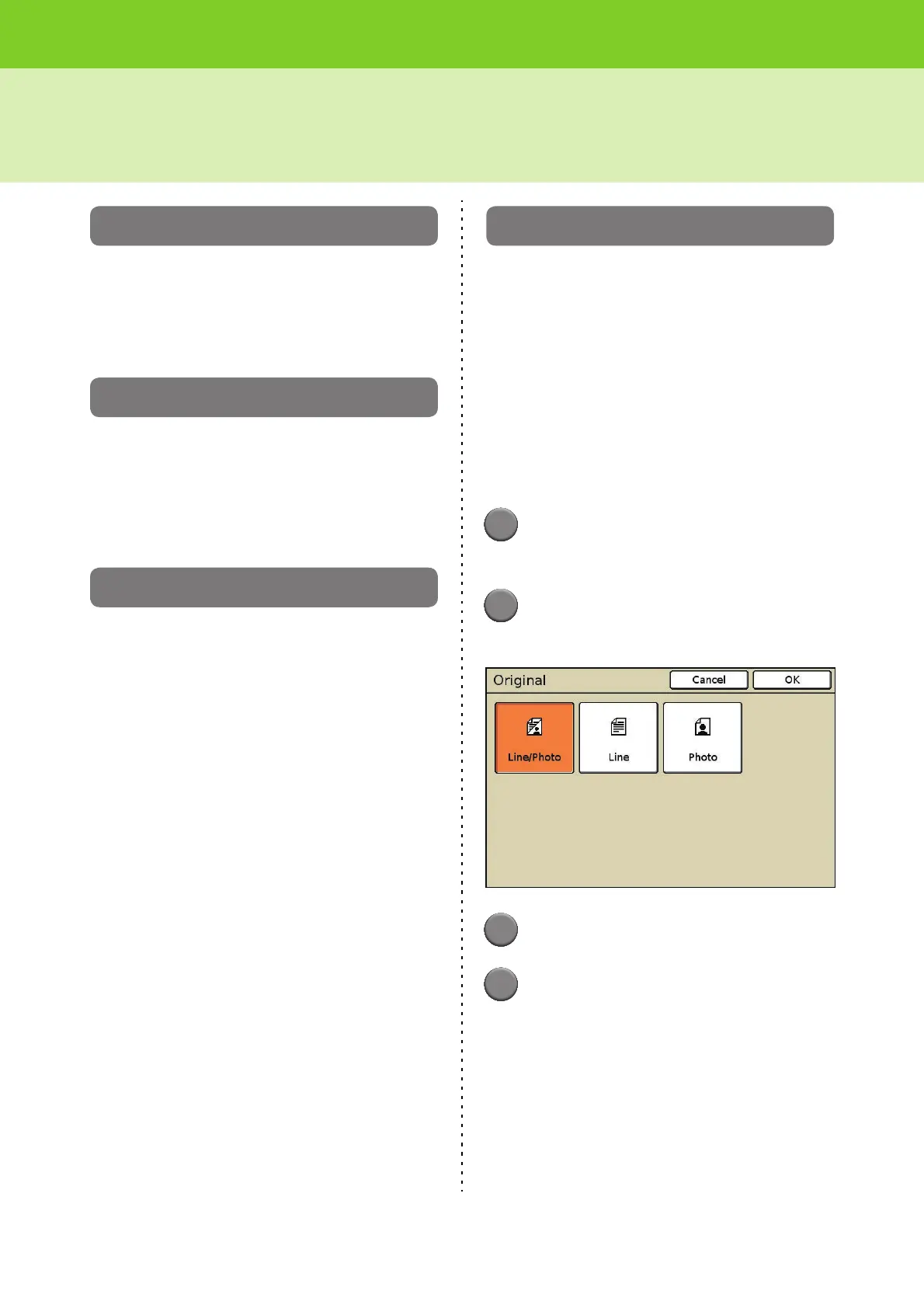
Original
Select one of the following original types to perform
the appropriate image processing and save the
scanned data.
[Line/Photo]
Select this when the original has both text and
photos.
[Line]
Select this when the original has text or illustrations.
[Photo]
Select this when the original has photos.
1
Press [Functions] on the scanner
mode screen.
2
Press [Original].
The [Original] screen is displayed.
3
Select the original type.
4
Press [OK].
The settings are confirmed and the previous
screen is displayed.













 To Next Page