6-17
6
ComColor Series User’s Guide 09
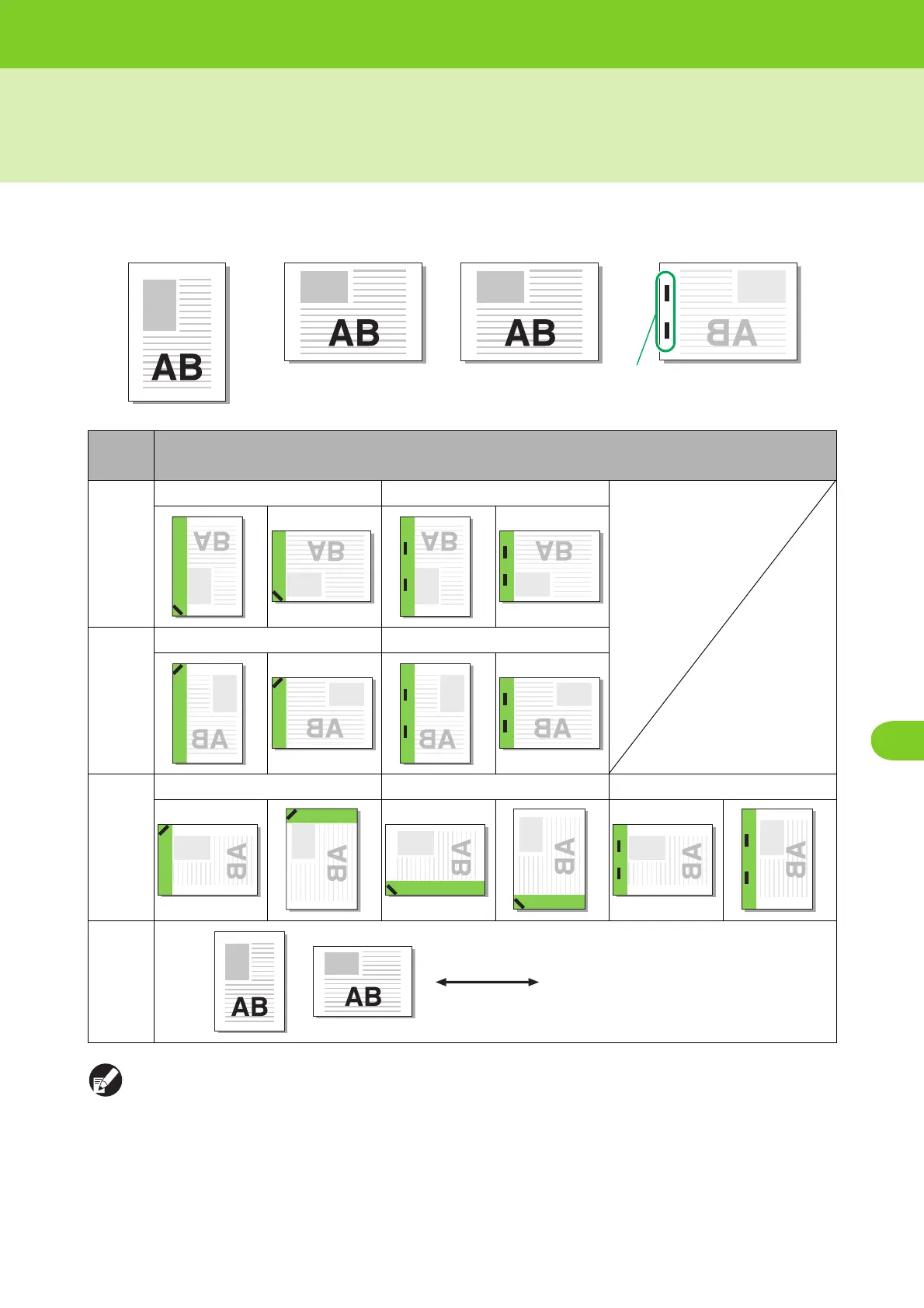
Staple Function and Orientation of the Paper
The orientation of the paper in the feed tray (standard tray) and the staple binding side are as follows.
● When the corresponding size of paper is not loaded in the feed tray, a message appears.
Follow on-screen instructions to load the paper.
● For [1 pos.] binding, the staple angle may be different from the images above and printing images on the printer
driver screen depending on the paper size or orientation.
Print direction:
Portrait
Print direction:
Landscape
Face-up data Face-down data
Binding
side
Staple position
Left
1 pos. 2 pos.
Right
1 pos. 2 pos.
Upper
Left, 1 pos. Right, 1 pos. Upper, 2 pos.
Paper
transfer
Staples
Paper feed and
output direction













 To Next Page