2-15
Basic Settings
2
ComColor Series User’s Guide 09
■ Output Paging Direction
When copying both sides of the original, select how
pages are turned.
[Left / Right], [Top / Bottom]
● Duplex Copying
1
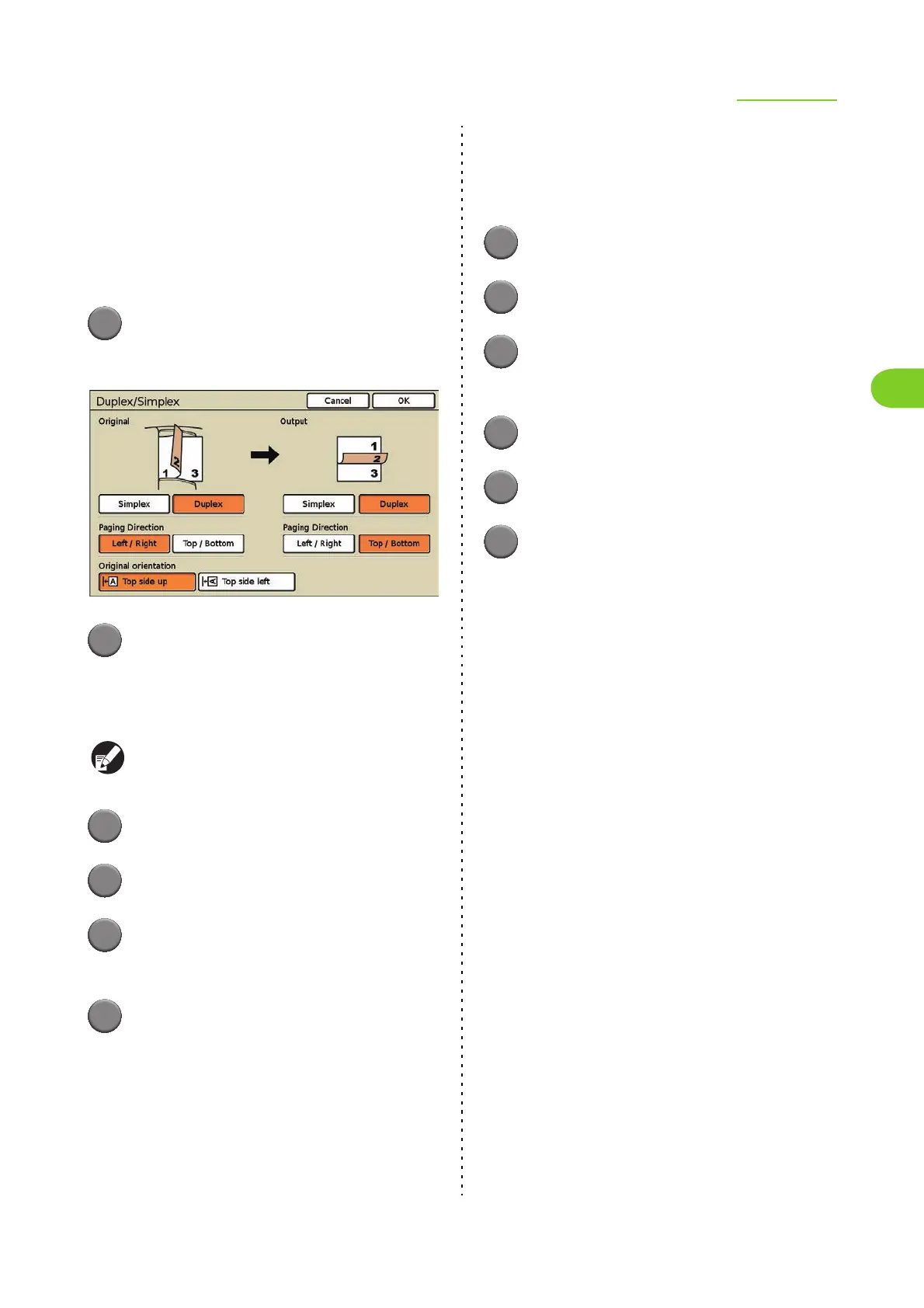
Press [Duplex/Simplex].
The [Duplex/Simplex] screen is displayed.
2
Specify the sides of the original to
scan.
• When you have selected you select [Duplex],
select how pages of the original are turned.
Buttons that do not need to be configured are
grayed out.
3
Select the original orientation.
4
In [Output], press [Duplex].
5
In [Output], select the [Paging
Direction] setting.
6
Press [OK].
The settings are confirmed and the previous
screen is displayed.
● Simplex Copying of a Two-
sided Original
Load the original in the ADF.
1
Press [Duplex/Simplex].
2
In [Original], press [Duplex].
3
In [Original], select the [Paging
Direction] setting.
4
Select the original orientation.
5
In [Output], press [Simplex].
6
Press [OK].
The settings are confirmed and the previous
screen is displayed.













 To Next Page