1-13
Basic Settings
1
ComColor Series User’s Guide 09
● Imposition
Impose an original with several pages onto one
sheet. The setting items differ depending on the
imposition type.
[OFF]
No imposition is performed.
[Multi-up (Plural)]
Continuous multiple pages are printed in order on one
sheet. Select the number of pages per sheet and the
layout order.
[Multi-up (Single)]
The same page is printed multiple times on one
sheet. Select the number of pages per sheet.
[Booklet]
Continuous multiple pages are imposed and printed
to create a middle-binding booklet after duplex
printing.
You cannot use "Imposition" and "Mixed size" at
the same time. (p. 1-8 "Mixed size")
■ Multi-up (Plural) Setting
● Pages/sheet
Select the number of pages per sheet.
[2 pages], [4 pages], [8 pages]
● Layout order
Specify the layout order.
• When specifying [2 pages]
[Left to right (T to B)]
[Right to left (B to T)]
• When specifying [4 pages] or [8 pages]
[Left top to right], [Right top to left], [Left top to
bottom], [Right top to bottom]
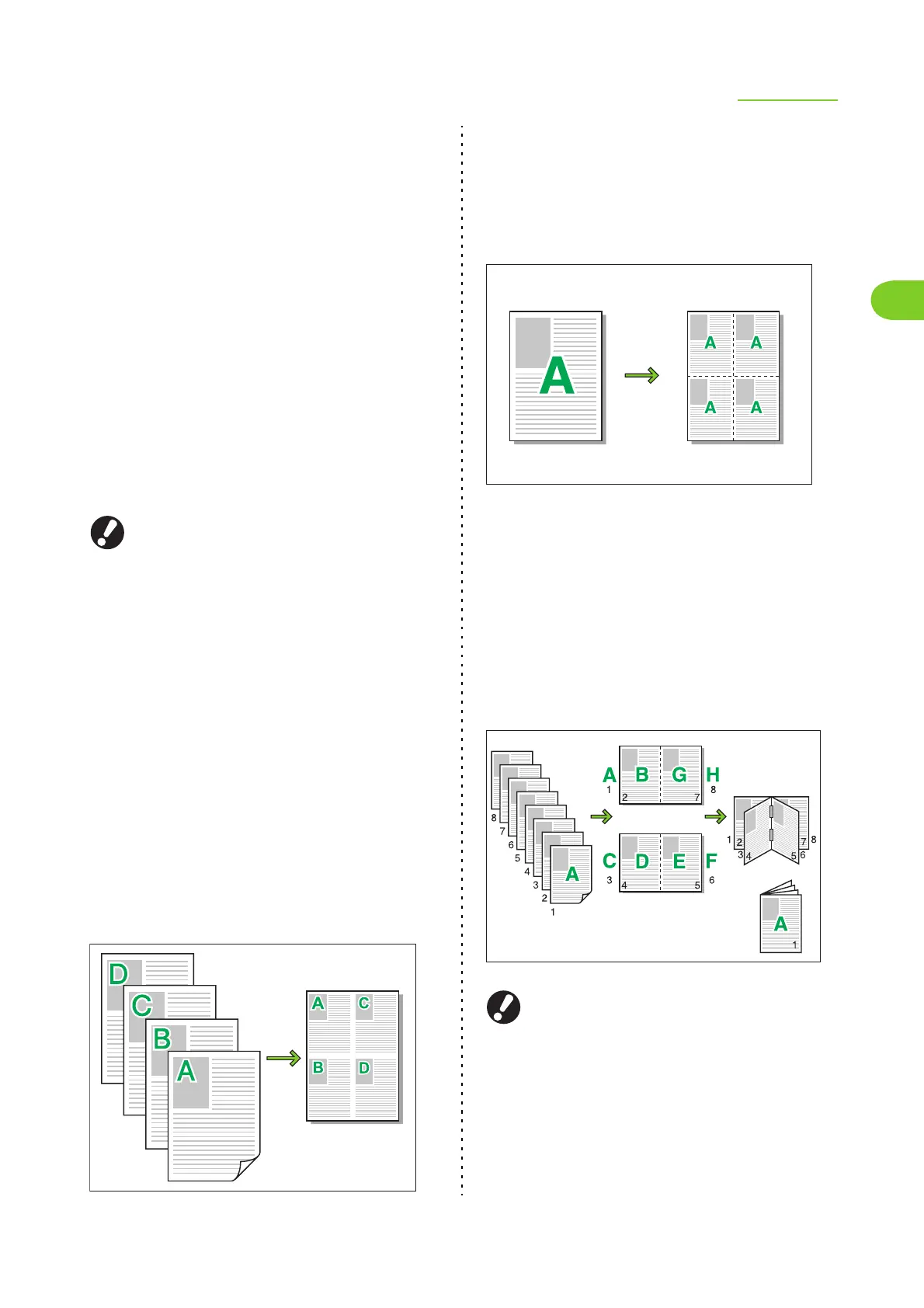
Example: When "Pages/sheet" is set to [4 pages] and
"Layout order" is set to [Left top to bottom]
■ Multi-up (Single) Setting
● Pages/sheet
Select the number of pages per sheet.
[2 pages], [4 pages], [8 pages]
Example: When "Pages/sheet" is set to [4 pages]
■ Booklet Setting
● Layout order
Specify the layout order.
• When the original size has been set to [Portrait]
[Left to right]/[Right to left]
•
When the original size has been set to [Landscape]
[Top to Bottom]
● You cannot use "Booklet" and "Staple" or
"Punch" at the same time. (p. 1-24 "Staple",
p. 1-25 "Punch")
● To create a booklet (folded or with middle-
binding staples), configure the [Finishing] tab.
Left to right













 To Next Page