4-13
Managing Jobs
4
ComColor Series User’s Guide 09
● To view the current settings, press [Settings].
● To preview the print image of a folder job, press
[Preview].
4
Press [Print] or [Save].
The specified operation is executed.
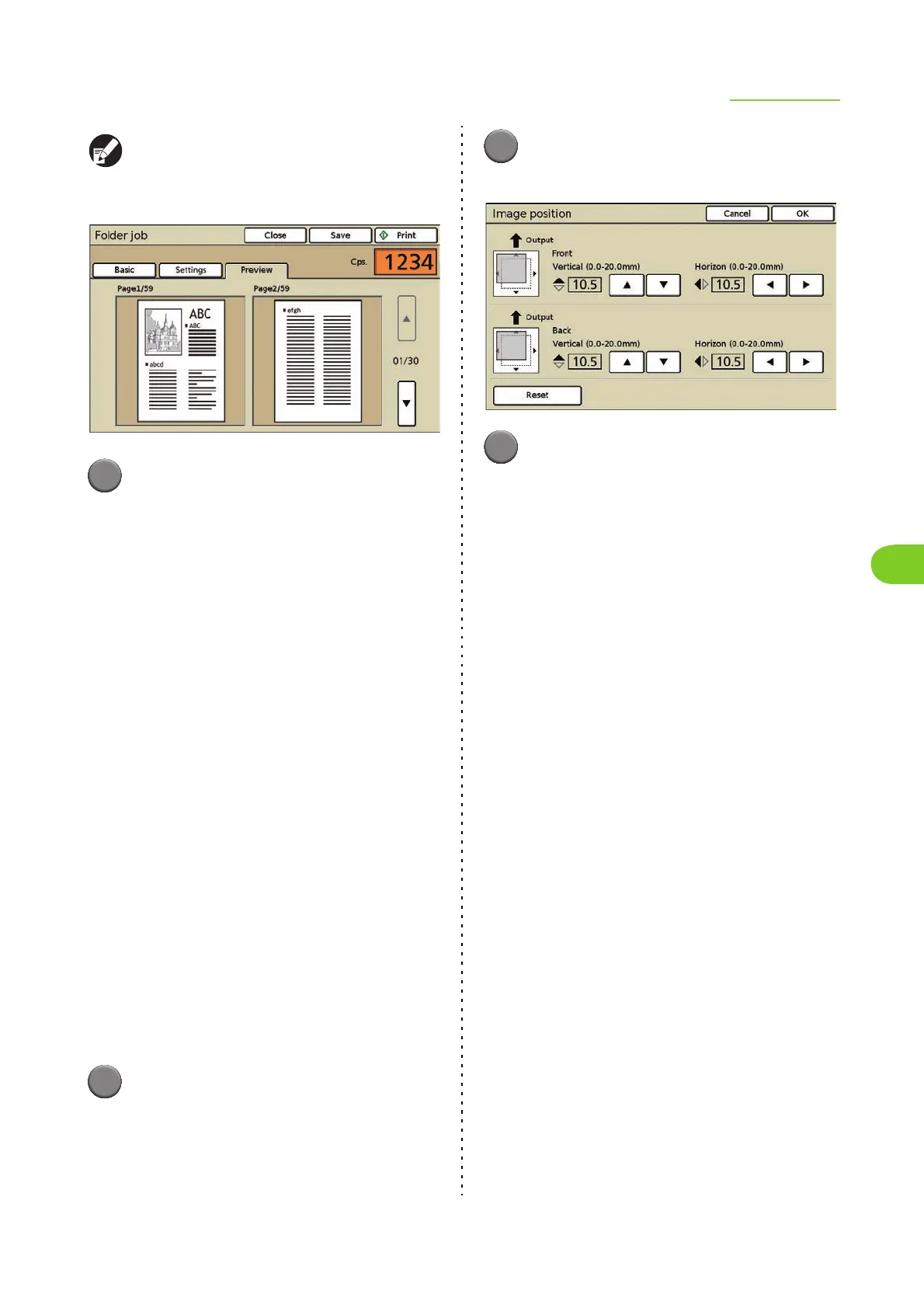
● Image position
Adjust the printing position of images. You can
adjust the printing position ± 20 mm (13/16") up,
down, left, or right. When performing duplex
printing, the front and back sides can be adjusted
separately.
When you adjust the image position, an illustration
indicating the adjusted image position is displayed.
[S]
Move up 0.5 mm (0.02") each time the button is
pressed.
[T]
Move down 0.5 mm (0.02") each time the button is
pressed.
[X]
Move to the right 0.5 mm (0.02") each time the button
is pressed.
[W]
Move to the left 0.5 mm (0.02") each time the button
is pressed.
[Reset]
Reset all adjusted positions to 0 mm.
1
Press [Image position] on the
[Details] (or [Suspending]) screen
for the selected job.
The [Image position] screen is displayed.
2
Press [S] [T] [W] or [X] to adjust
the image position.
3
Press [OK].
The settings are confirmed and the previous
screen is displayed.
● Feed tray
You can select the feed tray to use and configure
the paper size and paper type settings.
For operations, see "Feed tray" (p. 2-10) in "Copy".













 To Next Page