5 | Assembly and installation
Page 20 of 104 CIRUS
®
UPT-6400 VERSION 1 | EN-US
5.4.1 Mounting temperature controller in cut-out in control panel
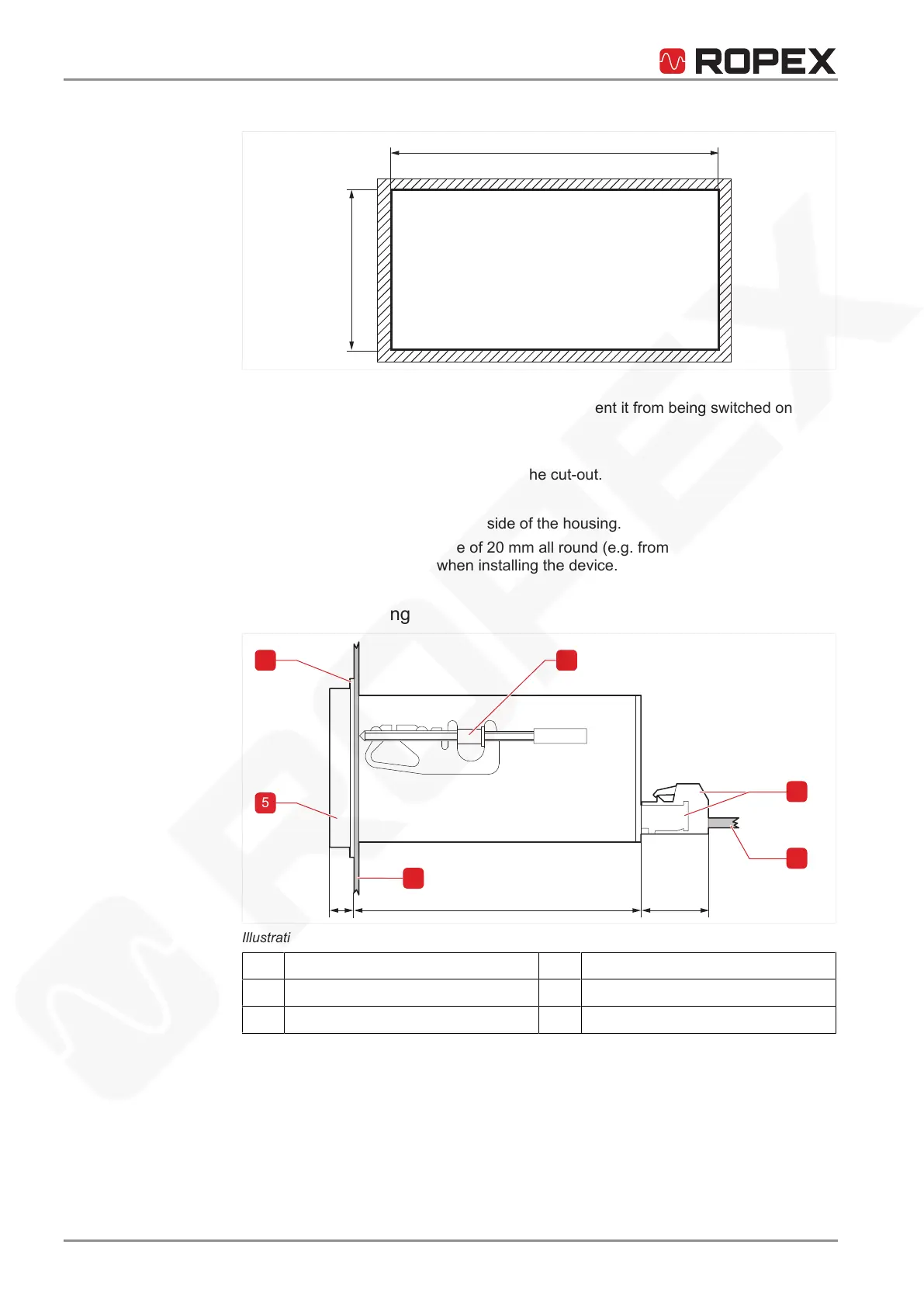
Illustration3: Dimensions of cut-out in control panel
Prerequisite
ü Line voltage is switched off and secured to prevent it from being switched on
again.
1. Verify that the circuit is de-energized.
2. Place the temperature controller into the cut-out.
3. Secure with two fixing hooks.
ð Then click into place on the side of the housing.
4. A minimum safety clearance of 20 mm all round (e.g. from other devices and
wiring) must be allowed when installing the device.
5.4.2 Overview of housing
Illustration4: Housing
1
Fixing hook
2
Terminals
3
Stranded wire
4
Control panel
5
Front frame
6
Rubber seal






 To Next Page