Functions and settings | 8
VERSION 1 | EN-US CIRUS
®
UPT-6400 Page 49 of 104
2. Press Enter
ð The AUTOCAL function starts.
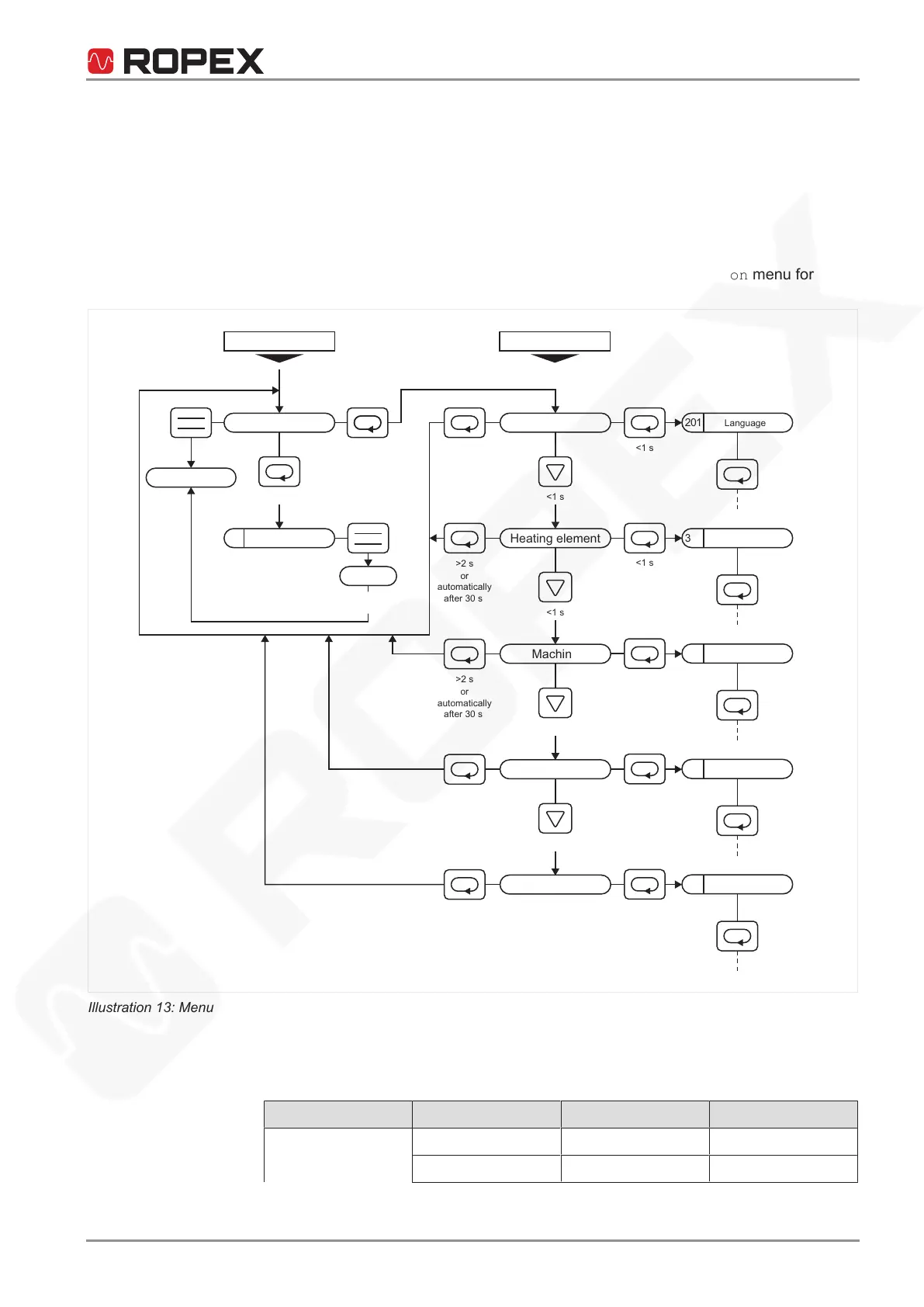
Move to the configuration level
To change the configuration level, proceed as follows:
1. Press Menu in the Alarm menu for longer than 2sec.
ð The temperature controller changes to the configuration level
2. To return to the Alarm menu, press Menu in the Configuration menu for
longer than 2sec or do not touch any button for 30sec.
107
201
<2 s
<1 s
<1 s
<1 s
<1 s
<1 s
>2 s
RESET
ENTER
>2 s
>2 s
>2 s
>2 s
>2 s
301
<1 s
401
<1 s
501
<1 s
601
<1 s
<1 s
<1 s
<1 s
<1 s
<1 s
Alarm
Operation
Configuration
Alarm
Standard screen
Autocal
Autocal
Autocal
completed
Language
Heating element
o
r
automatically
after 30 s
or
automatically
after 30 s
Machine
Diagnosis
or
automatically
after 30 s
or
automatically
after 30 s
Information
or
automatically
after 30 s
Temperature coefficient
Timer
Setpoint reached
Cycle counter
Illustration13: Menu navigation in the event of an alarm
8.1.4 Default
Menu Menu number Menu item Setting
Setting 101 Sealing temperature 0°C
104 Sealing time 0.10 sec






 To Next Page