Sam4s ER-260EJ/256EJ OP Manual v1.20 Service Mode Programming • 101
13. Power the register OFF/ON. The FLASH ROM update is complete.
14. Remove the SD card from the register.
15. Perform a memory all clear on the ECR; see “Clearing Memory” on page 27 for
details. The ECR is now ready to program or to load a previously saved end-user
program.
Flash ROM Update by PC
Update Files
To complete the firmware update, you will be supplied with the following files:
DownLoad.exe (The update utility program)
Binary file
PC Connection Cable
YOU MUST USE Port #1. Use the following cable:
Register RJ-45 COM 1 to PC DB-9F
Boot Area Update
1. Connect the Serial Cable from the ECR to the PC.
2. At the register, move to the SERVICE MODE.
3. Press the ↓ key and the ↑ key to select menu and press the CASH key to confirm.
Select the “7.PROGRAM BACKUP” menu. Then select “1.SD”.
4. Select the 7.BOOT UP COM menu.
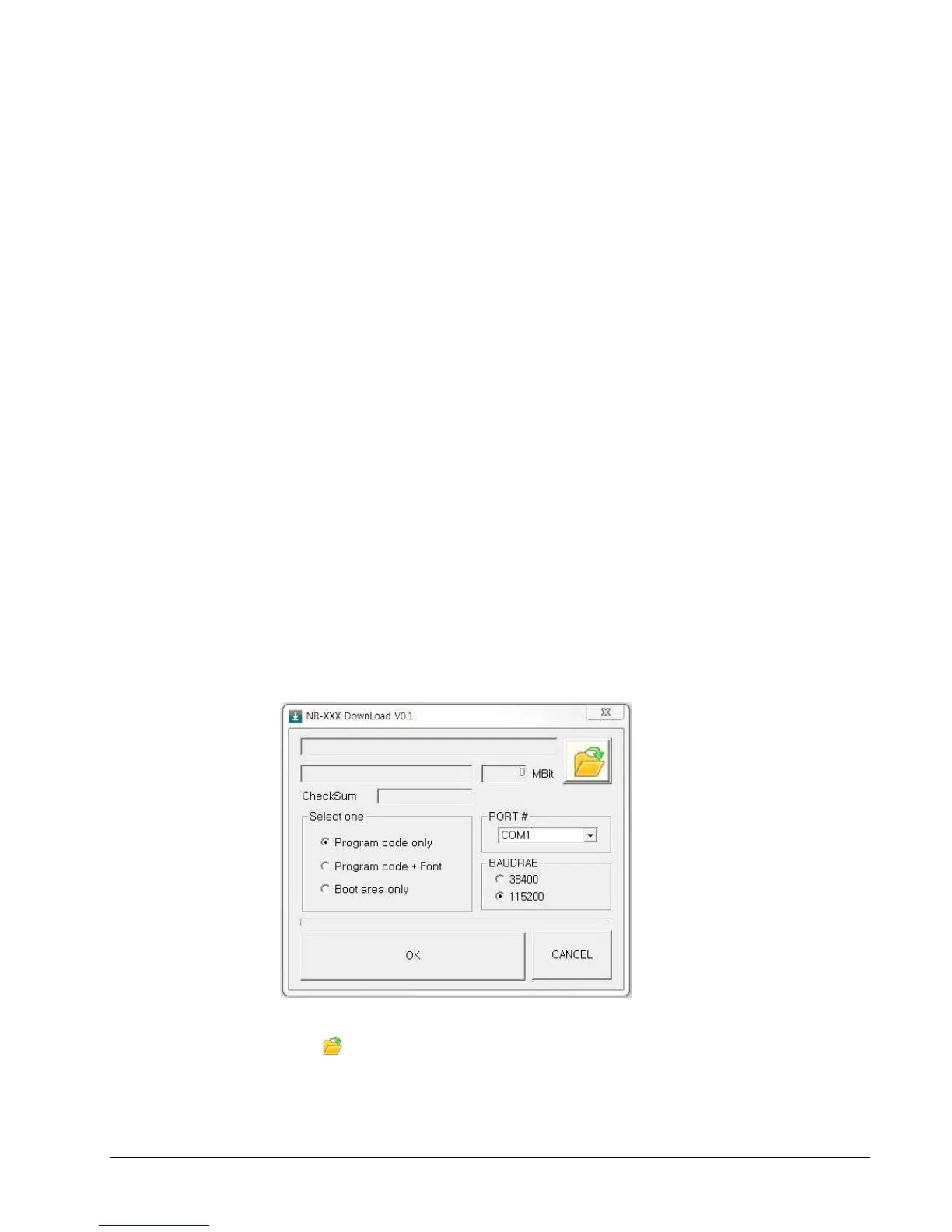
5. At the PC, execute the program “DownLoad.exe”. The Download dialog box
displays.
6. Select the appropriate com port connection at your PC at the PORT# option buttons.
7. Click find the folder where the update files are located and select binary file.
8. Select Boot Area Only in the Select One option buttons.
9. Press OK Button. The download takes about 30 seconds; the scroll bar will track the



 To Next Page