16 Operating Instructions Cubis
®
MCE
Device Description
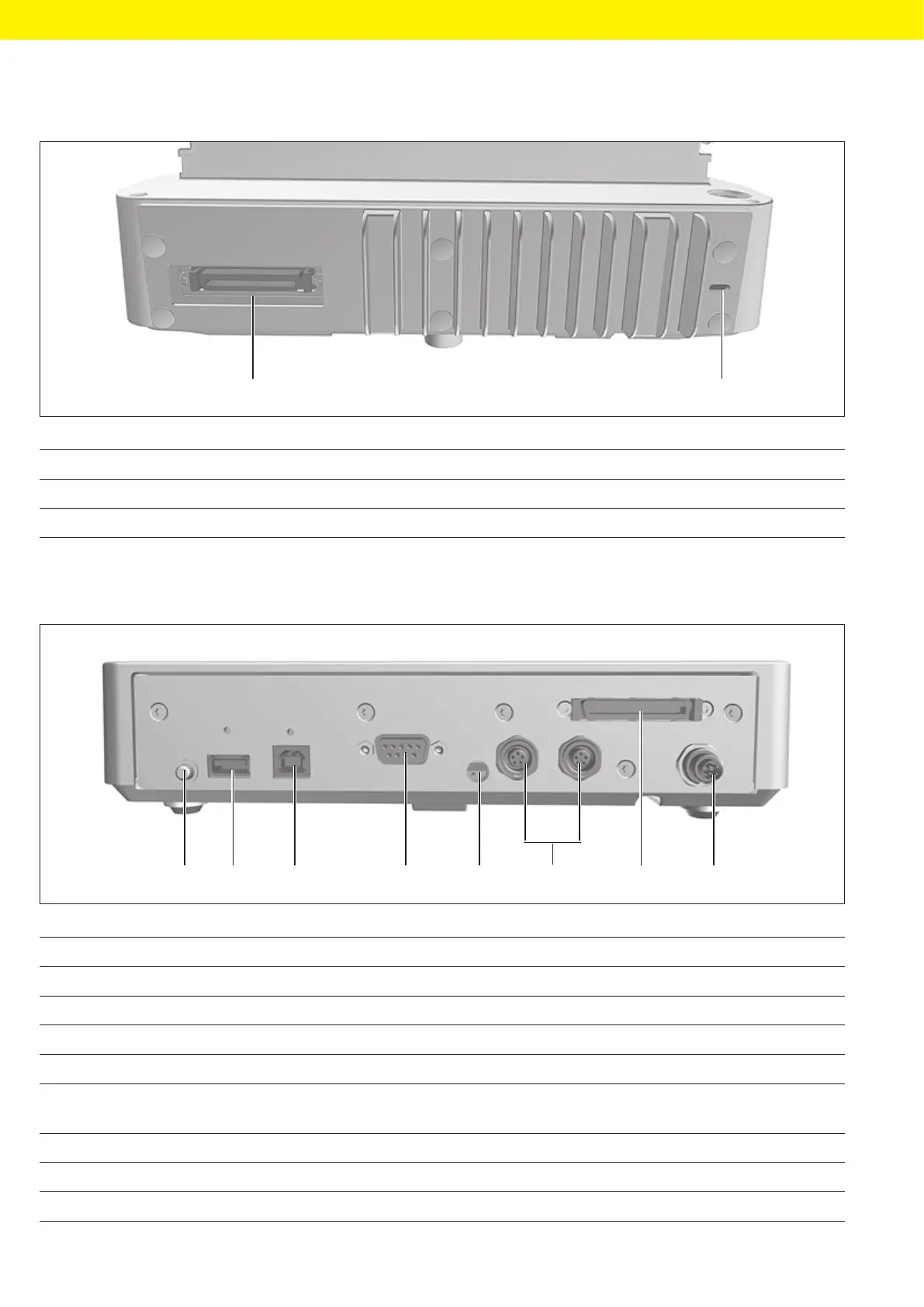
3.4.2 Semi-microbalance with Electronics Module
1 2
Fig. 5: Connections on the weighing module of the semi-microbalance with electronics module
Pos. Name Description
1 Electronics module connection For connecting the electronics module to the weighing module
2 Slot For attaching a “Kensington” anti-theft device
3.5 Connections and Components on the Electronics Module
1 2 3 4 5
8
7
6
Fig. 6: Connections on the electronics module
Pos. Name Description
1 On key Switches the device on from standby mode.
2 USB-A connection For printers and for software updates via a USB mass storage device
3 USB-B connection For connection to a PC
4 COM-RS232 connection 9-pin, for connection to a PC or PLC
5 Menu access switch − Protects the device from changes to the device settings.
− Is sealed for conformity-assessed devices.
6 Peripheral connection For connecting Sartorius accessories.
7 Weighing module connection For connecting the electronics module to the weighing module
8 Power supply For connection to the power supply








 To Next Page