Operating Instructions Cubis
®
MCE 23
Operating Concept
4.4 Displays in the Operating Display
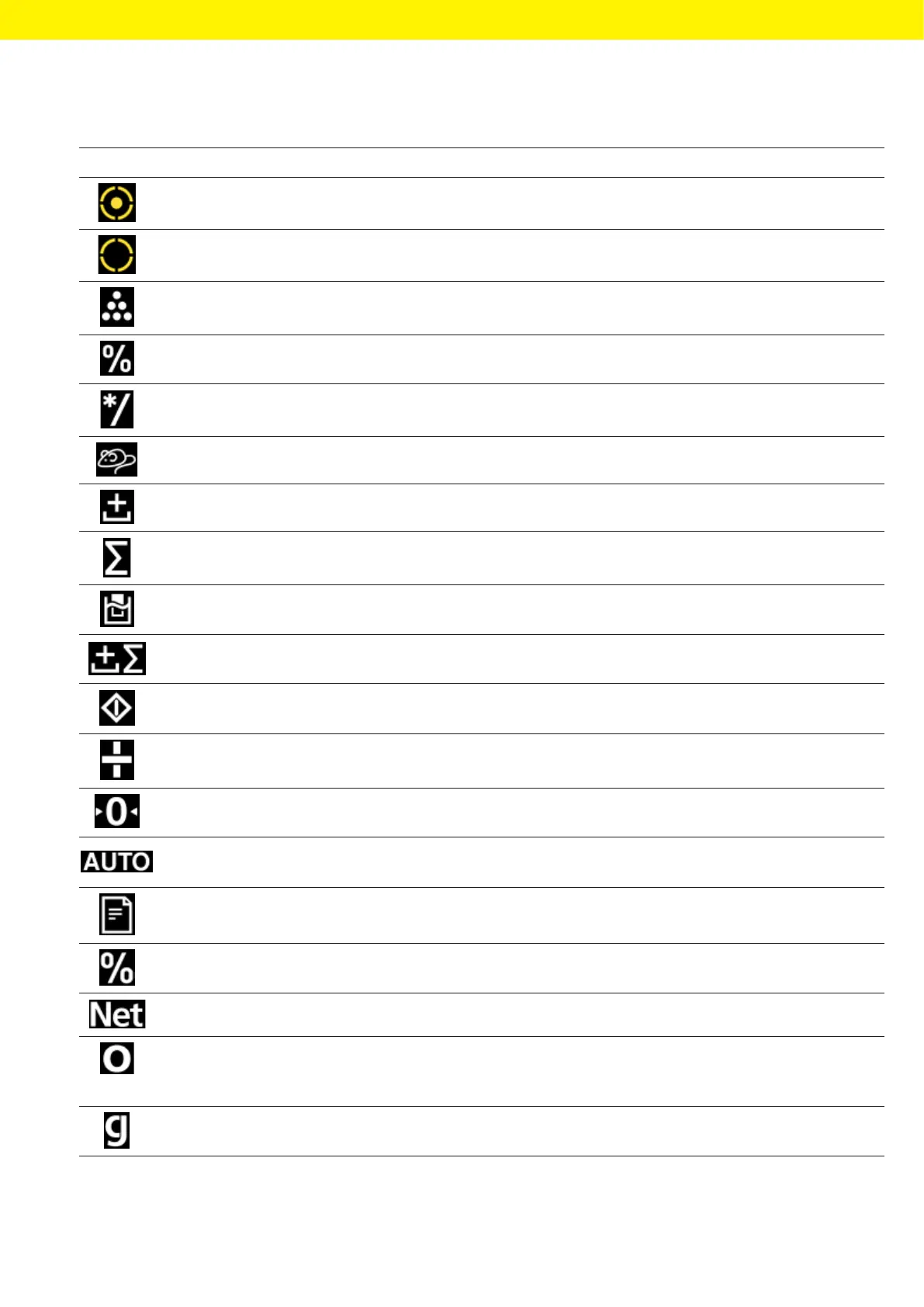
Symbol Name Description
[Leveling] display − Indicates that the device is leveled.
− If the center circle is flashing: Indicates that the device is not leveled.
[Leveling] display Flashes while the device is leveling.
[Counting] display Indicates that the “Counting” application is selected.
[Weighing in percent]
display
Indicates that the “Weighing in percent” application is selected.
[Calculation] display Indicates that the “Calculation” application is selected.
[Animal weighing] display Indicates that the “Animal weighing” application is selected.
[Net-total] display Indicates that the “Net-total” application is selected.
[Totalizing] display Indicates that the “Totalizing” application is selected.
[Density determination]
display
Indicates that the “Density determination” application is selected.
[Statistics] display Indicates that the “Statistics” application is selected.
[Busy] display Indicates that the device is processing a command.
[Sign] display Indicates whether the value being displayed is positive or negative.
[Zero] display For some conformity-assessed devices: Indicates that the device has
been zeroed.
[AUTO] display Indicates that the “Animal weighing” application starts automatically.
[Data output] display Indicates that the data output is active.
[Percent] display Indicates that a percentage value is being displayed.
[Net] display Indicates that a net value is being displayed.
[Computed value] display − In the menu: Identifies the selected configuration value.
− If the “Calculation” or “Density determination” application is ac-
tive: Indicates that a calculated value is being displayed.
[Unit symbol] display Indicates the set weight unit, e.g. [g] for “grams”.








 To Next Page