Operating Instructions Cubis
®
MCE 33
Installation
5.4 Removing the Control Unit
5.4.1 Positioning the Control Unit
The control unit can be removed. This enables the flexible setup of the
control unit at the workplace.
Tool: 1 Torx Allen key, T20
Material: 1 soft support base
Requirements
− The weighing pan and the associated components have not been set up.
− For a device with an analytical draft shield or flat glass draft shield: The
side panels and upper panel have not been fitted.
Procedure
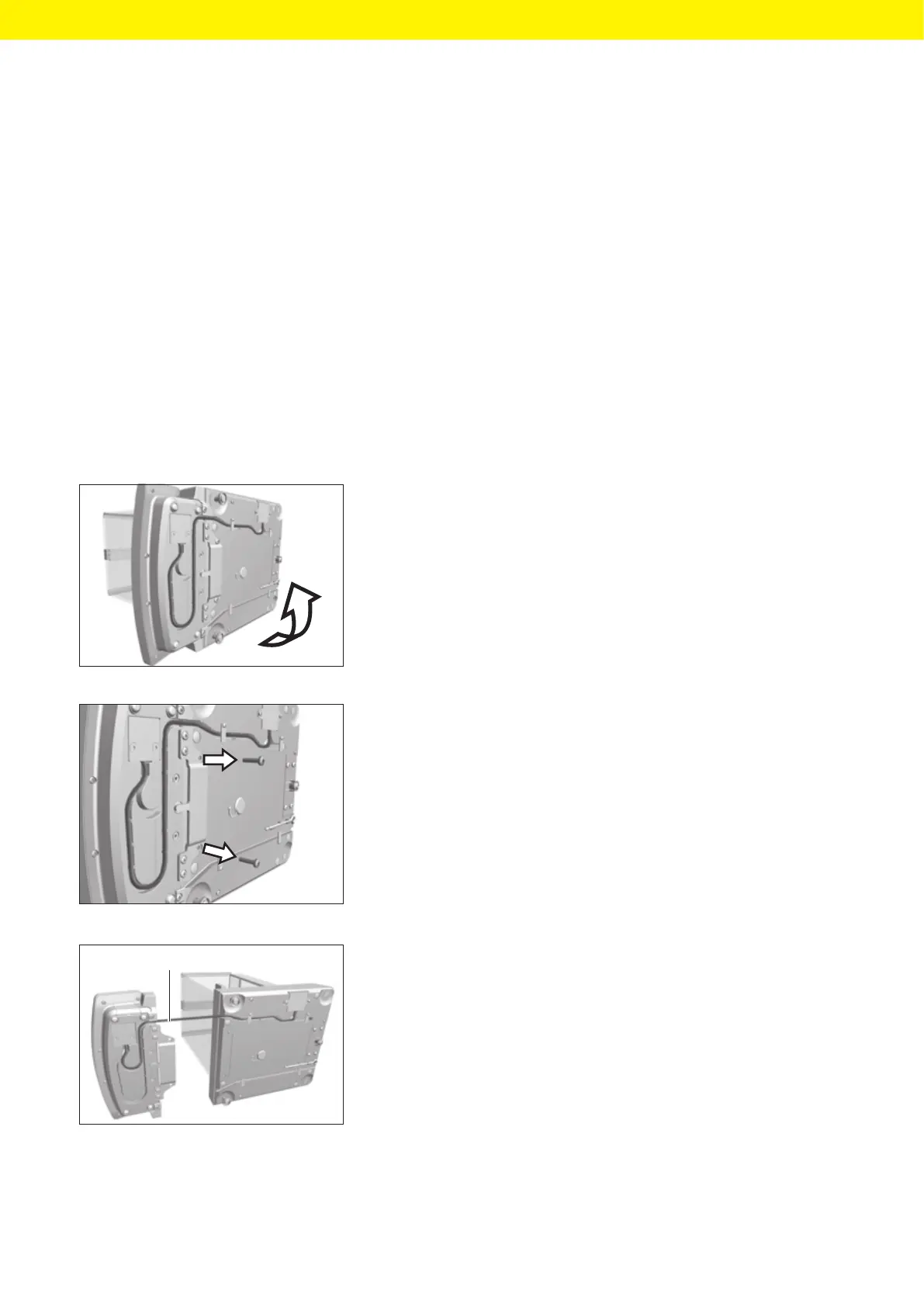
t Turn the device on its side and place it on the soft support base.
t To loosen the control unit’s retainer: Use the Torx Allen key to remove
both screws.
t Remove the control unit and re-insert both screws into the threaded
holes.
t Pull the connection cable between the control unit and the weighing
module (1) out of the control unit’s retainer and unroll it.
t Place the device back on the device base on a level surface.
1








 To Next Page