Operating Instructions Cubis
®
MCE 29
Operating Concept
4.6 Navigating the Menus
Procedure
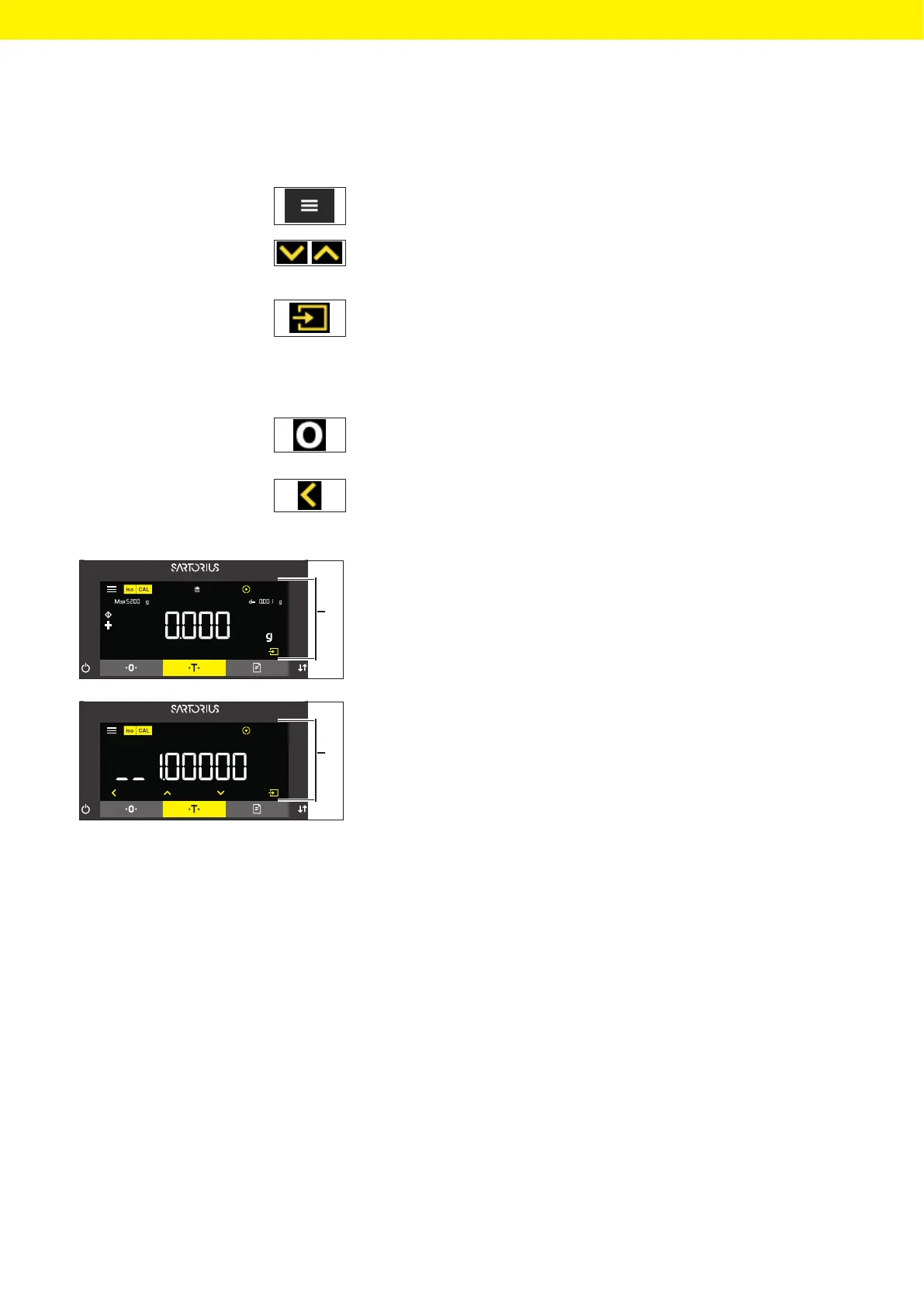
t To access the settings menu: Press the [Menu] button.
t To scroll through all menus in the same level: Press the [Up] or [Down]
button.
t To switch to the displayed menu level: Press the [Confirm] button on the
keypad.
t To scroll through the configuration values: Press the [Up] or [Down]
button.
t To select the configuration value shown in the display or the displayed
application: Press the [Confirm] button on the keypad.
y The [Value] display identifies the selected configuration value or the
selected application.
t To return to the next higher menu level: Press the [Back] button.
t To exit the settings menu: In the main menu level, press the [Back]
button.
t If the start display (1) of a selected application is displayed:
t To start the application without changing the preset reference value:
Press the [Confirm] button on the keypad.
t To change a reference value before starting the application, e.g.
density value, divisor or reference quantity: Press the [Up] button.
y The reference value display is shown for the selected application.
t If a reference value with decimal places needs to be selected in the
reference value display (1) of a selected application, e.g. “Density
determination” or “Calculation” applications:
y The selected digit position flashes.
t Use the [Up] or [Down] button to change the value for the selected
digit position.
t If a digit position other than the last digit position is selected: Press
the [Confirm] button to select the next digit position.
t If a digit position other than the first digit position is selected: Press
the [Back] button to select the previous digit position.
t If the last digit position is selected: Press the [Confirm] button to save
the displayed reference value and start the application process.
t If the first digit position is selected: Press the [Back] button to delete
the displayed reference value and return to the application’s status
display.
1
1








 To Next Page