Operating Instructions Cubis
®
MCE 39
Installation
5.9 Setting Up the Cable Entry (Only for
aDevice with a Manual Analytical Draft
Shield)
For models with a manual analytical draft shield, a cable can be fed into
theweighing chamber, e.g. when using a temperature sensor.
Procedure
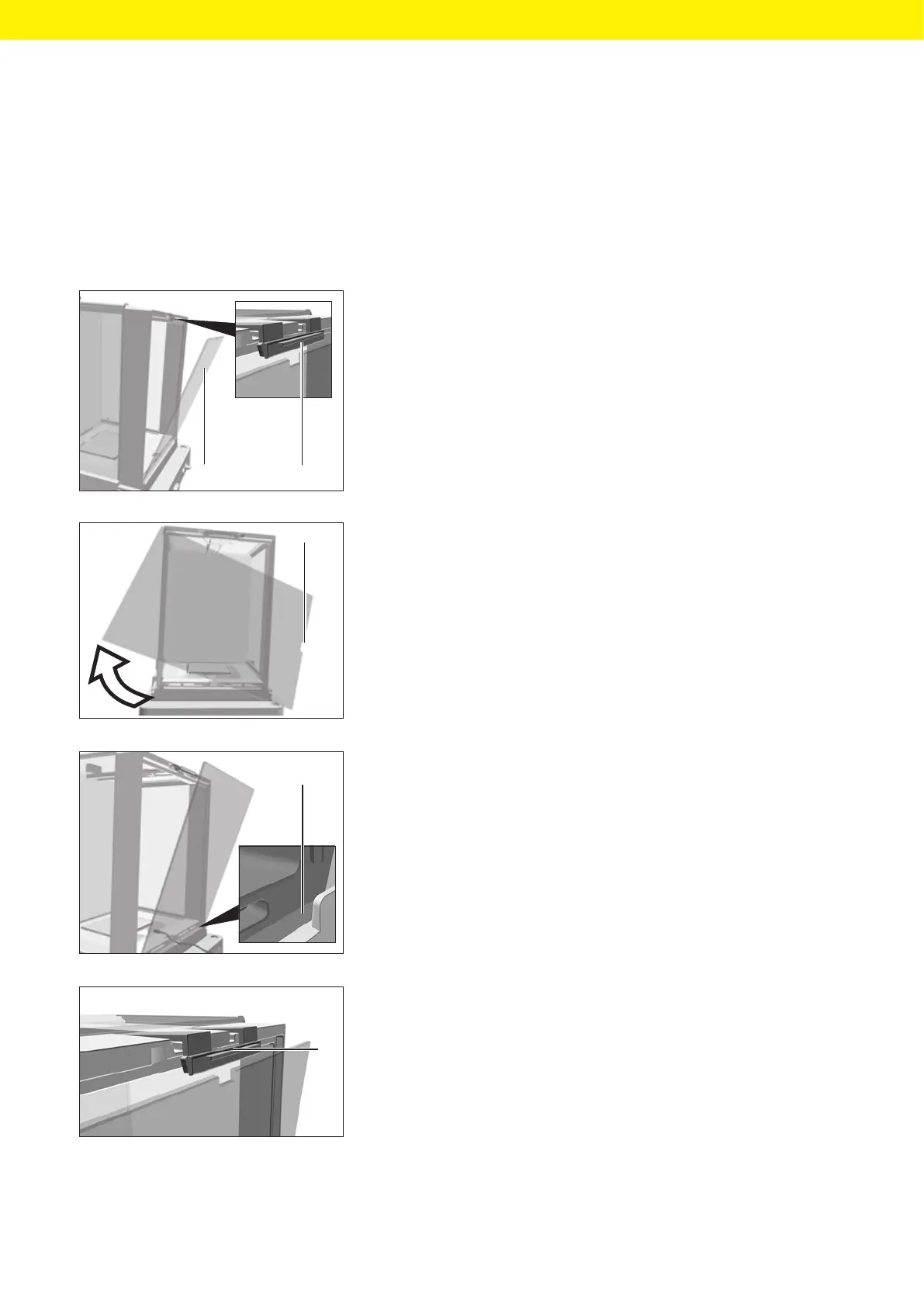
t Lift the locking tab (1) on the rear panel of the device.
t Lift the panel (2) out of the device.
t Rotate the panel 180° so that the recess (1) in the panel points towards
the weighing module.
t Feed the connection cable into the weighing chamber.
t Insert the panel into the guide groove (1).
t Lift the locking tab (1) on the rear panel of the device and push down
thepanel.
t Press the locking tab down and close it.
2
1
1
1
1








 To Next Page