8-28 Serial Port Communications and Commands Date Code 20010731
SEL-352-1, -2 Instruction Manual
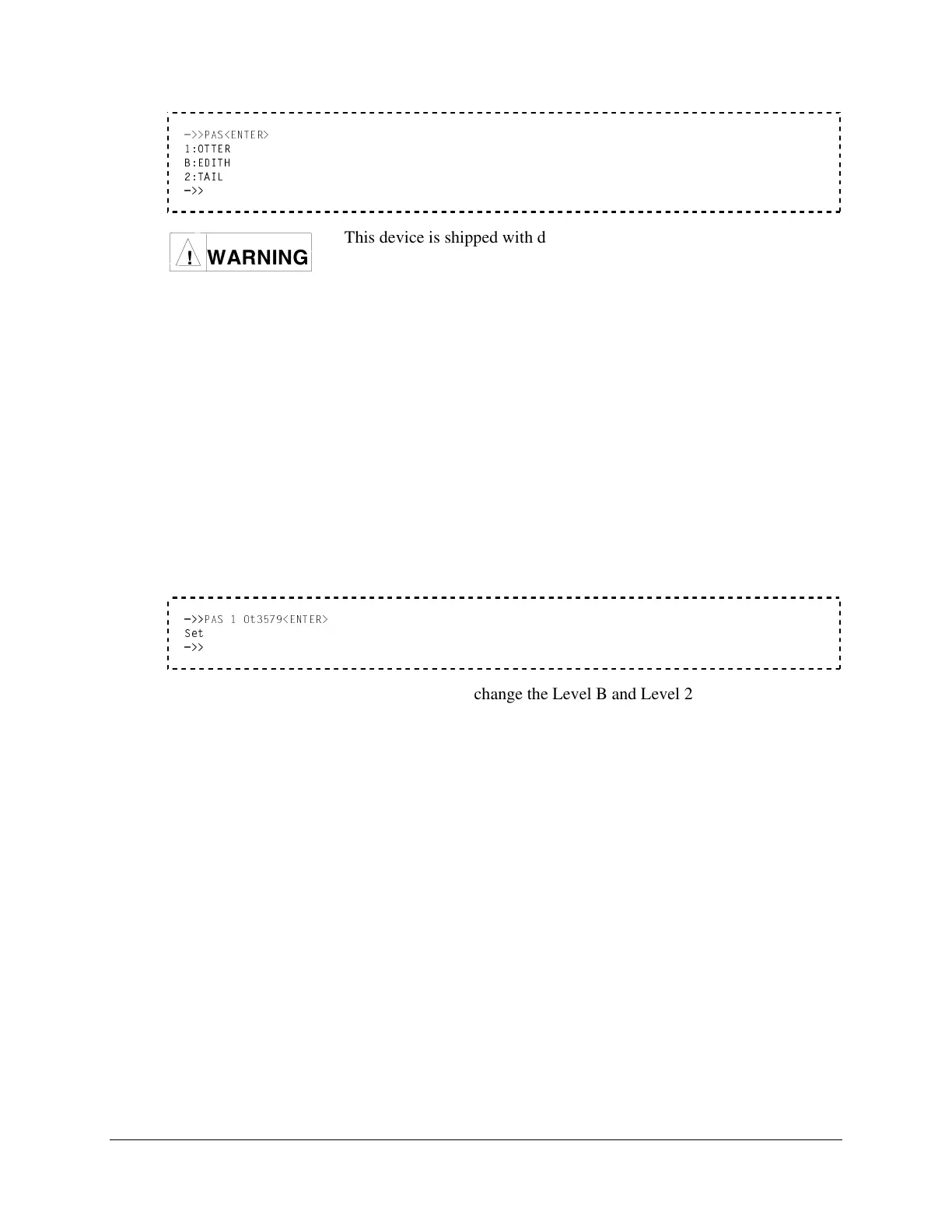
=>>PAS<ENTER>
1:OTTER
B:EDITH
2:TAIL
=>>
WARNING
!
This device is shipped with default passwords. Default passwords
should be changed to private passwords at installation. Failure to
change each default password to a private password may allow
unauthorized access. SEL shall not be responsible for any damage
resulting from unauthorized access.
To change a password, use the following syntax:
PAS n newpas<ENTER>
The two parameters are required:
n specifies the Access Level (1, B, or 2).
newpas specifies the new password. If newpas is DISABLE, the prompt is disabled.
Designate which access level password to change with the n = 1, B, or 2. The new password
designated by newpas can be up to six characters. The following example changes the level one
password to Ot3579. The passwords are case sensitive.
=>>
PAS 1 Ot3579<ENTER>
Set
=>>
Similarly, PAS B and PAS 2 can be used to change the Level B and Level 2 passwords,
respectively.
The relay sets the password, pulses the ALARM relay closed for approximately one second, and
transmits the response “Set” to the display.
Passwords may contain up to six characters and include any combination of letters, numbers,
periods, or hyphens. Upper- and lower-case letters are treated as different characters. Strong
passwords consist of six characters, with at least one special character or digit and mixed-case
sensitivity, but do not form a name, date, acronym, or word. Passwords formed in this manner
are less susceptible to password guessing and automated attacks. Examples of valid, distinct
strong passwords include:
Ot3579 A24.68 Ih2dcs 4u-Iwg .0351r
To disable the password protection for a particular access level, type PAS n DISABLE
<ENTER>. The relay responds with “Password Disabled.”
After entering new passwords, type PAS<ENTER> to inspect them. Make sure they are what
you intended, and record the new passwords.



 To Next Page