Date Code 20010731 Serial Port Communications and Commands 8-31
SEL-352-1, -2 Instruction Manual
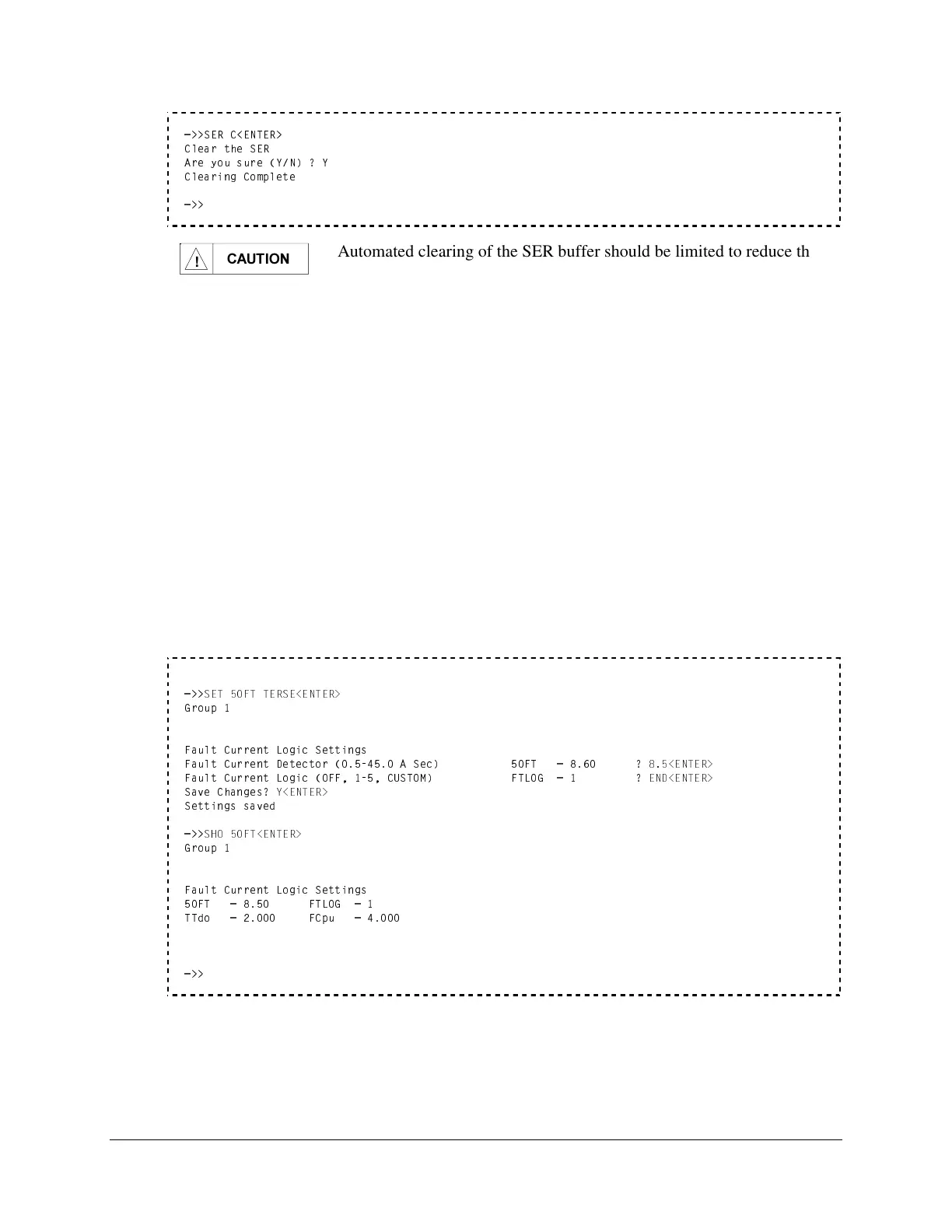
=>>SER C<ENTER>
Clear the SER
Are you sure (Y/N) ? Y
Clearing Complete
=>>
&$87,21
Automated clearing of the SER buffer should be limited to reduce the
possibility of wearing out the nonvolatile memory. Limit automated
SER C commands to once per week or less.
SET (Edit Settings)
Access Level 2
Configure the relay using the SET command. The entire syntax of the SET command follows:
SET n setting TERSE<ENTER>
All parameters are optional and perform the following functions:
n specifies the setting group (1, 2, or 3). The default is the active setting group.
setting specifies the setting name to immediately jump to. The default is the first setting.
TERSE disables the display of the new settings at the end of the setting procedure.
If a setting is hidden because that section of the settings is turned OFF, you cannot jump to that
setting. TERSE is very useful when making small changes to the settings. For example, the
following procedure is recommended when making a change to one setting:
Change the 50FT Setting
=>>
SET 50FT TERSE<ENTER>
Group 1
Fault Current Logic Settings
Fault Current Detector (0.5-45.0 A Sec) 50FT = 8.60 ?
8.5<ENTER>
Fault Current Logic (OFF, 1-5, CUSTOM) FTLOG = 1 ?
END<ENTER>
Save Changes?
Y<ENTER>
Settings saved
Verify the 50FT Setting
=>>
SHO 50FT<ENTER>
Group 1
Fault Current Logic Settings
50FT = 8.50 FTLOG = 1
TTdo = 2.000 FCpu = 4.000
Issue <CONTROL>X to Stop Scrolling
=>>



 To Next Page