8-36 Serial Port Communications and Commands Date Code 20010731
SEL-352-1, -2 Instruction Manual
SHO G (Show Global Settings)
Access Level 1
SHOWSET G displays the relay global settings of the currently selected group. The global
settings include the input assignments, relay configuration settings, the front-panel time-out, and
the group switching time delay. The syntax of the SHO G command follows:
SHO G setting<ENTER>
setting specifies the setting name to immediately jump to. The default is the first setting.
Settings cannot be entered or modified with this command. Change settings with the SET G
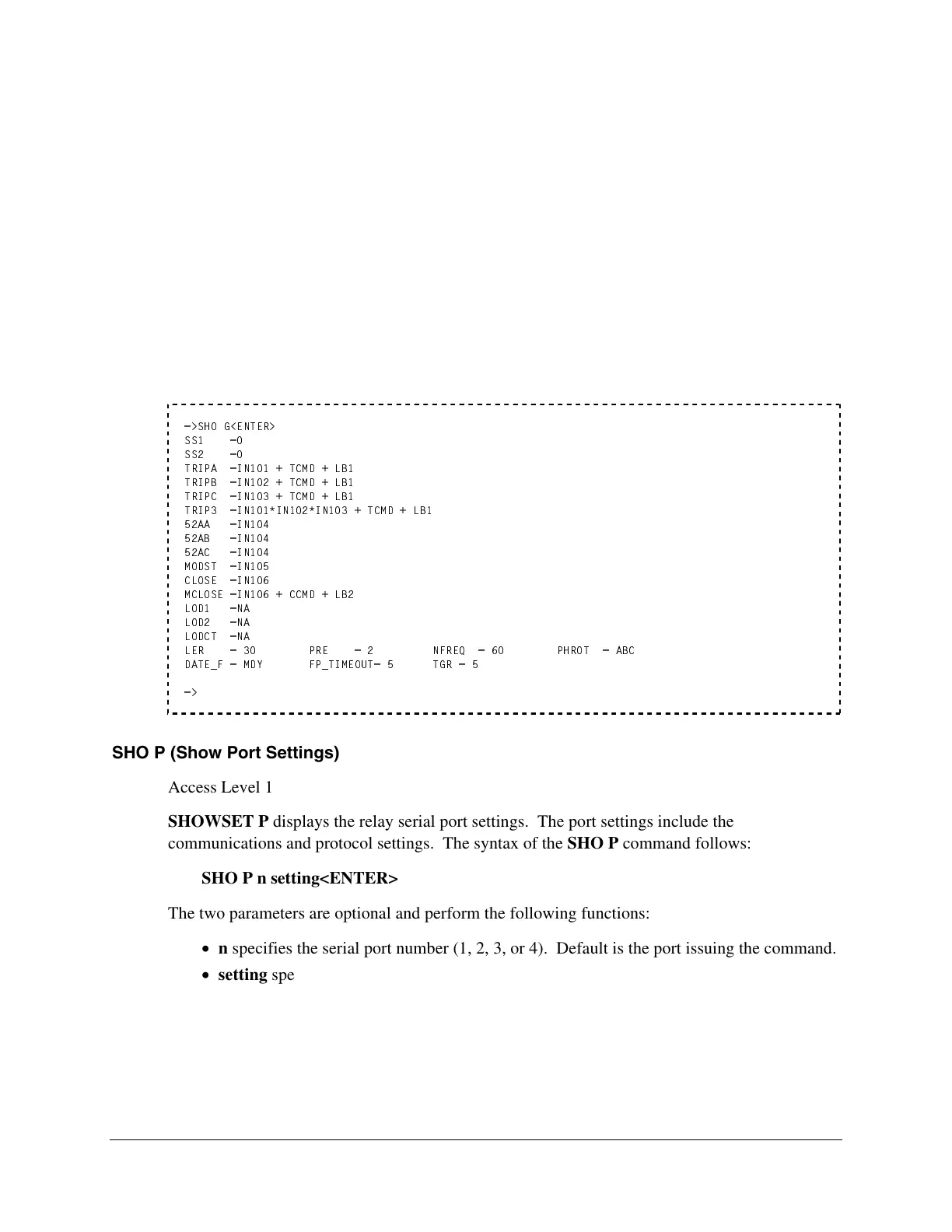
command from Access Level 2. The following example shows the factory default settings.
Refer to Section 7: Setting the Relay for a list of all settings.
=>SHO G<ENTER>
SS1 =0
SS2 =0
TRIPA =IN101 + TCMD + LB1
TRIPB =IN102 + TCMD + LB1
TRIPC =IN103 + TCMD + LB1
TRIP3 =IN101*IN102*IN103 + TCMD + LB1
52AA =IN104
52AB =IN104
52AC =IN104
MODST =IN105
CLOSE =IN106
MCLOSE =IN106 + CCMD + LB2
LOD1 =NA
LOD2 =NA
LODCT =NA
LER = 30 PRE = 2 NFREQ = 60 PHROT = ABC
DATE_F = MDY FP_TIMEOUT= 5 TGR = 5
=>
SHO P (Show Port Settings)
Access Level 1
SHOWSET P displays the relay serial port settings. The port settings include the
communications and protocol settings. The syntax of the SHO P command follows:
SHO P n setting<ENTER>
The two parameters are optional and perform the following functions:
n specifies the serial port number (1, 2, 3, or 4). Default is the port issuing the command.
setting specifies the setting name to immediately jump to. The default is the first setting.
Settings cannot be entered or modified with this command. Change settings with the SET P
command from Access Level 2. The following example shows the factory default settings.
Refer to Section 7: Setting the Relay for a list of all settings.



 To Next Page