Date Code 20010731 Front-Panel Interface 9-1
SEL-352-1, -2 Instruction Manual
SECTION 9: FRONT-PANEL INTERFACE
FRONT-PANEL OPERATION
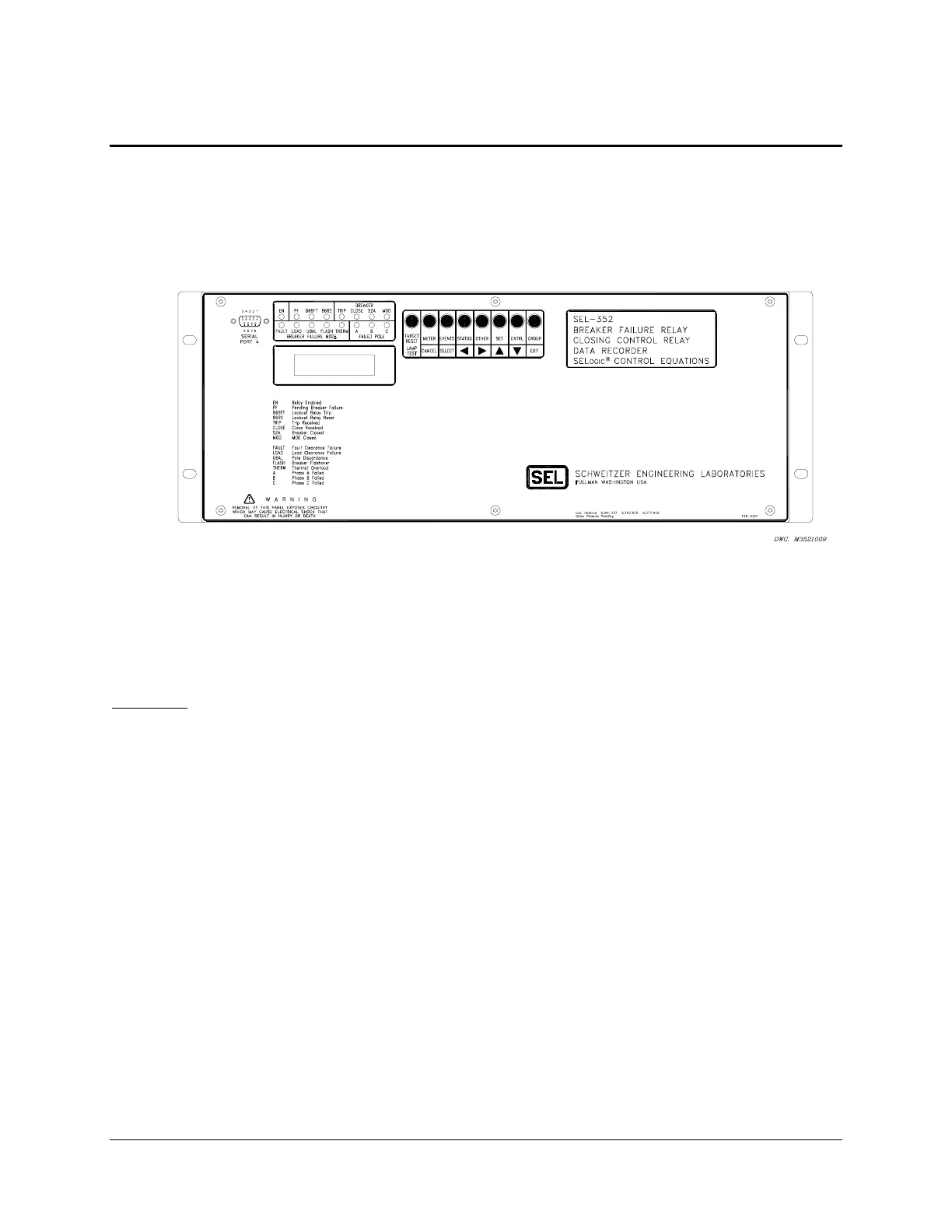
The SEL-352 Relay front panel, shown in Figure 9.1, includes a 2-line, 16-character LCD, 16
LED target/indicators and 8 pushbuttons for local communication.
Figure 9.1: SEL-352 Relay Front-Panel Display
The LCD shows event, metering, setting, and relay self-test status information. The display is
controlled with the eight multifunction pushbuttons. The target LEDs display relay target
information as described by the legend.
Time-Out
If no buttons are pressed on the front panel, the relay waits a time period specified in the SET G
setting FP_TIMEOUT and then takes the following actions:
The front-panel LCD resets to the default metering display.
The front-panel access level reverts to Access Level 1.
The LCD back lighting is turned off.
Any routine being executed via a front-panel command is interrupted.
The target LEDs revert to the default targets.
FP_TIMEOUT is factory set to 5 minutes and can be set from 0 to 30 minutes. If zero is
selected, the front panel will never time-out. A zero setting is useful when testing but do not
leave the time-out set at zero. The back light will fail if lit for prolonged periods of time, and the
target LEDs that may be changed using the TAR F command will not be reset to the default
targets.



 To Next Page