4-2 Control Logic Date Code 20080110
SEL-387E Instruction Manual
Factory Settings Examples
Relay Word bit IN101 is used in the factory settings for the SEL
OGIC
control equation circuit
breaker status setting:
52A1 = IN101
Connect input IN101 to a 52a circuit breaker auxiliary contact for the Winding 1 breaker to
provide the relay information on the position of the breaker’s contacts.
If a 52b circuit breaker auxiliary contact were connected to input IN101, the setting could be
changed to:
52A1 = !IN101 [!IN101 = NOT(IN101)]
Input IN101 may also be used in other SEL
OGIC
control equations. Any equation which requires
information on the open or closed status of Breaker 1 would use the IN101 Relay Word bit as
this indication.
L
OCAL
C
ONTROL
S
WITCHES
The local control switch feature of this relay replaces traditional panel-mounted control switches.
Operate the 16 local control switches using the front-panel keyboard/display (see Section 8:
Front-Panel Operation).
R
EMOTE
C
ONTROL
S
WITCHES
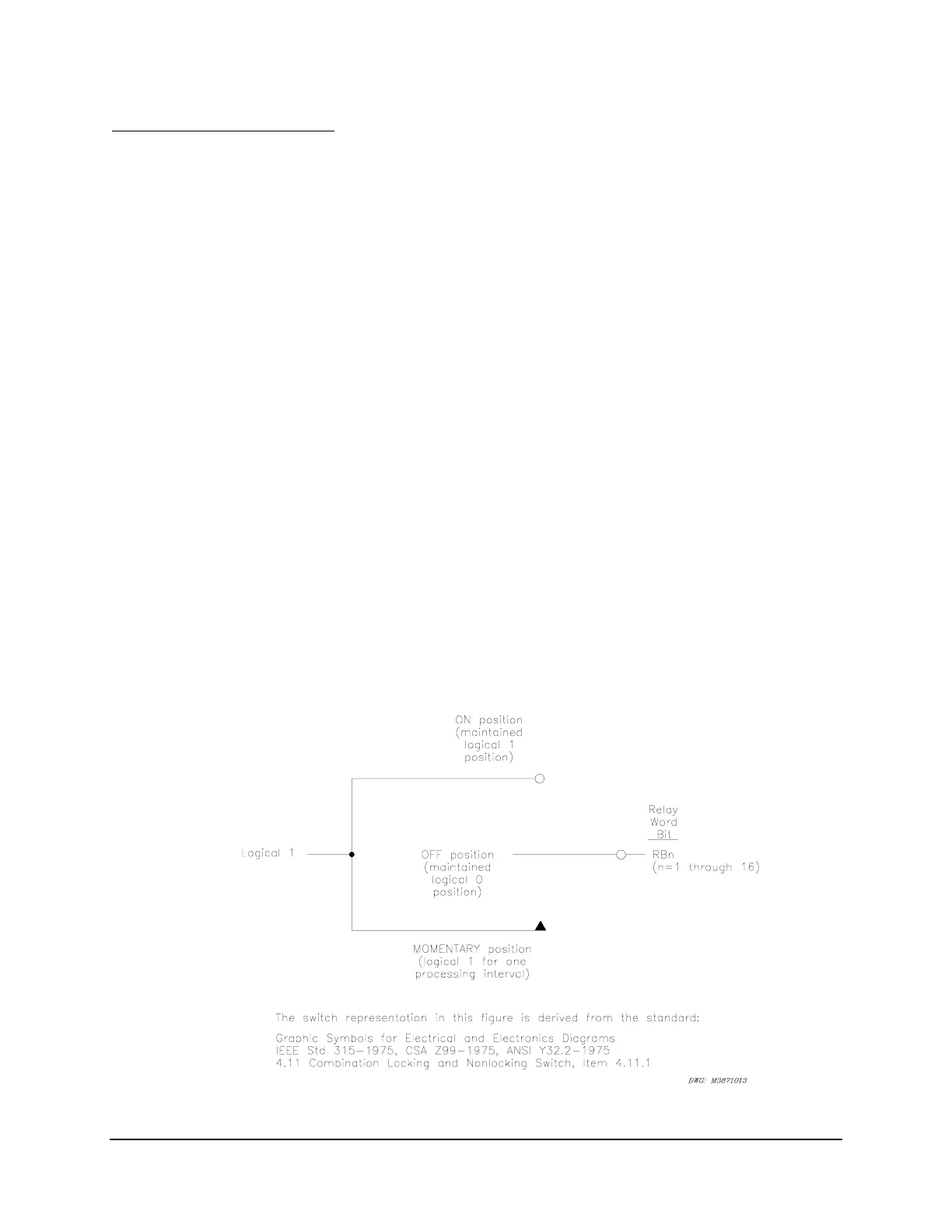
Remote control switches are operated via the serial communications port only (see Section 7:
Communications).
Figure 4.1: Remote Control Switches Drive Remote Bits RB1 Through RB16



 To Next Page