10-2 Testing and Troubleshooting Date Code 20080110
SEL-387E Instruction Manual
For more information on these features and commands, see Section 7: Communications.
Low-Level Test Interface
The SEL-387E Relay has a low-level test interface between the calibrated input module and the
separately calibrated processing module. You may test the relay in either of two ways: by
applying ac current and voltage signals to the relay inputs or by applying low magnitude ac
voltage signals to the low-level test interface. Access the test interface by removing the relay
front panel.
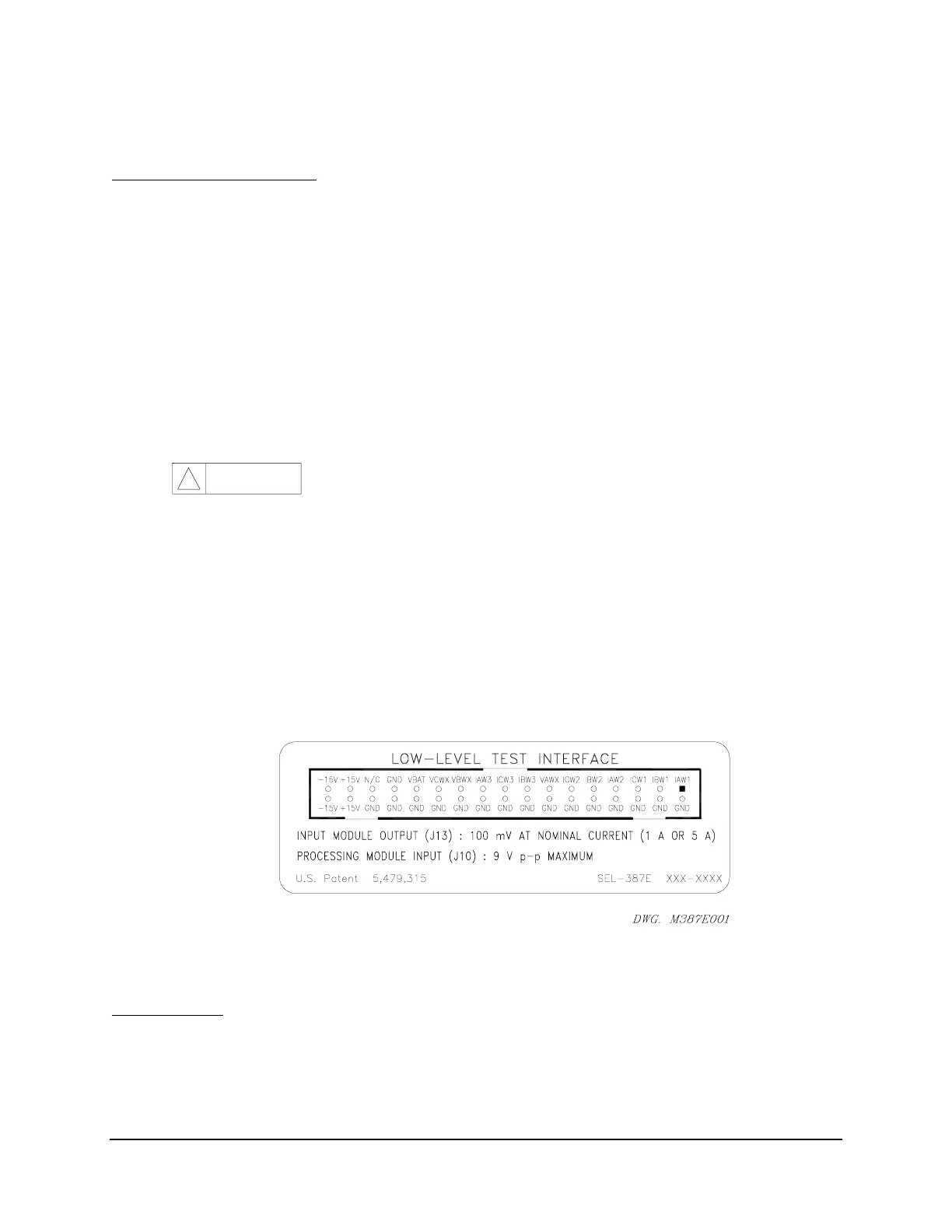
Figure 10.1 shows the low-level interface connections. Remove the ribbon cable between the
two modules to access the outputs of the input module and the inputs to the processing module
(relay main board).
You can test the relay processing module using signals from the SEL-RTS Low-Level Relay
Test System. Never apply voltage signals greater than 9 V peak-to-peak to the low-level test
interface.
Figure 10.1 shows the signal scaling factors.
CAU TION
!
The relay contains devices that are sensitive to electrostatic
discharge. When working on the relay with front or top cover
removed, work surfaces and personnel must be properly
grounded or equipment damage may result.
You can test the input module two different ways:
Measure the outputs from the input module with an accurate voltmeter, and compare
the readings to accurate instruments in the relay input circuits,
or
Replace the ribbon cable, press the front-panel <METER> button, and compare the
relay readings to other accurate instruments in the relay input circuits.
Figure 10.1: Low-Level Test Interface
Test Methods
Test the pickup and dropout of relay elements using one of three methods: front-panel target
LCD/LED indication, output contact operation, and the Sequential Events Recorder (SER).



 To Next Page