17
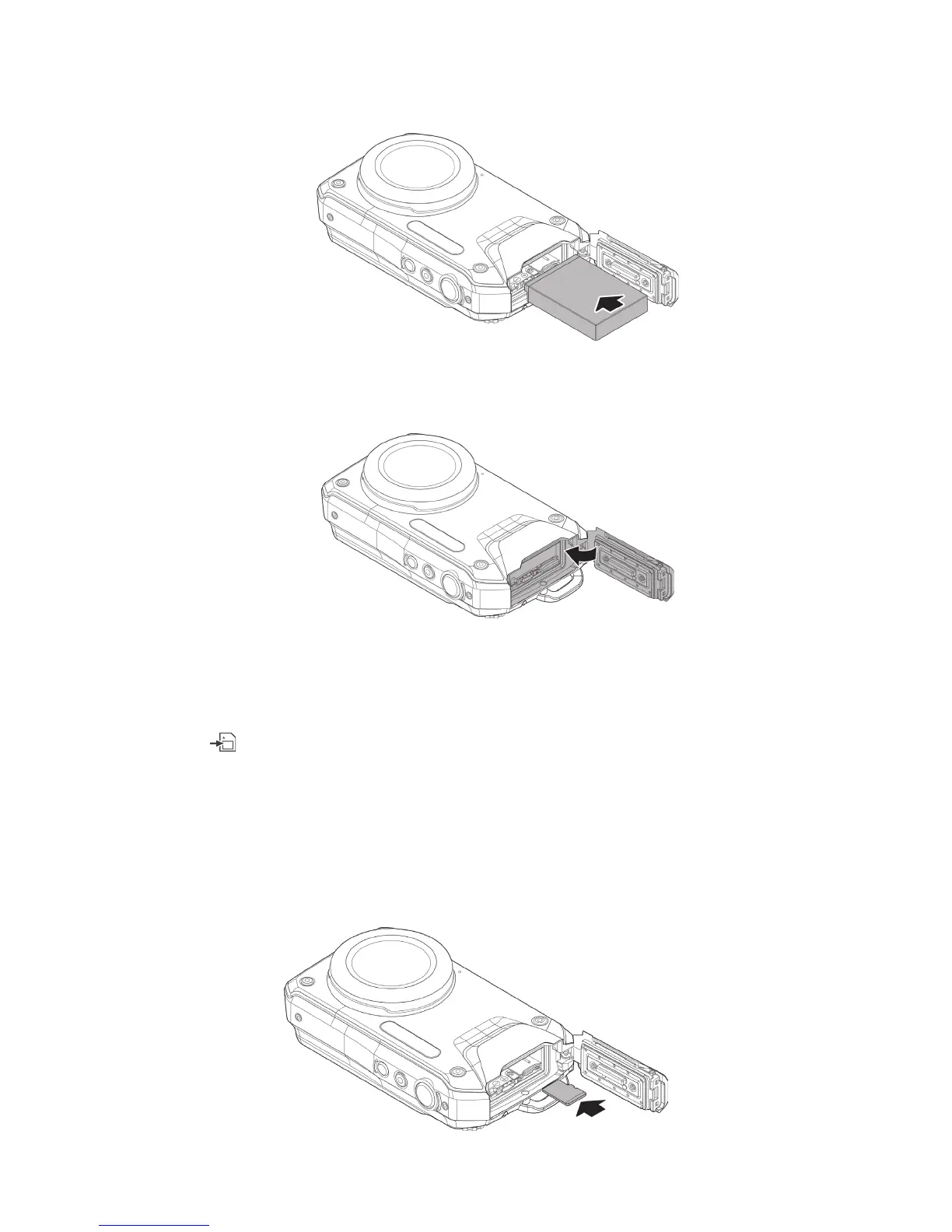
2) Insertthebatteryasshownwiththe3goldcontactsorientedtowardsthetopofthecamera.
Thesmallorangetabwilllockbatteryintoplaceifbatteryisorientedcorrectly.
3) Closethebattery/memorycarddoorasshown.Pushdownrmlyuntildoorlocks.
Important:Makesuretherubbersealinsidewaterproofdoorisperfectlycleanandundamaged.
Inserting the Memory Card (card sold separately)
ThecamerasupportsMicroSD,MicroSDHCandMicroSDXCandMicroUHS-1typememorycardsup
to64GB.Theicon
willappearonLCDdisplaytoindicateamemorycardisinstalled.Allpictures
andvideosaresavedtothememorycardwhencardisinstalled.Thecameraisequippedwith80MB
oftheinternalmemoryusedtostoresomepicturesifthereisnomemorycardinstalled.Video
recordingrequiresinstallingoptionalmemorycard.Toensurethememorycardisworkingproperly
withyourcamera,werecommendtakingthecamerawithyouwhenpurchasingthecard.
Insertthememorycardintotheslotwiththegoldcontactsfacingthebackofthecamera.Pushuntil
cardclicksintoplace.Toremovethememorycard,gentlypushthecardanditwillejectfromtheslot



 To Next Page