67
Playback Menu
ThePlaybackmenuallowsyoutoeditimages,recordvoicememos,andadjustgeneralplayback
settings.
TogotoPlaybackMenu:
1. PushthePlayback button
.
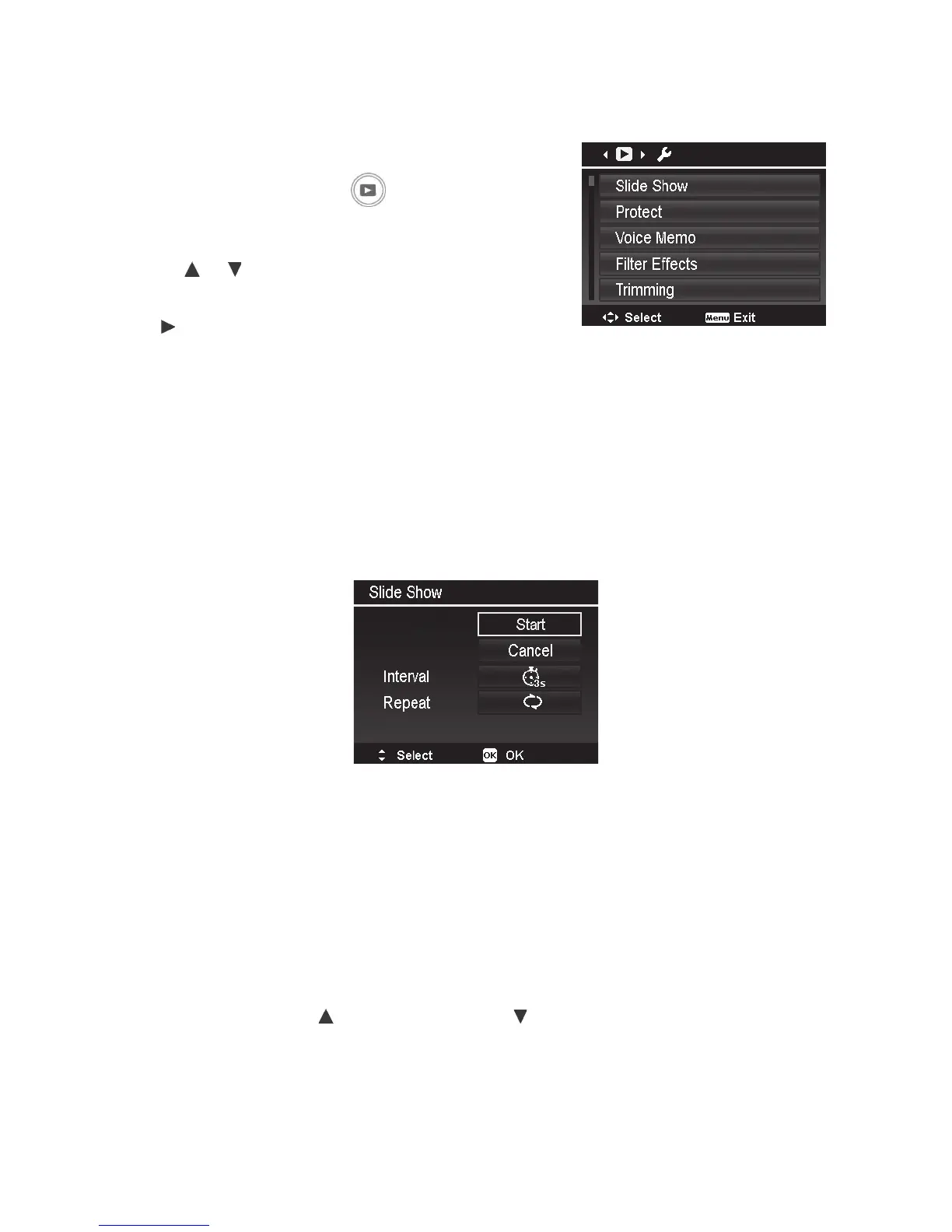
2. PushMenu buttontolaunchthePlaybackMenu.
3. Usethe
or keystomovethroughthemenu
selections.
4. Push
ortheOK buttontoselectthesettingyou
wanttochange,
5. Changethesubmenusettingsusingthe4-way
navigationcontrol.
6. PushtheOKbuttontosaveandapplysettings.
Slide Show
Theslideshowfunctionenablesyoutoplaybackyourstillimagesautomaticallyinsequentialorder
oneimageatatime.
Using the Slide Show:
1. FromthePlaybackmenu,selectSlide Show andpushtheOKbutton.TheSlideShowmenuwill
appear.
2. Usethe4-waynavigationcontroltosetthedesiredslideshowtimeinterval(1sec.,3sec.,5
sec.or10sec.)andifyouwanttheslideshowtocontinuouslyrepeat(YesorNo)itself.
3. SelectStartandpushtheOKbuttontostarttheslideshow,orselectCanceltoexittheslide
showsetting.
4. DuringSlideShow,push
topause/resumeand tostoptheslideshow.



 To Next Page