78
Item Description
Settings menu
Adjustcamerasettingsremotely.AccessNetworksettingstochange
cameraname(SSID)andpassword.
App menu
Includesfourappoperatingmodes:Remote,Albums,Geotaggingand
Cameramodes.See“Appmenu”onpage78formoredetails.
Current Settings Displaysthecurrentcamerasettingsbeingused.
Live view Showslivestreamingviewfromcamera.
Playback Accesspicturesandvideossavedoncameraoronsmartdevice.
Photo mode Taptotakearemotepicture.
Video mode Taptostartvideorecording.
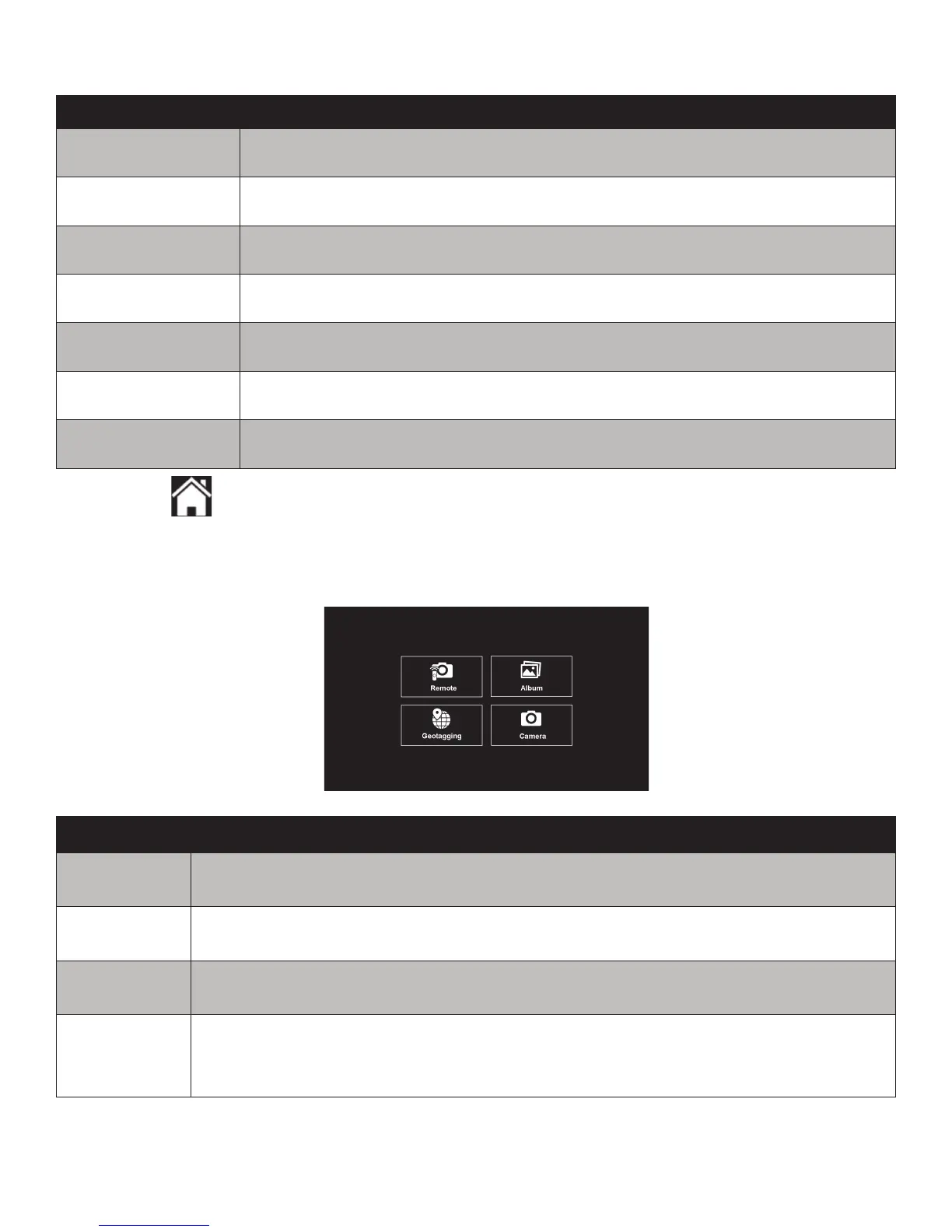
App Menu
TappingtheAppmenuiconwillopenthefollowingmenuwithfouroperatingmodes:
Item Description
Remote
Allowsyoutouseyoursmartdevicetocontrolthecameraremotelyfortaking
pictures,recordingvideoorchangingthecamerasettings.
Album Viewanddownloadpictures/videossavedonthecameratoyoursmartdevice.
Geotagging
UsethisfeaturetorecordanduploadGPSdatafromyoursmartdevicetoyour
camera.See“Geotagging”onpage79formoredetails.
Camera
Allowsyoutouseallcamerafunctionsandoperationswhilebeingconnectedtoa
smartdevice.PushtheWiFibuttononthecameratoautomaticallydownloadthe
capturedimagetoyoursmartdevice.See“CameraMode”onpage81formore
details.



 To Next Page