65
Using Movie Edit
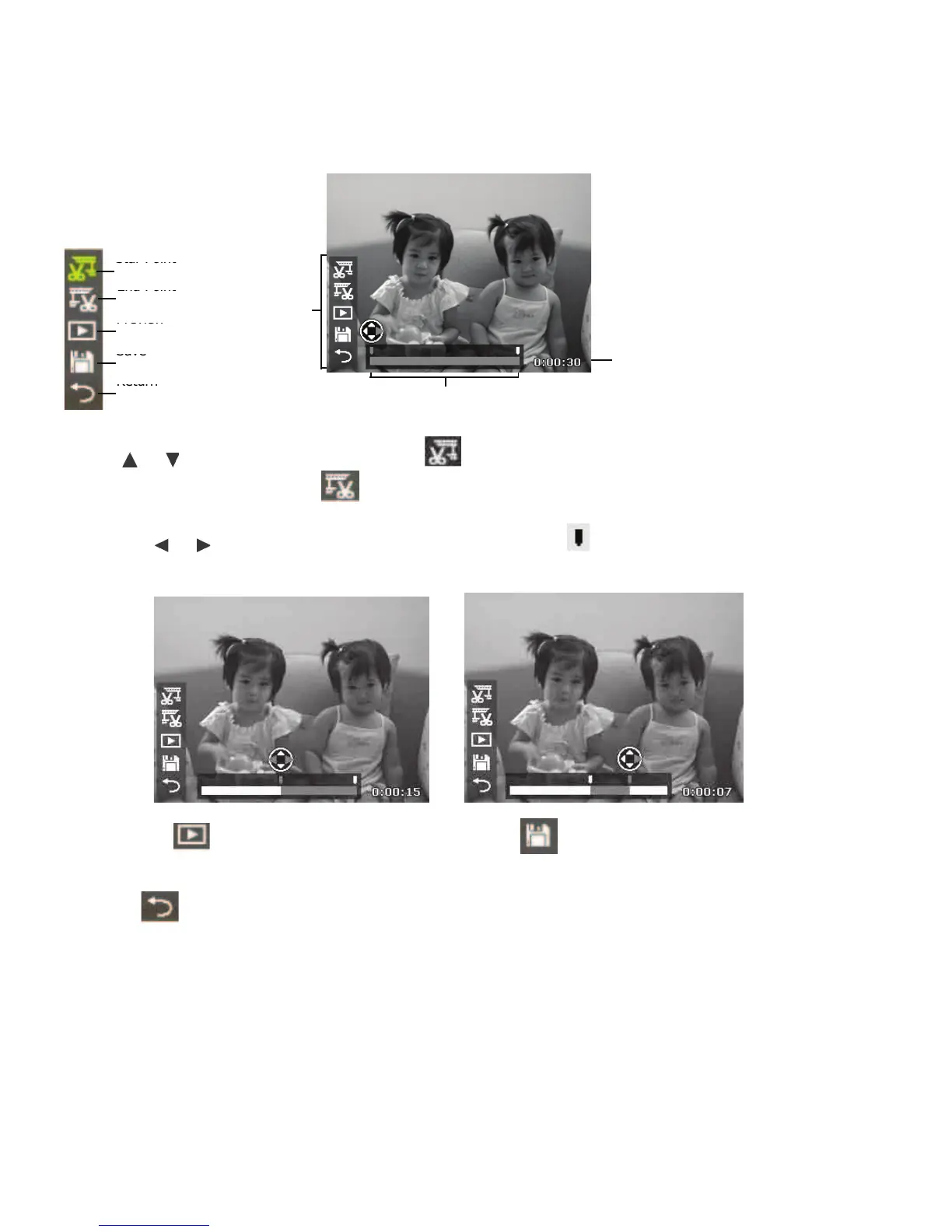
Whenavideoclipispaused,pushtheMenubuttontoenterMovieEditmode.TheEditPanelwillbe
displayedinthelowerleftcornerofthescreenwhilethetimebarandmovielengthisdisplayedalong
thebottomofthescreen.
Set Start/End point:
1. Use
or keystoselectthestartpoint whereyouwanttotrimthebeginningofthe
videoclipandtheendpoint whereyouwanttotrimtheendofthevideoclip.
2. Usethe or keystomovethestartandendpointtabs in1/30secondintervals.The
movielengthmustbeatleastmorethan2seconds.
3. Selectthe topreviewthetrimmedvideoclipor tosavethevideoclip.The
editedvideoclipwillbesavedasaseparatele,Theoriginalvideoclipwillbepreserved.
4. Select
andPushOKtoexitMovieEditmodeandreturntothepausedtimewhether
theStart/Endpointissetornot.



 To Next Page