19
Setting the Date & Time
1.Push or tomovethroughtheselection.
2.Push
or keystochangethevalueforthedateandtime.
3.PushOKtoconrmyourdate/timeselection.
Note:PushingtheMenu
buttonatanytimewillexitthelanguageanddate/timesettings
menu.Holdingdown
or keystochangethevaluescontinuously.
Taking a picture and recording a video clip
Thecameraisreadytotakeapictureorrecordvideoimmediatelyafterpoweringonthecamera.
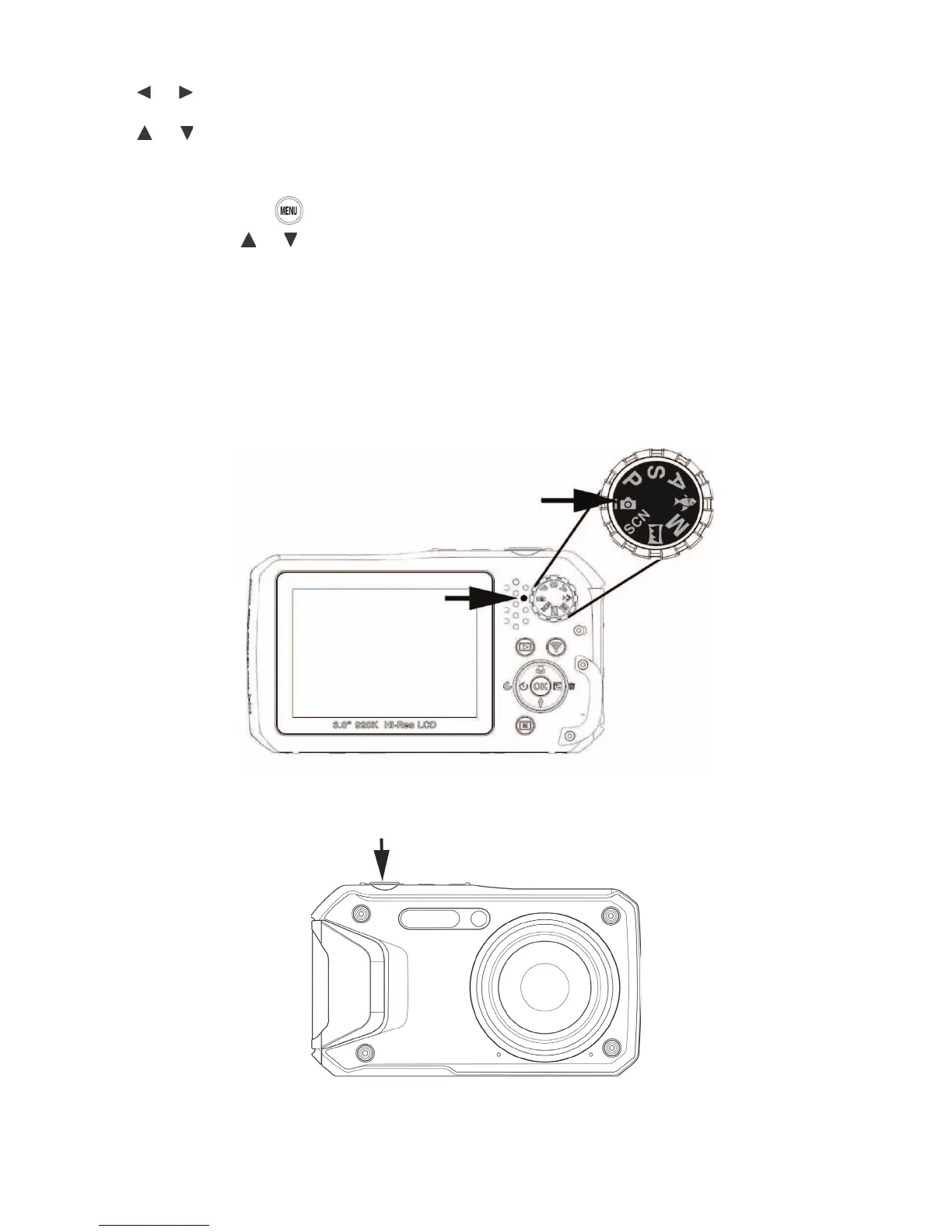
1) Beforetakingapictureorvideo[onland],set the mode dial to Intelligent Auto.Moredetails
aboutthemodedialandunderwatermodesareincludedlaterinthismanual.
2) Take a picture:Pushtheshutterbuttondowntotakeapicture.



 To Next Page