42
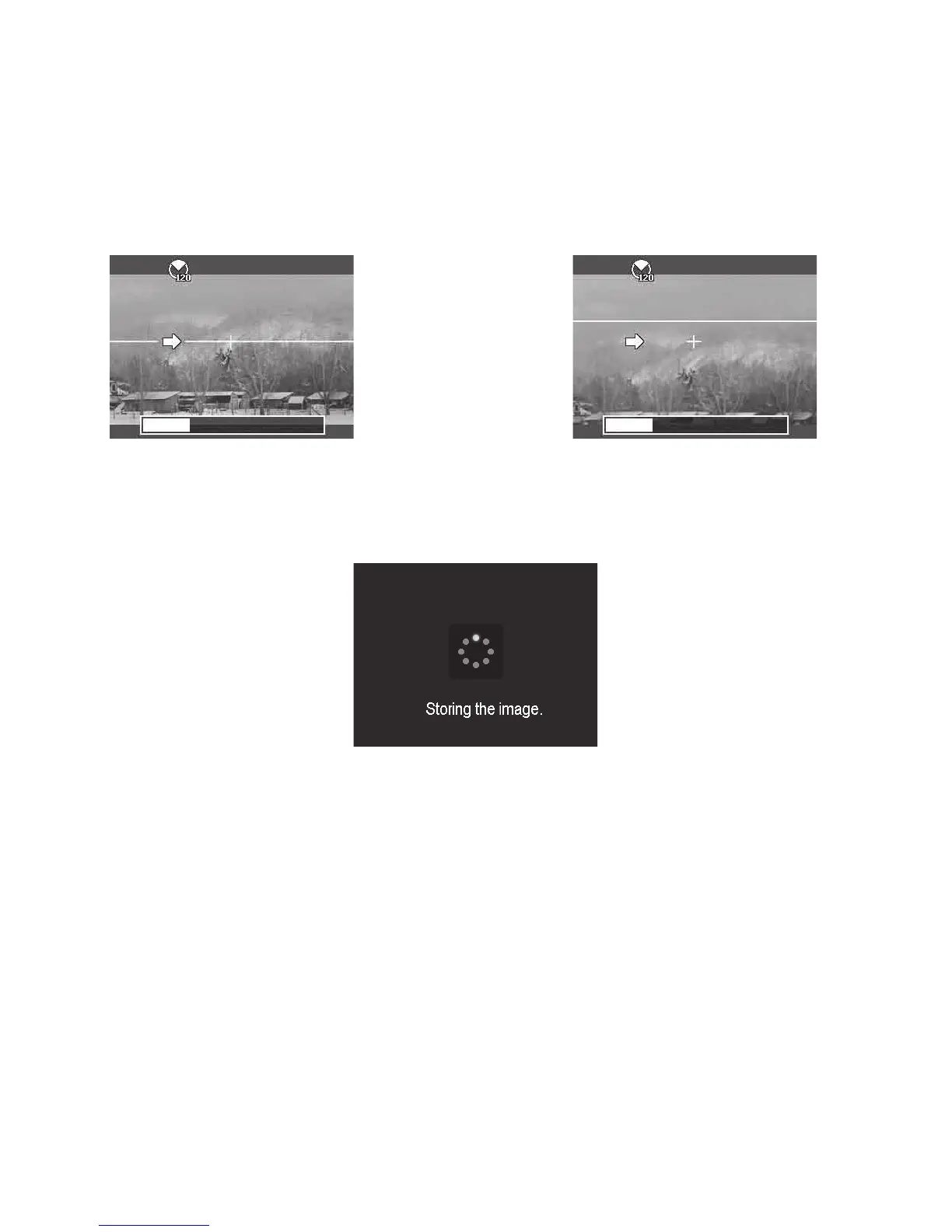
3.Fullypushtheshutterbuttontostart
shooting.Whenshootingstarts,awhite-
crosslocatesonthecenterandayellow
lineisdisplayedhorizontally(orverti-
cally)throughthescreen.Inaddition,a
progressbaronthebottomofthescreen
showstherelativeshootingpositionofthe
panoramicimagecapture.
4.Slowlyandsteadilymovethecamerainthe
specieddirection,whilemakingsuretokeep
thewhitecrosscenteredontheyellowline.If
youmovecamerawithoutkeepingastraight
line,theyellowlinewillmovewiththescene.
Thecamerawilldisplayanerrormessageif
astraightlineisnotmaintainedorcamerais
movedtofast.
5.Whenthewhiteportionoftheprogressbargoestotheend,thecamerawillautomaticallyperform
stitchingfunctionandsavethepanoramaimage.
Using Manual Mode - M
Thismodeallowsyoutoadjustbothshutterspeedandaperturevaluestoachievedesiredexposure
andeffect.AperturemaybeadjustedfromF1.8toF11in1/3stops.Shutterspeedmaybeadjusted
from15”(seconds)to1/2000second.AutoISOandEVcompensationarelockedwhenshooting
inManualmode.Theresultingexposurevalue(EV)isdisplayedonthebottomofthescreenwhen
pushingtheshutterbuttonhalfway.TheEVdisplayedisonlyforyourpersonalreference;ActualEV
compensationisNOTautomaticallyadjusted.
Manualmodeisintendedforexperiencedphotographersfamiliarwithadvancedphotographicprin-
ciples.Youhavecompletecontroloverimageexposureandvariouseffects.Moreinformationabout
learningtoshootinmanualmodeisavailableatyourlocalbookstoreoronlinethroughvariousphoto-
graphictrainingwebsite.



 To Next Page