59
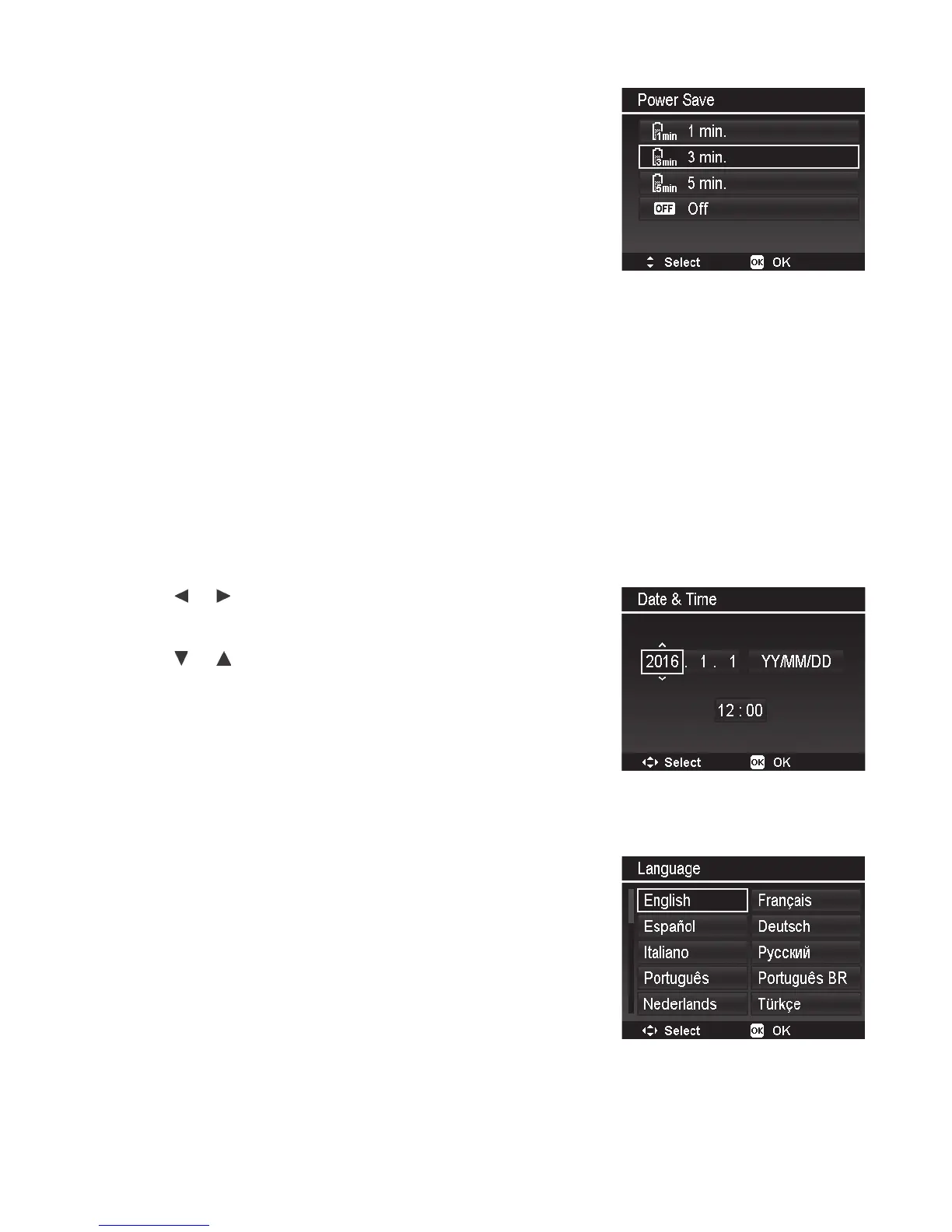
Power Save
ThePowerSavefunctionallowsyoutosettheamountof
timeforthecameratoentersleepmodewhennobuttons
arepushed.Thedisplayturnsoffinsleepmodetoconserve
batterypower.Afteraminuteofbeinginsleepmode,the
camerawillautomaticallypoweroff.
Thisfunctionisnotavailableinthefollowinginstances:
• Recordingavideole
• PlayingaSlideShow/videole
• UsingtheUSBconnector
• DuringMoviePaste
• DuringintervaltimeonTimeLapse
• DuringWi-Fioperation
Date & Time
UsetheDate&Timefunctiontosetthedateandtimeofyourcamera.Thisfunctionisusefulin
attachingdatestampsoncapturedimages.Yourcamerausesa24-hourtimeformat.
1. Pushthe
or keystomovecursorandselectthedate
ortimesettingyouwanttochange.
2. Pushthe or keystochangethenumericvalue.
3. PushtheOKbuttontoapplychanges.
Language
Thissettingspeciesthelanguageusedformenusandmessages.Selectamong31languages.
1. Usethe4-waynavigationcontroltoscrollthroughthe
listandselectthedesiredlanguage.
2. PushtheOK buttontoconrmandapplysettings.



 To Next Page