52
Item Description
Multi Theentireareaofthescreenismeasured,andtheexposureiscalculated.
Center
Averagesthelightmeteredfromtheentireframe,butgivesgreaterweight
tothesubjectmatteratthecenter.
Spot
Averysmallportionofthecenterofthescreenismeasured,andthe
exposureiscalculated.
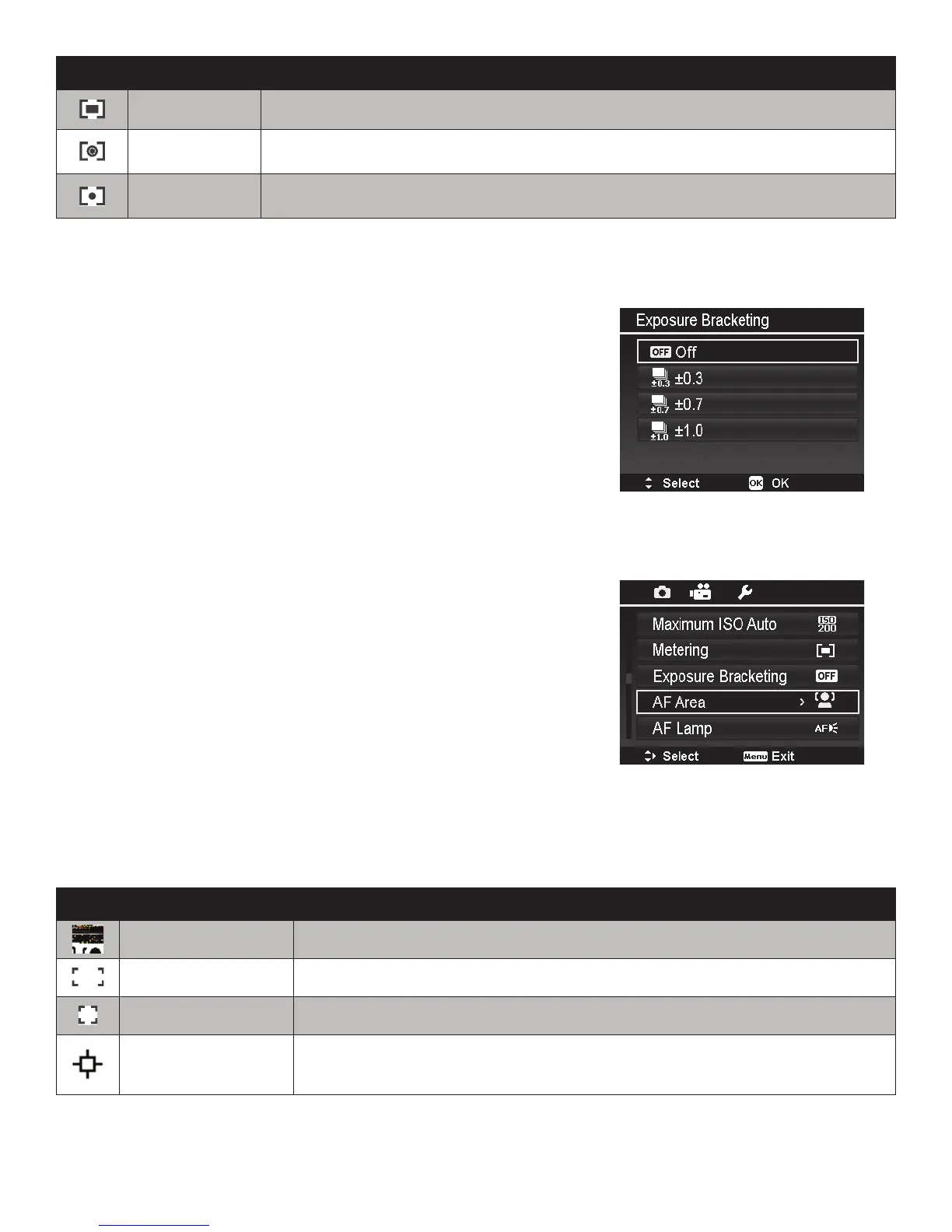
Exposure Bracketing
Usethisfeaturetotakephotoswithdifferentexposure
compensation.Bracketingrecords3continuousimagesin
thefollowingorder:Standardexposure,Overexposureand
Underexposure.
Availablesettingsare:Off,+/-0.3EV,+/-0.7EVand+/-
1.0EV.
AF Area
AFstandsforAutomaticFocus.Thisfeaturedeterminesthe
areaofthepictureframeonwhichthecamerafocuses.
ThetablebelowshowstheavailableAFareasettings.
Icon Item Description
FaceTracking
Thisfeatureautodetectsfacesandtrackscontinuously.Upto10faces
canbedetectedatthesametimewhenusingFaceTracking.
Wide Thecameraautomaticallyselectsfocusareawithinthewideframe.
Center Thefocusareaisxedonthecenter.
TrackingAF
Thecamerawillfocusthesubjectasitmovesandkeepitcontinually
infocusautomatically.IfMacroisturnedon,TrackingAFwillbe
disabled.



 To Next Page