26
Using EV Compensation
Imagescanbecapturedwiththeoverallsceneintentionallymadebrighterordarker.Thesesettings
areusedwhenasuitablebrightness(exposure)cannototherwisebeobtainedincircumstances
wherethedifferenceinbrightnessbetweenthesubjectandthebackground(thecontrast)islarge,
orwhenthesubjectthatyouwishtocaptureisverysmallwithinthescene.Availableforstillimages
only.
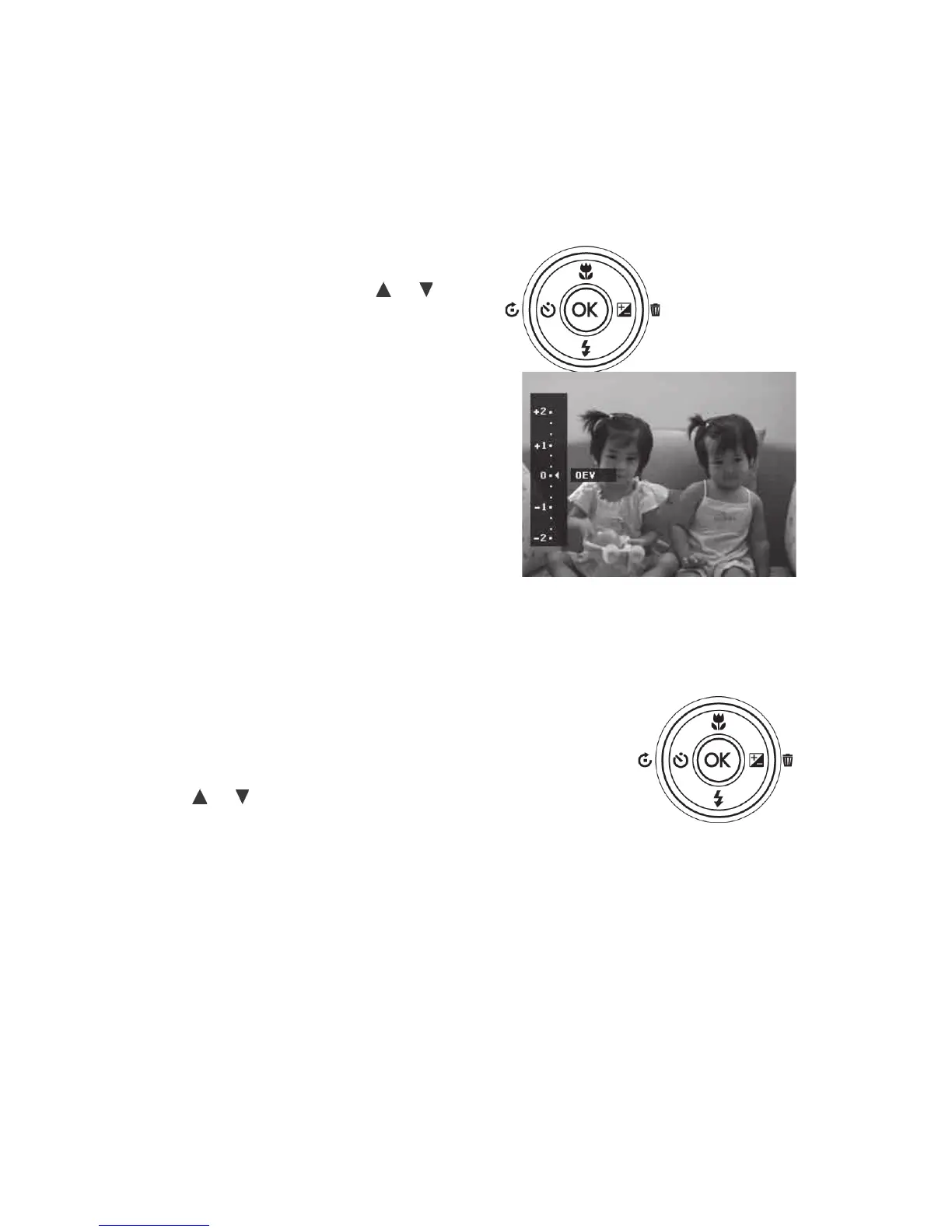
•PushtheEV/Delete/Rightbuttonto
launchtheEVCompensationfunction.
• ToadjustEVsettings,Pushthe
or
keystoincrease/decreasethevalue.As
youadjusttheEVsettings,youwillsee
theresultingeffectontheLCDmonitor.
• PushtheOKbuttontosaveandapply
changes.
• TheEVsettingisonlyavailablein
shootingstillimages.
EV/Delete/Right
button
Using the Flash
Whentakingpicturesinlowlightorchallenginglightingconditions,usetheFlash togetbrightenthe
imageexposure.Theashfunctionisnotavailableforvideosorcontinuousshooting.
ToactivateFlash:
• PushtheFlash/Downbuttontolaunchthe
Flashfunction.
• Pushthe
or keystoselectthedesiredash
setting.
• PushtheOKbuttontosaveandapplychanges.
Flash/Down button



 To Next Page