63
Viewing Thumbnails
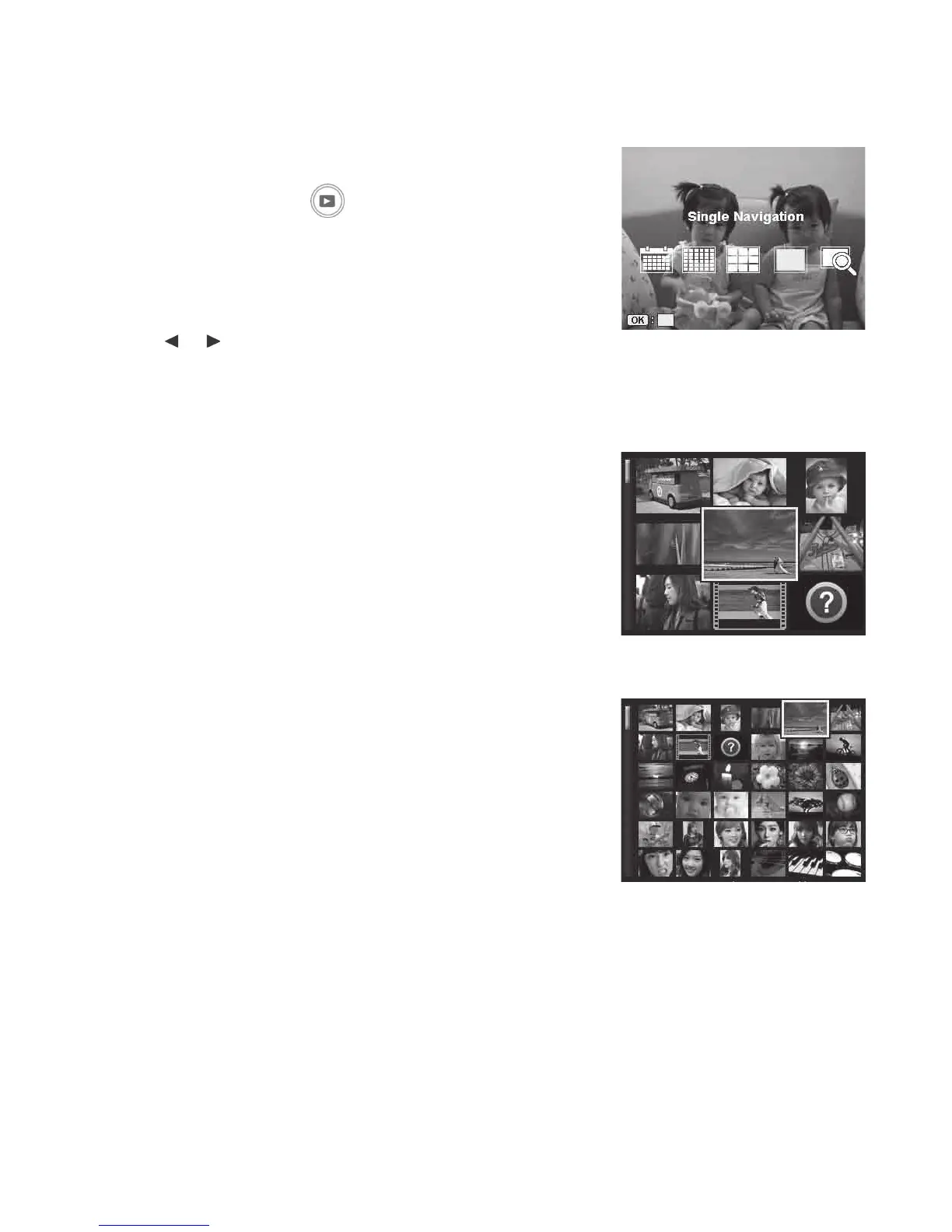
Thisfunctionallowsyoutoview9or36thumbnailimagesontheLCDmonitoratthesametime.
Searchingnumerousimagesisfasterthansingleviewnavigation.
Toset9-imagesor36-imagesmode
1. PushthePlaybackbutton
onthecamera.
2. IftheleisNOTvideo,GIF,TimeLapse,Burstphotos
orvoicememoinSingleNavigation,PushOKbuttonto
displayplaybackviewingoptions.
3. Usethe
or keystomovethroughthe5options:
Calendar,6x6Thumbnail,3x3Thumbnail,Single
Navigation(Default)andEnlargeImage.
4. PushtheOKbuttontoselectthedesiredviewingoption.
Using the scroll bar:
IfascrollbarappearsontheleftsideoftheLCDmonitor,
itindicatesthatthescreencanbescrolledupordownto
displaythenextpageofthumbnails.
Usethe4-way navigation controltoselecttheleand
PushtheOK buttontodisplaytheselectedleinSingle
Navigation.
3 x 3 thumbnail view
6 x 6 thumbnail view



 To Next Page